 Givebear
Givebear vs GiveWP. Kiosks, fees and funds, side by side.
Compare GiveWP with Givebear for WordPress donation forms, plugin maintenance burden, PCI scope, in-person giving, and total cost of ownership. See the side-by-side comparison, where GiveWP still fits, and how to migrate to Givebear without breaking donation links.
Rather talk it through? Book a demo
Get a comparison plan.
Tell us what you are comparing with GiveWP. We will reply with the costs, workflow, and next step that fit your organization.
No obligation and no forced sales call.
Side by side.
| Capability | Givebear | GiveWP |
|---|---|---|
| Hardware Donation Kiosks | Yes | No |
| Who Applies Security Updates | Givebear (hosted) | Your team (self-hosted) |
| Works Outside WordPress | Yes | No |
| Recurring Giving | Included | Paid add-on |
| Page-Builder Update Risk | Isolated script embed | Lives in the WordPress stack |
When GiveWP is the better fit
GiveWP fits organizations with a developer or agency already maintaining their WordPress site: teams that want donation records inside their own database, template-level control over form markup, and that are comfortable owning plugin updates, gateway add-ons, staging tests, and compatibility checks themselves.
Run your own numbers
The kiosk cost calculator and the platform fee calculator work from your device count and giving volume.
After the gift. Where each one lands.
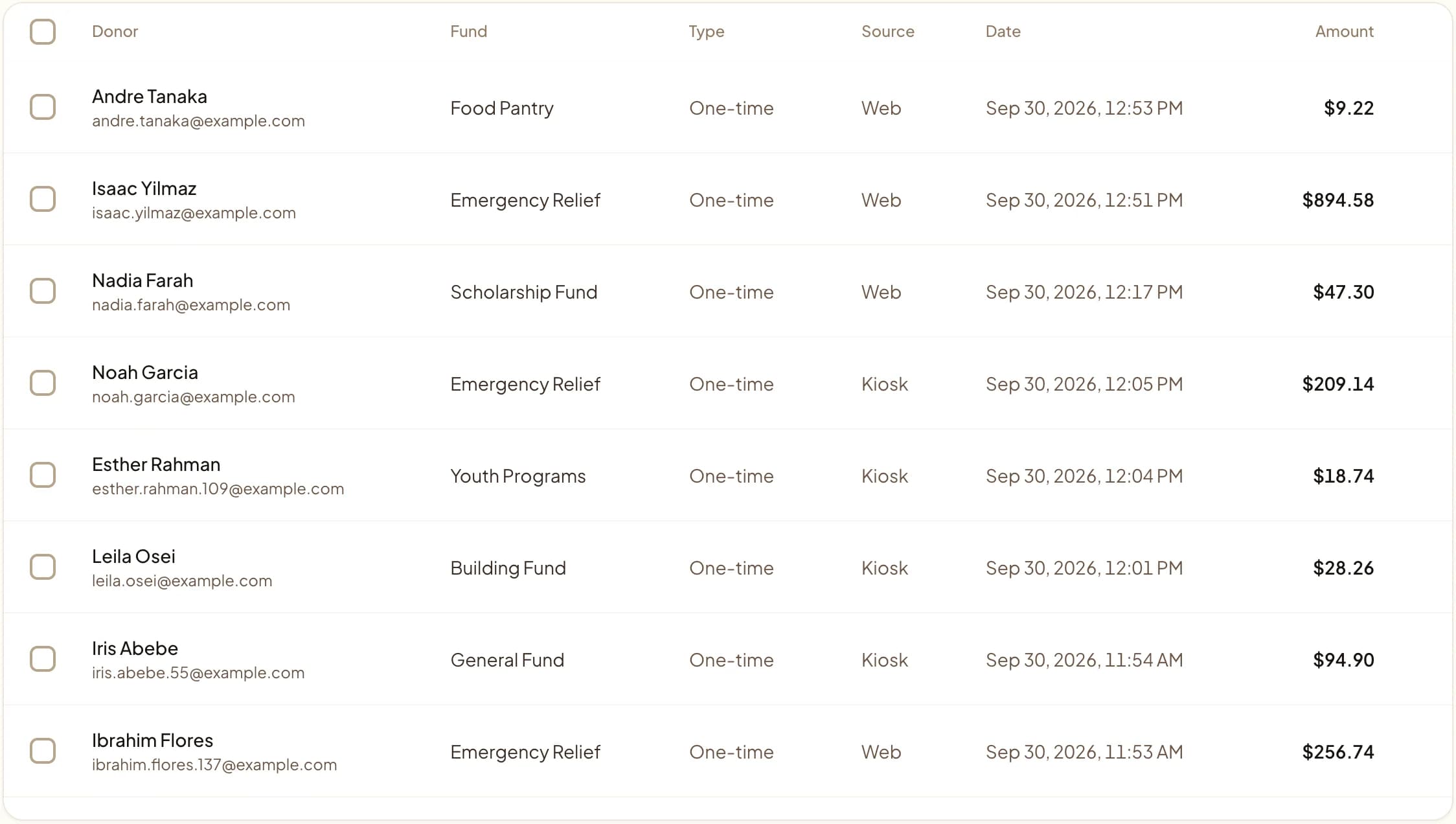
The full comparison.
Last updated June 2026
Quick answer
GiveWP is a WordPress plugin: a free core, paid add-on bundles for recurring giving, fee recovery, and extra gateways, and your team owns the updates, hosting, and security of the page that takes payments. Givebear is hosted: WordPress keeps the content, you add a script embed or a link to a hosted giving page, and checkout, receipts, and recurring billing run on Givebear. GiveWP fits sites with a developer who wants donations stored in WordPress. GiveWP has no kiosk; Givebear sells one.
Key takeaways
- Recurring gifts created through a GiveWP gateway add-on live at the gateway, so plan to re-create or migrate them there.
- Redirect old donation form URLs to the new giving page so bookmarks and printed QR codes keep working.
- A theme or page-builder update cannot break Givebear's checkout, because payment runs off your server.
Who this is for: A nonprofit web coordinator whose WordPress site needs donation forms but who would rather not own plugin updates and security patches forever; Development directors and finance leads who answer to a board for every restricted gift and every receipt, weighing GiveWP against Givebear
GiveWP is a WordPress donation plugin. In the comparison below, the gap is works outside WordPress: Givebear includes it and GiveWP does not.
Where GiveWP is the better choice
GiveWP fits organizations with a developer or agency already maintaining their WordPress site: teams that want donation records inside their own database, template-level control over form markup, and that are comfortable owning plugin updates, gateway add-ons, staging tests, and compatibility checks themselves.
Where Givebear is different
Givebear fits organizations where nobody on staff wants to maintain a plugin stack: keep WordPress for content and stories, add a one-script embed or a donate link to a hosted giving page, and let checkout, receipts, recurring billing, and donor records run on Givebear, with a lobby kiosk available that no website plugin can provide.
Compared with GiveWP, Givebear's kiosk for a lobby or event entrance is a 21.5-inch touchscreen with a built-in Stripe card reader, sold once at $999 to $1,099 (wall mount or battery floor stand) with no per-kiosk software subscription.
What to test before you decide
Score both platforms on who maintains the donation stack (updates, patches, compatibility), PCI scope and where the checkout actually runs, donation kiosk and in-person giving, cost model: add-on bundles plus hosting vs hosted platform, and what happens when the theme or page builder updates. Use your last year-end appeal as the test case: set up the same funds and receipt wording in a free Givebear account and check whether it produces the report your board asked for from GiveWP.
How do you switch from GiveWP to Givebear?
Export donation and donor history from GiveWP before deactivating anything, and note which payment gateway holds your recurring subscriptions: recurring gifts created through a gateway add-on live at the gateway level and may need to be re-created or migrated there. Keep old donation form URLs redirecting to the new giving page so bookmarked links and printed QR codes keep working.
Givebear imports contacts and past gifts from a CSV, so the GiveWP export is the first step. Create your funds in Givebear before importing the GiveWP file, since fund names in it do not create funds on their own. Saved cards move only if GiveWP and Stripe support a transfer; otherwise recurring donors restart their gift on your new page, so announce the change a few weeks ahead.
Before cutover, list every place a donor can reach GiveWP: website buttons, email footers, printed QR codes, and event pages. Repoint the ones you control; a printed code that sends donors to GiveWP keeps working only as long as GiveWP keeps that page up.
What does GiveWP actually cost to run?
The GiveWP core plugin is free to install, and the paid features (recurring donations, fee recovery, additional gateways, form field tools) are sold as add-on bundles priced on givewp.com (verified June 2026). Those bundle prices change periodically and are not reprinted here; check givewp.com for the current figures. The structural point holds regardless: the plugin license is the smallest line in the budget. The real spend is WordPress hosting that can handle checkout traffic, SSL, a staging environment for testing updates, and the developer or volunteer hours that keep the whole stack compatible release after release.
Givebear's hosted model prices the other way around: a flat platform fee from 1.9% to 5.9% depending on plan (one rate online, at kiosks, and on memberships), plus Stripe card processing at cost, with no setup fee and no monthly minimum. There is no plugin to license, no annual bundle renewal, and no separate gateway add-on, because checkout, receipts, recurring billing, and donor records run on Givebear's infrastructure. WordPress keeps doing what it is good at (content, story pages, SEO) while the donation flow stops depending on the site's update cycle. For a treasurer building next year's budget, the comparison is bundle renewals plus maintenance hours on one side, and on the other a flat platform fee with no add-ons to license.
Plugin updates, PCI scope, and page-builder conflicts
When the donation form is a plugin inside your WordPress install, your site's update discipline becomes part of your payment security posture. WordPress puts out several core releases a year, themes and page builders update on their own schedules, and every plugin in the stack is a potential conflict with the one that handles money. Card numbers go to the payment gateway, but the page serving the form is yours to defend: an unpatched theme or a compromised plugin can tamper with the checkout page, which is exactly the e-commerce skimming scenario PCI guidance warns about. Someone has to own backups, staging tests, and rollback plans, and at many small nonprofits that someone is a volunteer with a day job.
Givebear moves checkout out of that blast radius. The embed is a single script tag that works in the block editor, Elementor, Divi, or a plain HTML block, and the payment flow runs on Givebear's PCI-scoped infrastructure rather than your server. A theme update can still break your site's header; it cannot break the donation checkout. The setup options (hosted page link, embedded widget, or both) are walked through in Givebear's WordPress integration guide at /integrations/wordpress-donation-form, and the same embed keeps working if the organization ever rebuilds the site on something other than WordPress.
In-person giving that a plugin cannot provide
GiveWP is a website plugin, so its giving stops at the website: there is no GiveWP kiosk, card reader, or tap-to-donate hardware. Organizations that want in-person giving end up improvising with a tablet pointed at the donation form, which means a browser tab someone has to keep awake, no payment terminal, and donors typing card numbers by hand at exactly the moment a line forms behind them.
Givebear's kiosk is a one-time hardware purchase ($999 to $1,099 depending on wall mount or floor stand) with no per-device subscription, running Stripe Terminal so donors tap a card or phone instead of typing anything. Gifts from the kiosk land in the same donor records and receipt flow as gifts from the WordPress embed, so the lobby and the website stop being two separate spreadsheets to reconcile. Plan details are on /pricing and the hardware itself is at /products/donation-kiosk.
Practical use cases
- Choose Givebear if you need hardware donation kiosks, which GiveWP does not offer.
- Choose Givebear if you need works outside WordPress, which GiveWP does not offer.
- Keep GiveWP for online giving and add a Givebear kiosk for walk-up gifts, then decide after a season of both.
Common questions
Does GiveWP support donation kiosks?
What is the best GiveWP alternative?
Is GiveWP really free?
Can I keep my WordPress site and still use Givebear?
Can I import my donors from GiveWP?
What does switching from GiveWP to Givebear cost?
Givebear covers donation portal, donation kiosks, campaign pages, event registration, automated receipts, donor records.
See Givebear next to GiveWP.
Book a 30-minute walkthrough. Bring what you run on GiveWP today and we will show the same setup in Givebear: funds, kiosk, receipts and reports.
- Your funds, set up the way your treasurer reports them
- Where a kiosk would go, and what it costs
- The reports your board will actually see
Rather set it up yourself? Start free
Loading available times
Or open the booking page