What is a donation kiosk? Definition and key features
Understand the technology behind donation kiosks. Learn how self-service tap-to-donate terminals differ from retail POS setups, and how to choose the right kiosk for your organization.
Last updated July 2026 by Fatih
Quick answer
A donation kiosk is a self-service touchscreen with a card reader where people give in person without a staff member. The donor picks an amount and, usually, a fund, then taps a card or phone. Unlike a retail card terminal, it is set up for gifts: preset amounts, fund choices, donation receipts, and gift records that sit alongside online giving. Kiosks stand in lobbies or at events, mounted on a wall or on a floor stand.
Key takeaways
- Placement matters most: put the kiosk on the path people already walk, near the entrance or exit.
- Look for an offline mode so gifts still go through when the Wi-Fi drops.
- Compare total cost over three years: hardware, any monthly software fee per device, and per-gift fees.
- Givebear's kiosk is $999 to $1,099, paid once, with no per-device subscription.
Who this is for: Mosques, churches, and synagogues replacing a cash box with card and phone giving; Nonprofits that want lobby or event giving recorded against donors and funds; Treasurers who spend Monday counting cash and typing up envelopes
A donation kiosk is a self-service giving station: a touchscreen and a card reader, set up so that a visitor can choose a cause and an amount and pay with a card or phone without anyone helping them. It usually stands in a lobby, foyer, or event entrance, where a cash box or collection plate would otherwise sit.
What separates a donation kiosk from a shop card terminal is what it records. A kiosk asks which fund the gift is for, can take the donor's email for a receipt, and writes the gift to the organization's donor records. A shop terminal records a sale with an amount and nothing else.
Donation kiosk definition and core purpose
A donation kiosk has three parts: the hardware (a screen, a card reader, and a mount or stand), the giving software that runs on it, and a payment processor that moves the money to the organization's bank account. On Givebear the reader is a Stripe reader built into the enclosure and the money settles in the organization's own Stripe account.
The screens follow the donor's decision, not a checkout: pick a cause, pick or type an amount, optionally enter an email for a receipt or choose to give monthly, then tap.
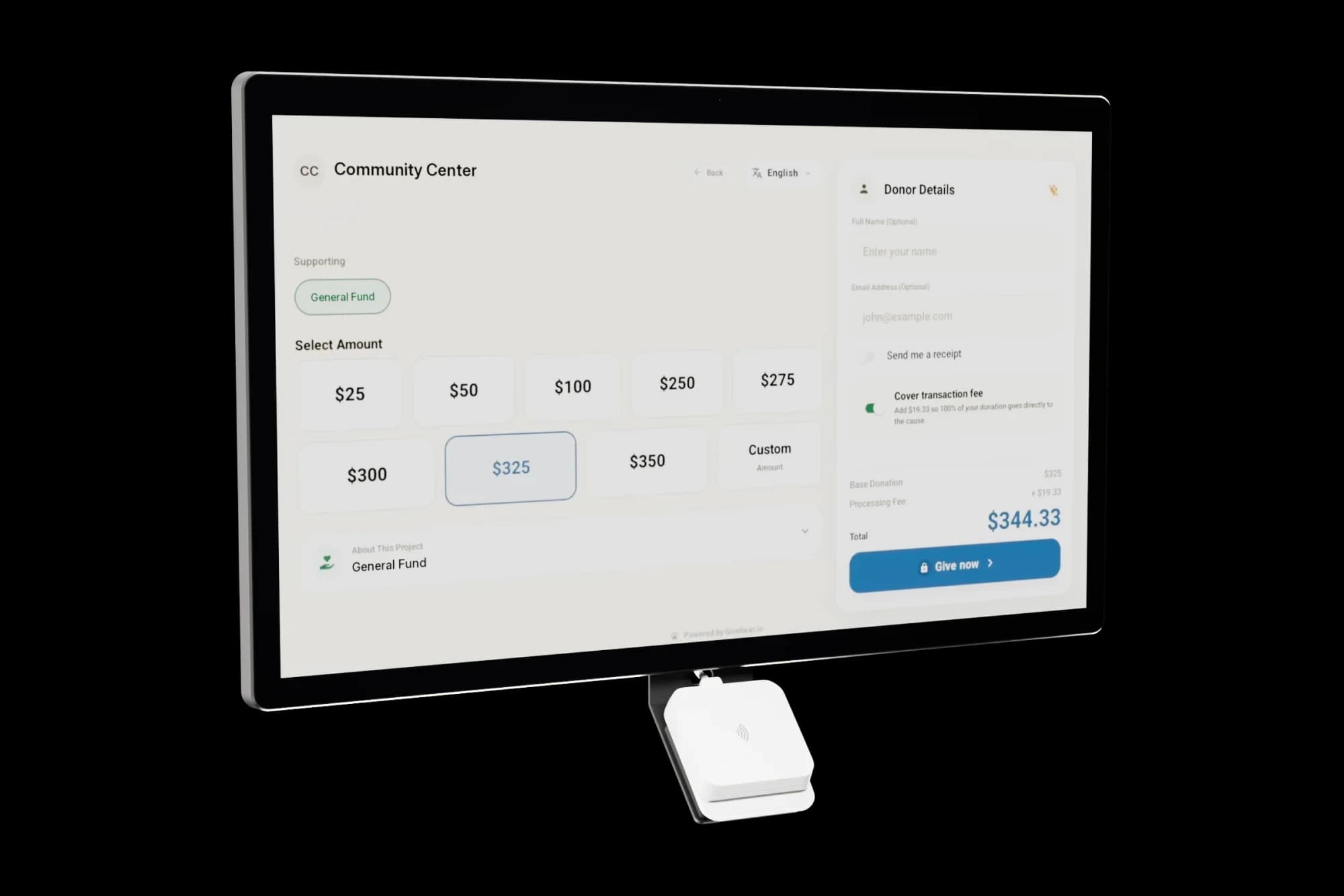
How do retail POS terminals and dedicated donation kiosks differ technically?
A retail terminal such as a countertop card reader or a self-checkout tablet produces a list of charges. That works for a bake sale, but it leaves the treasurer with amounts and timestamps and no fund, no donor, and no receipt.
A donation kiosk records the fund at the moment of the gift, matches the email to an existing donor or creates a new one, and sends the receipt. A mosque donor can choose zakat or sadaqah and a church donor can choose the building fund or missions, and the report already splits them.
Where do donation kiosks work best?
Put the kiosk where people pause, not where they hurry: by the exit of a prayer hall or sanctuary, near a coffee table, or at an event check-in. A kiosk tucked into a side corridor is rarely used.
Add a sign that says what the gift does. A plain line such as "$20 buys a week of groceries for one family" gives the tap a purpose. Use a number that is true for your organization.
What to evaluate before selecting a donation kiosk platform
Price the whole thing over three years: the hardware, any monthly software fee per device, and the per-gift fees. Some vendors sell cheap hardware and charge a subscription for every kiosk; Givebear sells the kiosk once with no per-kiosk subscription.
Then check what happens after the tap. Do kiosk gifts land in the same donor records as online gifts? Can you change the funds on screen from a dashboard? Does the receipt name the fund? A kiosk that answers no to those questions moves the work to the office.
Practical use cases
- A wall-mounted kiosk at a mosque entrance with zakat, sadaqah, and building fund buttons.
- A battery floor stand at a gala, moved from check-in to the exit during the evening.
- A kiosk in a museum or shelter lobby next to a sign that explains one specific need.
Key features
- Touchscreen with preset and custom amounts
- Contactless cards, Apple Pay, and Google Pay
- Fund choice before payment
- Optional email for a receipt
- Gifts recorded in the same donor records as online giving
- Settings changed from a web dashboard, not at the device
Common questions
How does a donation kiosk differ from a standard retail credit card terminal?
Can a donation kiosk queue transactions if the local Wi-Fi connection drops?
What are the tax receipt requirements for donations made at a physical kiosk?
Is it possible to manage multiple physical kiosks from a central dashboard?
Do donation kiosks accept mobile wallets like Apple Pay and Google Pay?
More in Glossary
See it with your own funds.
Book a 30-minute walkthrough. No slides and no hard sell: we set Givebear up around how your organization already gives.
- Your funds, set up the way your treasurer reports them
- Where a kiosk would go, and what it costs
- The reports your board will actually see
Rather set it up yourself? Start free
Loading available times
Or open the booking page