Church donation kiosks that replace the plate.

Turn lobby traffic into designated giving without adding work on Monday. Members tap, choose Tithes, Missions, or Benevolence, and receive a receipt in seconds.

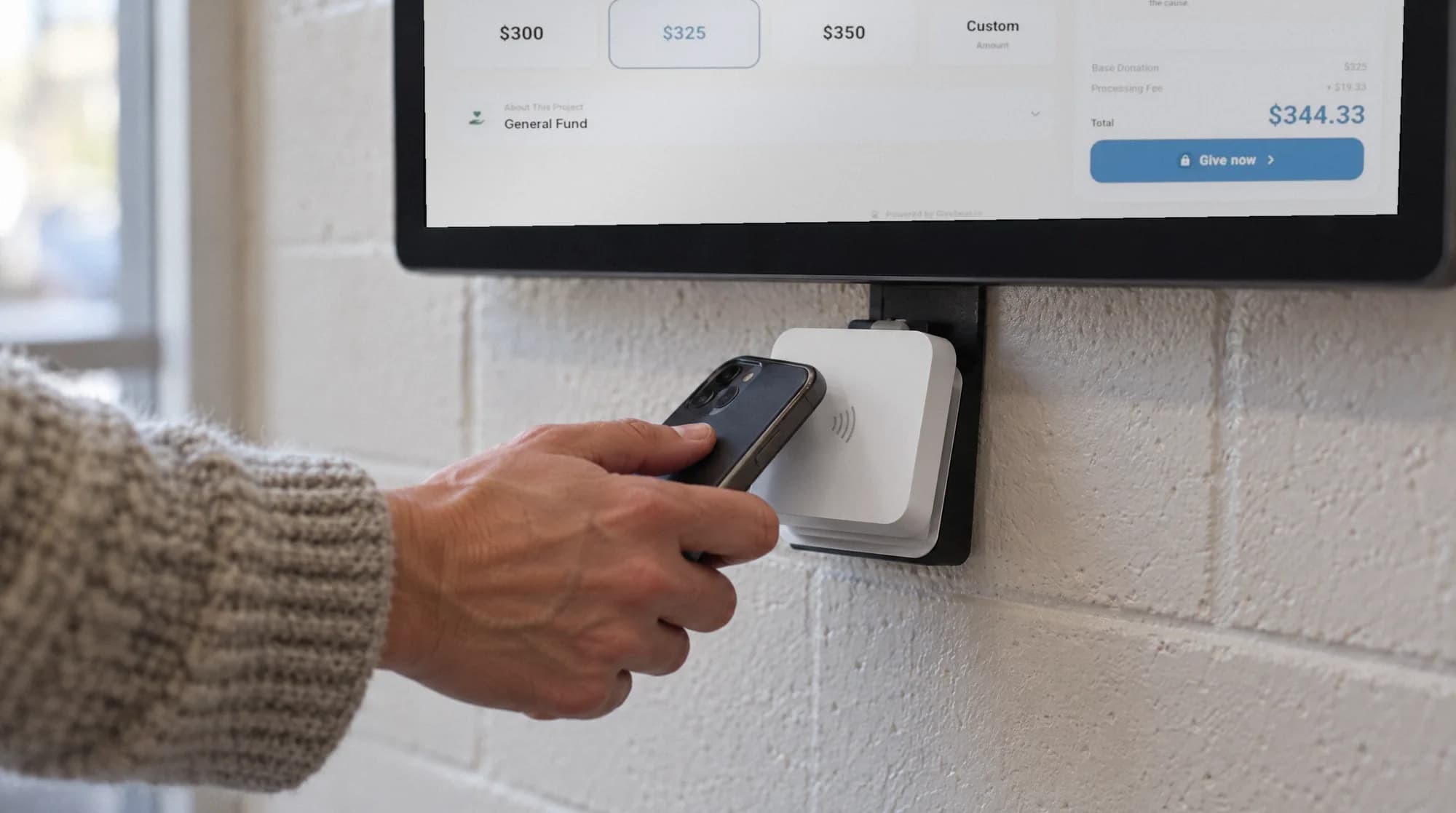
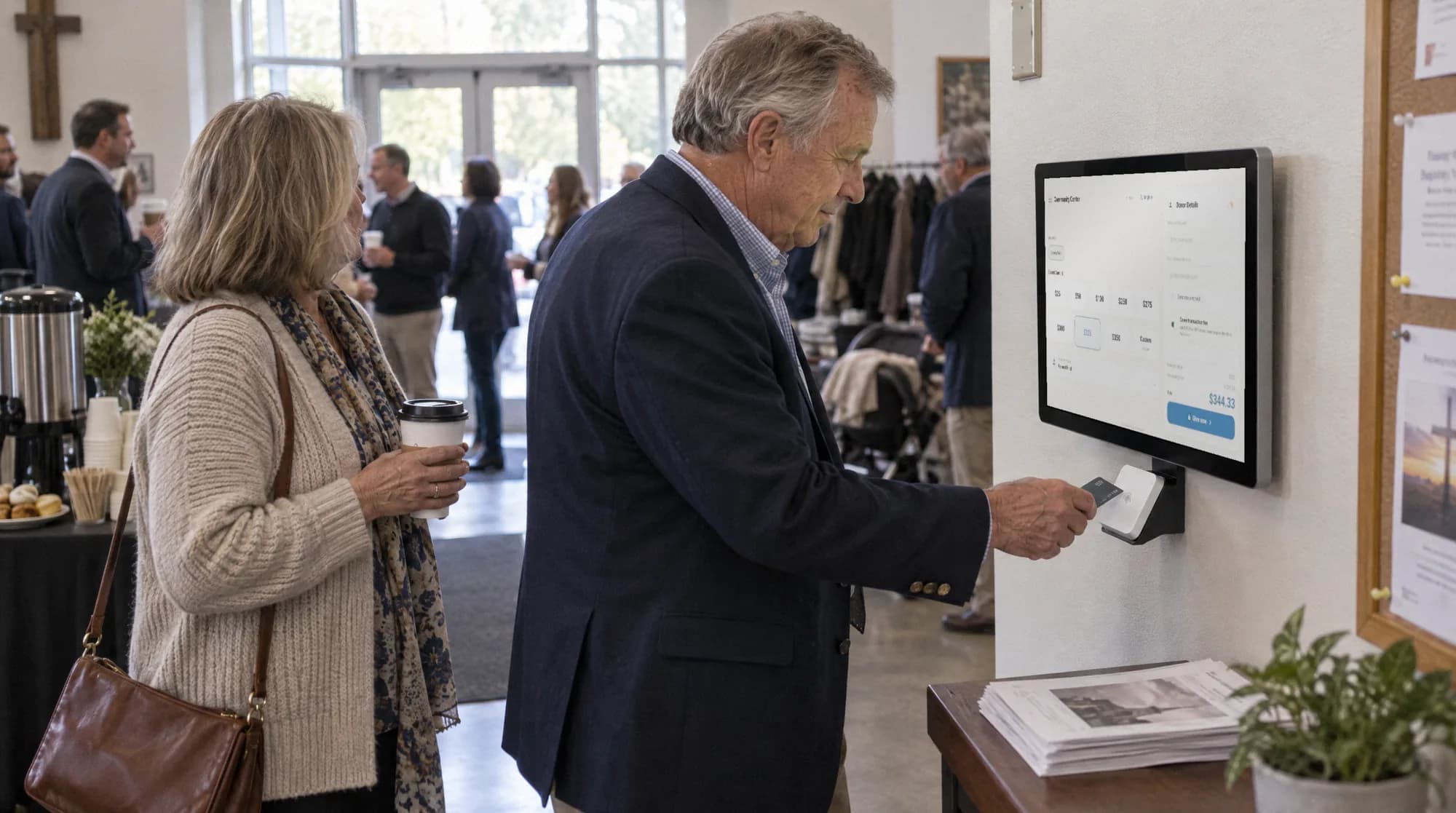
Wall-mounted Givebear donation kiosk in a church lobby outside the sanctuary
Tithes stay designated
Cashless lobby giving
Recurring gifts
Annual statements

Why churches choose Givebear

Every gift lands classified to the right fund with a receipt already sent, so the Monday count takes minutes and year-end statements are one click.

Lobby kiosks

Place tap-to-pay kiosks in your lobby or narthex. Members give with Apple Pay or a contactless card in under five seconds, no app and no account.

Fund designations

Allow your congregation to designate gifts to General Tithes, Youth Ministry, or Missions right on the touchscreen.

Recurring giving

Members set up weekly or monthly gifts in seconds, so pledged giving keeps arriving through the summer and holiday dips.

Annual giving statements

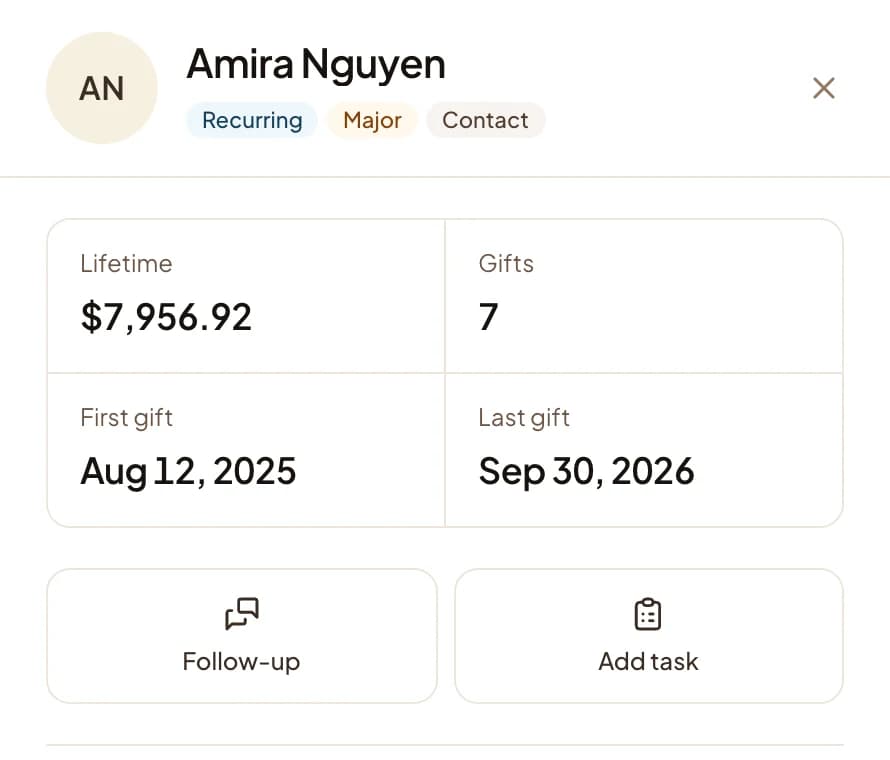
Every kiosk, online, and event gift records to one donor profile, so annual giving statements generate in a single click.

Multi-campus support

Multiple campuses or church plants? Manage your entire fleet of kiosks from one centralized dashboard.

Congregation insights

See which funds are growing, spot first-time givers, and recognize faithful members, all from one donor record.

The dashboard behind it

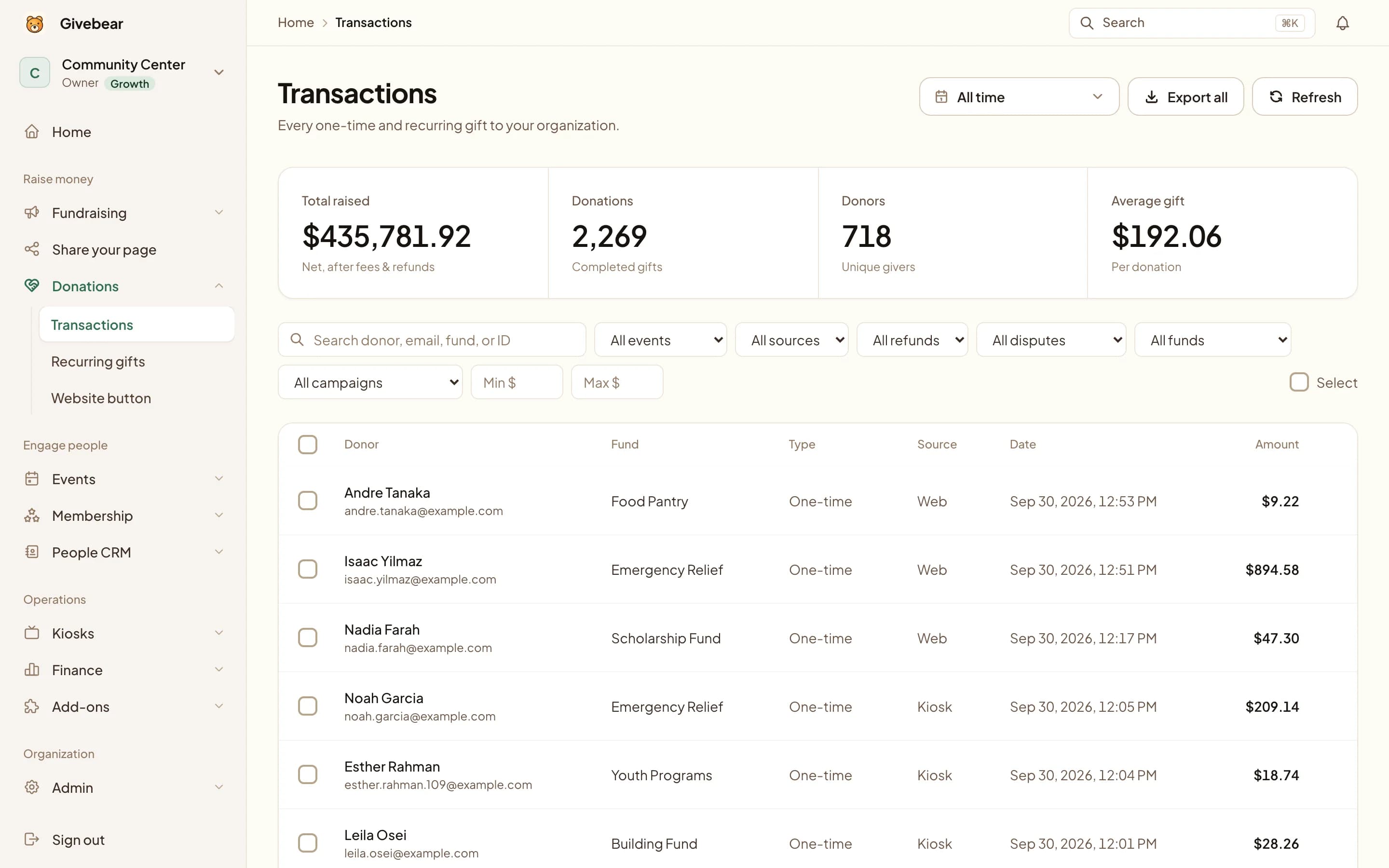
Every gift lands in a ledger your treasurer can read.

Kiosk taps, online gifts, and QR scans settle into the same dashboard, so the Monday count takes minutes instead of the afternoon.

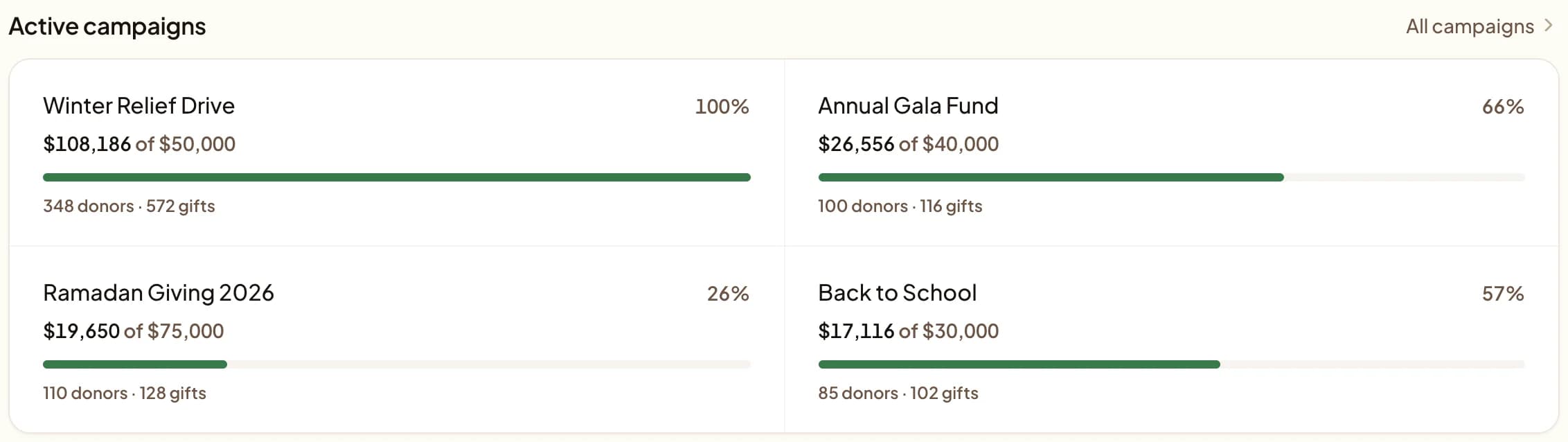
  • Live balances for Tithes, Missions, and the Building Fund as gifts arrive
  • Donor records that spot first-time givers and faithful members
  • Year-end giving statements generated for the whole congregation
Givebear management portal dashboard with live fund balances for a church

How much does a church giving kiosk cost?

A kiosk budget has three line items:

  • Hardware, paid once up front.
  • A monthly software subscription most vendors attach to each device, billed whether the kiosk takes three gifts or three hundred.
  • Per-gift processing, charged on every donation by every vendor.

The subscription is the line that quietly dominates the budget meeting. All competitor figures below come from each vendor's published pricing, verified June 2026.

VendorHardware (one time)Software (per month)Per-gift costs
Givebear$999 to $1099 one time, free US shipping$0/mo: kiosk software is included in every plan1.9% to 5.9% platform fee by plan + Stripe in-person 2.7% + $0.05; donors can cover fees at checkout
SecureGive$1,199 to $5,799 per kiosk$149/mo Basic or $299/mo Premium. Add-on modules run $49 to $300/mo on top.In-person kiosk credit 2% + $0.30 (debit 1.5% + $0.30)
DonorboxNo published price: kiosk hardware bundles are quote-gated (contact sales)$80/mo first kiosk ($50/mo on Premium), $15/mo each additional1.75% platform fee on kiosk gifts, plus Stripe in-person 2.7% + $0.05 (4.45% + $0.05 combined)
Kind Kiosk$299 to $599 per device$49/mo Community ($19/mo extra devices) or $149/mo Growth3% Kind Kiosk platform fee, plus Stripe 2.7% (5.7% combined on cards)

Sources: SecureGive pricing, verified Jul 2026; Donorbox Live Kiosk, verified Jul 2026; Donorbox pricing, verified Jul 2026; Kind Kiosk pricing, verified Jul 2026. Givebear prices come from our own product catalog, not estimates.

Run one kiosk for a year on each vendor's entry tier and the subscription shows its weight. SecureGive totals $2,987 in year one ($1,199 hardware plus $1,788 of software). Kind Kiosk totals $887, with a 3% platform fee stacked on Stripe's 2.7% (5.7% combined on cards, per its pricing page). Donorbox runs $960 in software alone before its quote-gated hardware bundle. A Givebear kiosk is $999 to $1099 once; years two, three, and four cost $0 in software.

Model your own congregation's numbers in the donation kiosk cost calculator, see what a Sunday looks like with one in the Sunday giving walkthrough, or read the line-by-line Givebear vs SecureGive comparison.

What Sunday giving looks like with a kiosk

The plate still passes. The kiosk just recovers the cash and check giving that quietly drifted away as members stopped carrying either. A member taps a fund, an amount, and the card or phone already in their hand, and the gift is done in about five seconds with no app and no account.

Placement decides how much a kiosk collects. The setups that work put it where traffic naturally slows and a greeter is already nearby:

  • By the main entrance or narthex for the offering moment, with a second unit near the welcome desk for visitors and special offerings.
  • Near the coffee station or information desk rather than in an aggressive bottleneck, with clear signage naming where each fund goes.
  • Portable at retreats, missions conferences, and community dinners, so on-site gifts and registrations land in the same records.

Because every kiosk tap is tagged to a fund and a donor the moment it is made, Monday changes the most. The counting team reconciles the remaining cash and checks against a digital total that already matches the deposit, instead of hand-coding which gift was for the building fund and which was general tithes.

Church fundraising ideas Givebear powers

Start with one or two that fit your calendar, not all of them. Each idea below routes gifts to your church as the organization, tagged to the right fund, with a receipt sent automatically:

  • A digital collection plate: a narthex kiosk for tap-to-pay giving at every service.
  • A recurring giving challenge tied to a sermon series, so a one-time tap becomes a standing monthly gift.
  • A building-fund or capital campaign with gifts tracked separately from general offering.
  • Seasonal Easter and Christmas offerings, each opened as its own fund and reported on its own line.
  • A ticketed fundraising dinner or gala where ticket and sponsor revenue land in the same dashboard as the offering.

Built for churches of every denomination

One platform, in your tradition's giving language. Funds, seasonal offerings, and statements map to how your congregation already gives.

Baptist churches

Route undesignated tithes and offerings to your ministry budget and Cooperative Program forwarding, and keep the Lottie Moon Christmas and Annie Armstrong Easter offerings as their own funds. Gifts arrive pre-tagged for the deacon-led count.

Methodist churches

Keep the connectional offering steady and every restricted gift designated: apportionments, UMCOR Sunday, and the other Special Sundays. Turn estimate-of-giving cards into recurring gifts after Commitment Sunday.

Lutheran churches (ELCA and LCMS)

Split the general fund, Mission Support and benevolence, and special offerings like ELCA World Hunger and Lutheran Disaster Response. Recurring giving in the Simply Giving tradition holds income steady, and numbered envelopes stay welcome.

Presbyterian churches (PC(USA) and PCA)

Open funds for per-capita, the deacons' fund, mission, and a capital campaign, and let members fulfill an Estimate of Giving pledge with recurring gifts. The special offerings each report on their own line for the session and treasurer.

Pentecostal and charismatic churches

Take fast lobby giving across every service and keep tithes, building fund, and missions straight to the dollar, including faith-promise, Speed the Light, and BGMC designations.

Non-denominational and multisite churches

Give each campus its own General, Building, and Missions funds while leadership sees the whole church from one dashboard, with auto-give for steady weekly and monthly support.

Catholic parishes

Bring the offertory into the cashless pew and keep restricted second collections like Peter's Pence, the building fund, and St. Vincent de Paul separated, with sustaining recurring offertory and one-click annual contribution statements.

Questions church finance teams ask us

How much does a church giving kiosk cost?
Hardware runs $299 to $5,799 per device across vendors with published pricing, and most attach a software subscription of $49 to $299 per month per kiosk (SecureGive and Kind Kiosk pricing pages, verified June 2026). Donorbox prices its kiosk hardware by quote only. A Givebear kiosk is $999 to $1099 as a one-time purchase with no monthly kiosk software fee, so the hardware price is the whole price.
Are giving kiosks worth it for a small church?
Usually, once the monthly subscription drops out of the math. A congregation of 75 that shifts $250 a week of declining cash giving onto a kiosk runs about $13,000 a year through it, which recovers a one-time $999 wall-mount inside the first month. Subscription kiosks face a harder hurdle: $588 to $1,788 a year in software fees (Kind Kiosk and SecureGive published pricing, verified June 2026) billed regardless of how much a small congregation actually gives.
Is there a monthly fee for the kiosk?
Not with Givebear. Kiosk software is included in every plan, so after the one-time $999 to $1099 hardware purchase there is no per-device subscription. Each kiosk gift carries a platform fee from 1.9% on paid plans to 5.9% on the free plan, plus Stripe's in-person rate of 2.7% + $0.05, and donors can cover fees at checkout. Most alternatives bill monthly per device: Donorbox starts at $80/mo for the first kiosk and SecureGive plans start at $149/mo (vendor pricing pages, verified June 2026).
Can gifts be designated to tithes, missions, or benevolence?
Yes. Donors choose the fund on the kiosk screen or giving page before paying, so General Tithes, Youth Ministry, Missions, and Benevolence each report separately. Restricted gifts stay cleanly accounted for without manual coding after the fact.
Will older members of the congregation use a giving kiosk?
In most churches, yes, and faster than expected. The kiosk requires no account, no app, and no typing: a member taps a fund, an amount, and the card they already carry. Cash and envelope giving stay available alongside it, so nobody is forced to switch.
Do kiosk gifts appear on year-end giving statements?
Yes. Kiosk, online, and event gifts all record against the same donor profile, so each member receives one complete annual statement covering every channel. Your finance team generates the statements in one click instead of merging spreadsheets.
What hardware does a church tap-to-give setup need?
A dedicated Givebear kiosk: a 21.5-inch wall-mount or a 21.5-inch freestanding stand with a 4-hour battery, at $999 to $1099 as a one-time purchase. Units ship pre-configured with your church already set up and are live about five minutes after unboxing.

Upgrade your church today

One payment for the hardware, no kiosk subscription after it. Talk to our team and we'll ship your first kiosk out next week.

Let's make giving easier.

Tell us what you are trying to improve. We will route your request to the person best equipped to help.

Payments are processed securely by Stripe. Card numbers do not pass through Givebear servers.