The donation dashboard your treasurer can read.
Every gift, donor and fund on one calm screen. Online and kiosk gifts land together, ready for the board.
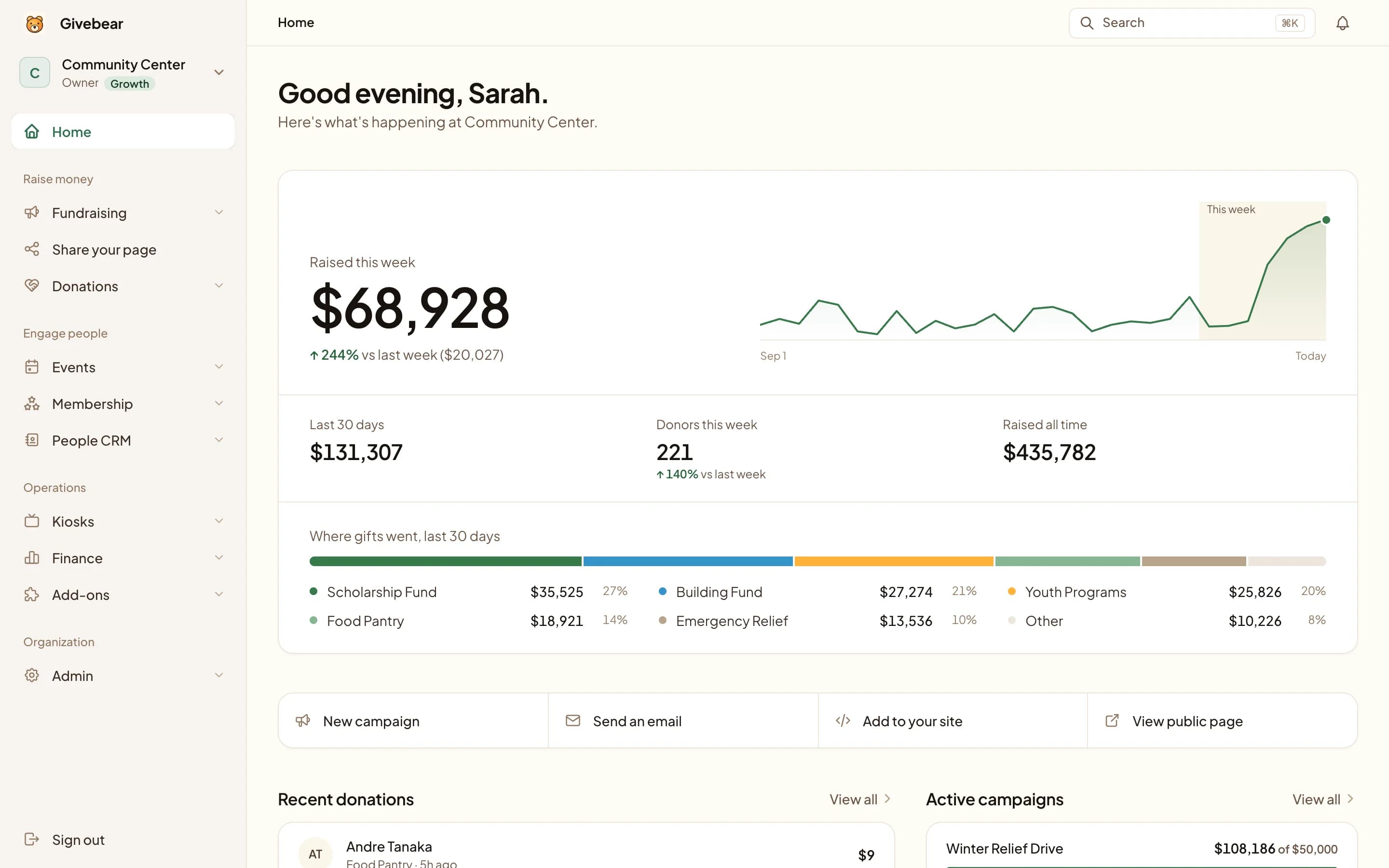
Summary first. Detail when you need it.
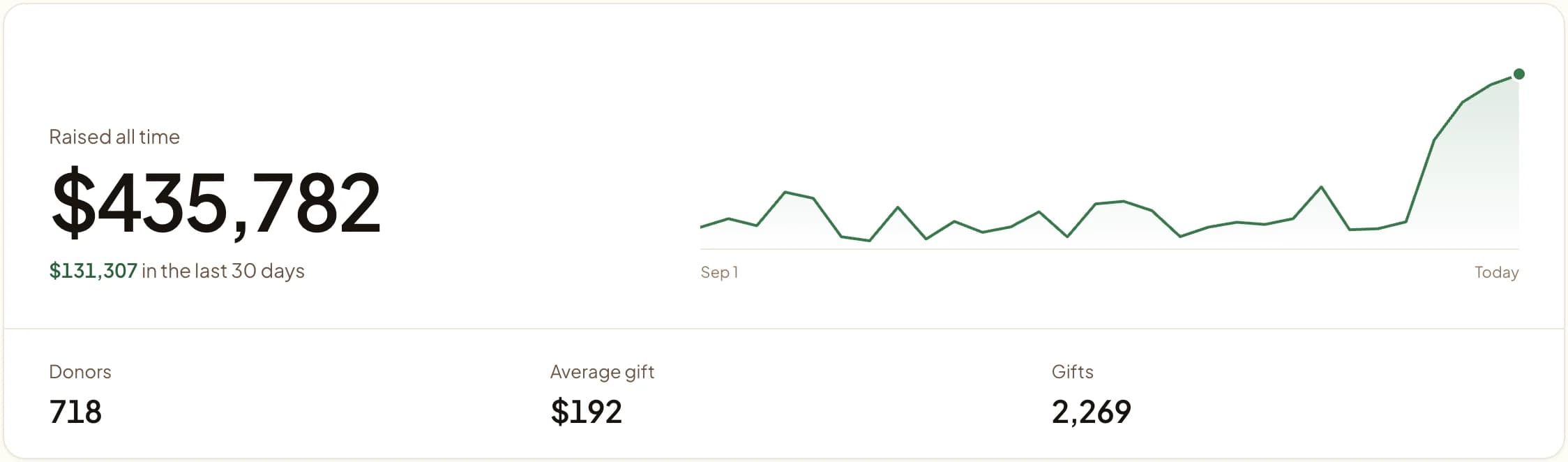
Where giving stands.
Raised all time, the last 30 days, donors and the average gift, the moment you sign in.
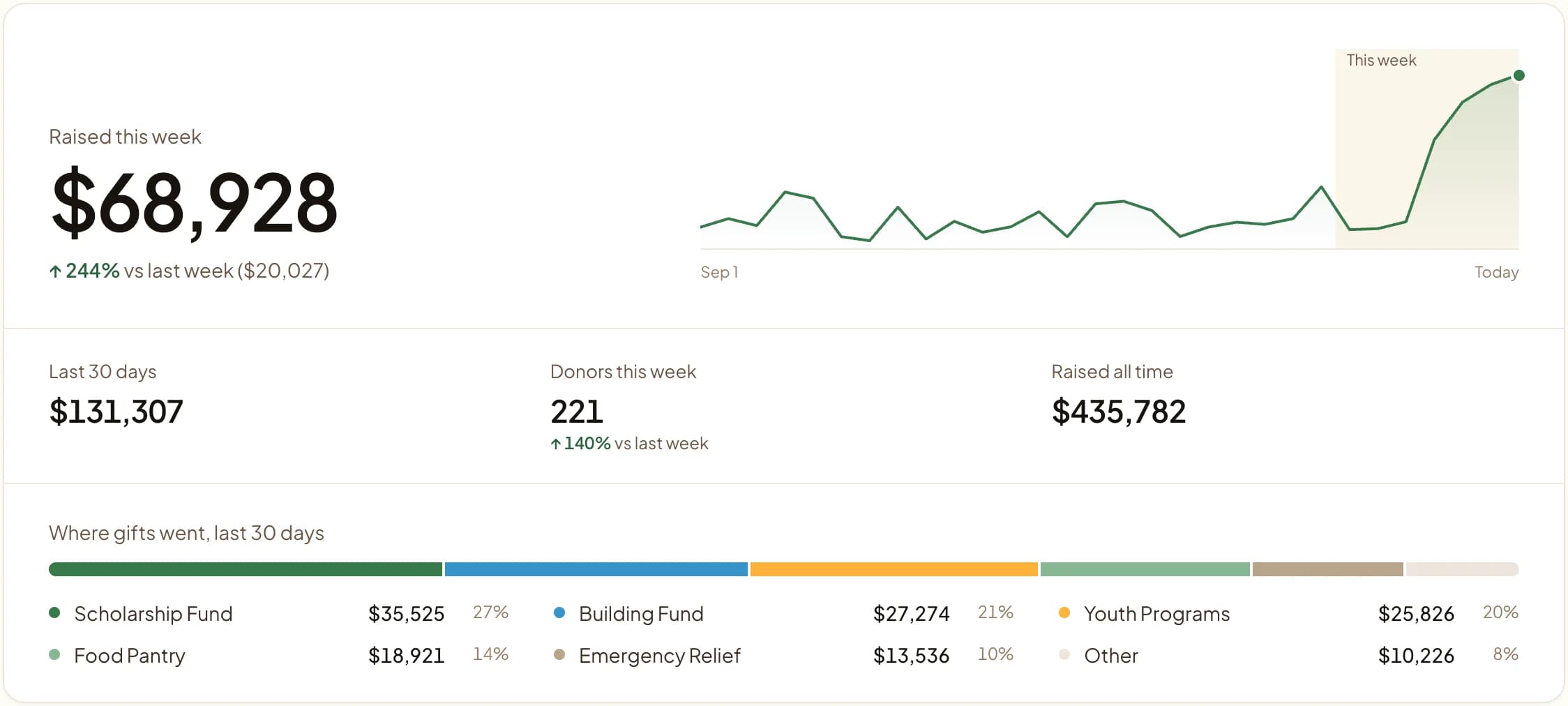
Every gift finds its fund.
Zakat, Sadaqah, the building fund or any fund you create. One bar shows where the last 30 days of gifts went.
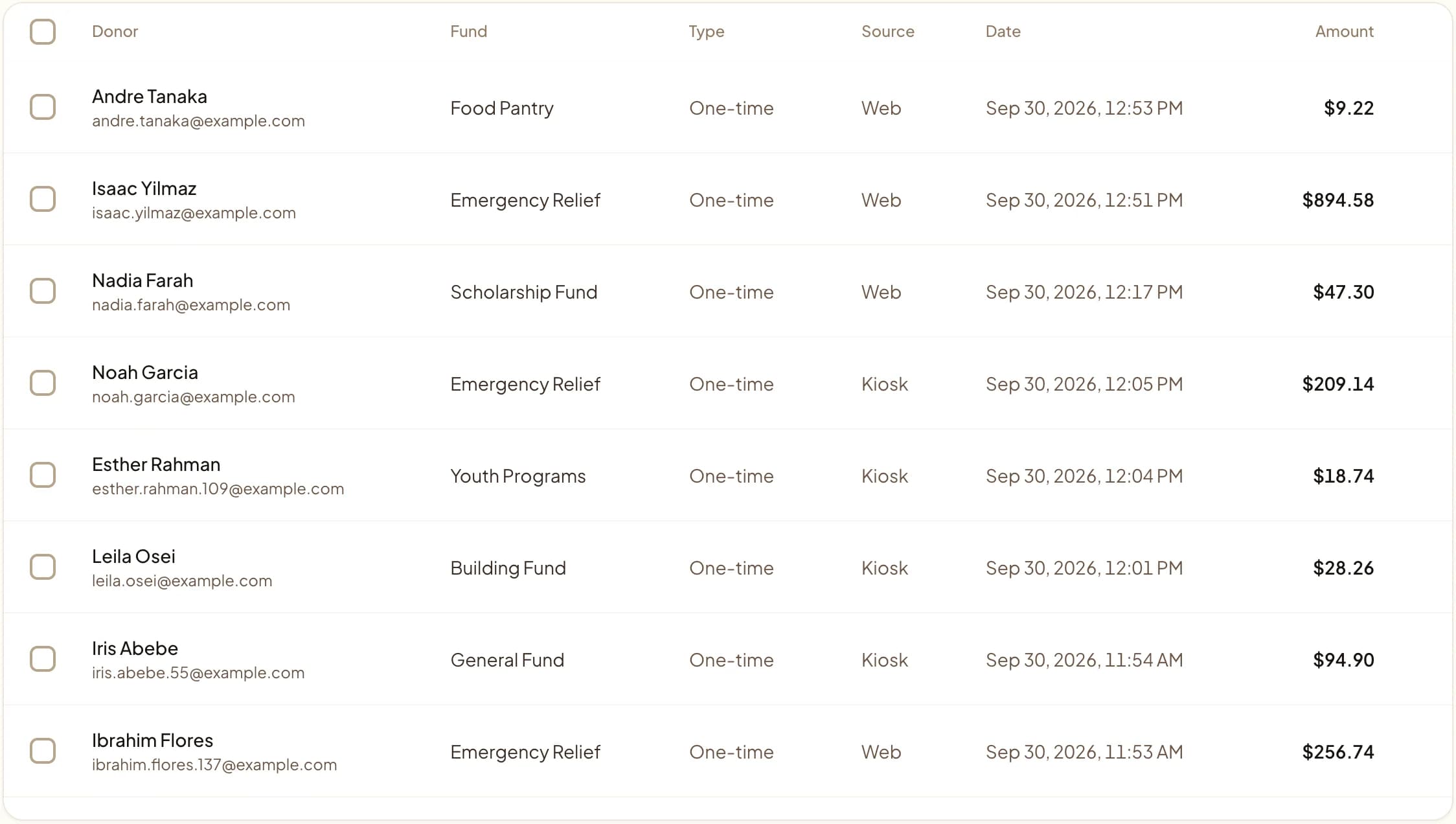
Kiosk and web. One ledger.
Every gift with its donor, fund and source, whether it came from the lobby or a phone.
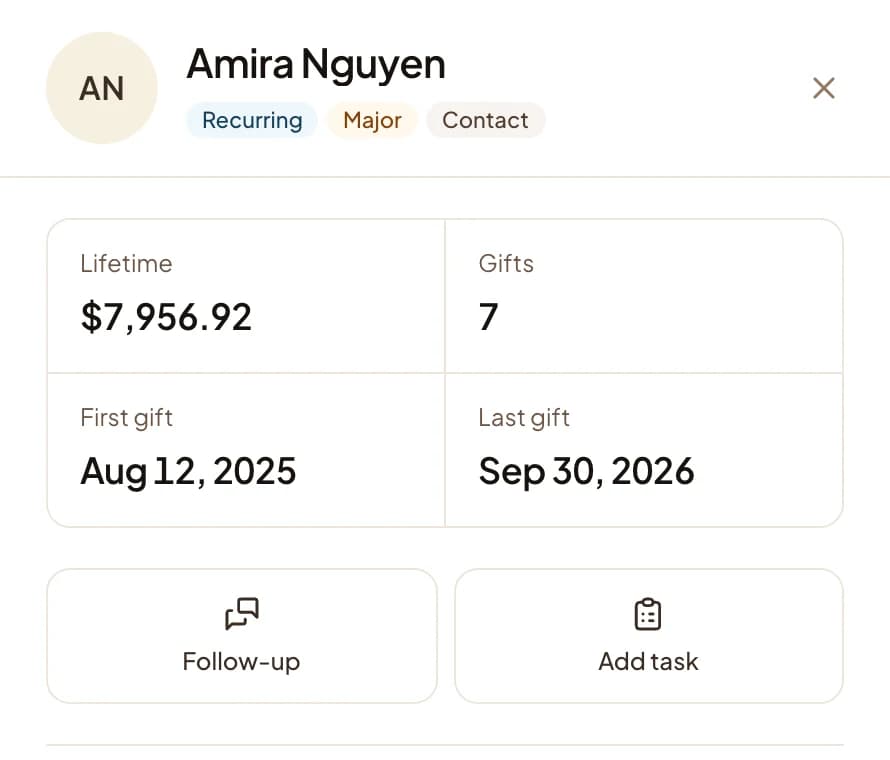
One record per donor.
One-time and recurring gifts from every channel build one history, with a place to log the follow-up.
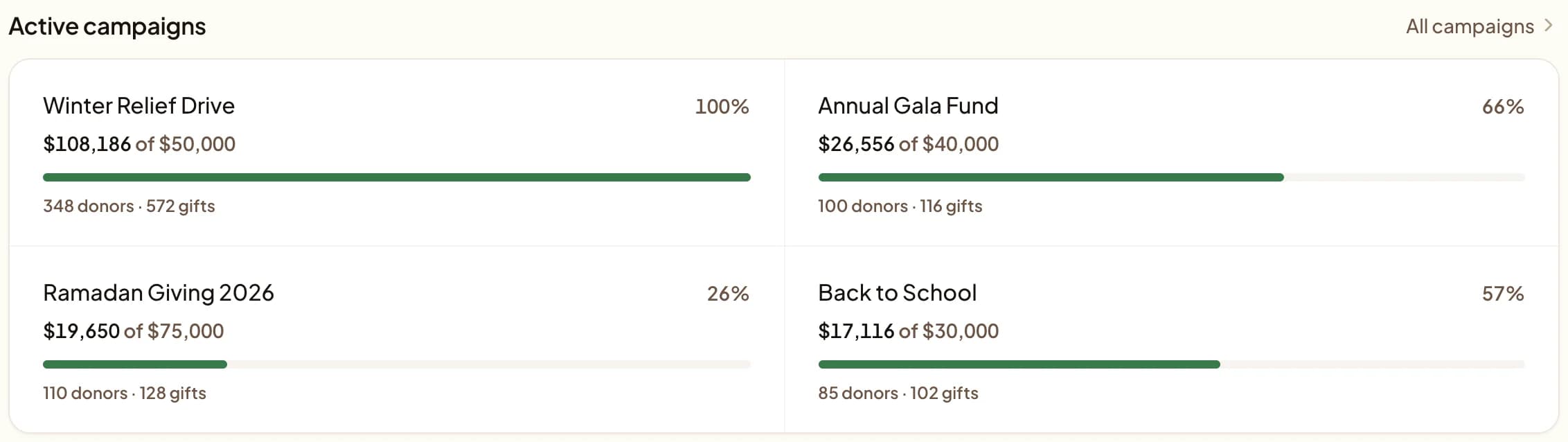
Campaigns that show their progress.
Each goal with what's raised, how many donors gave, and how far is left.
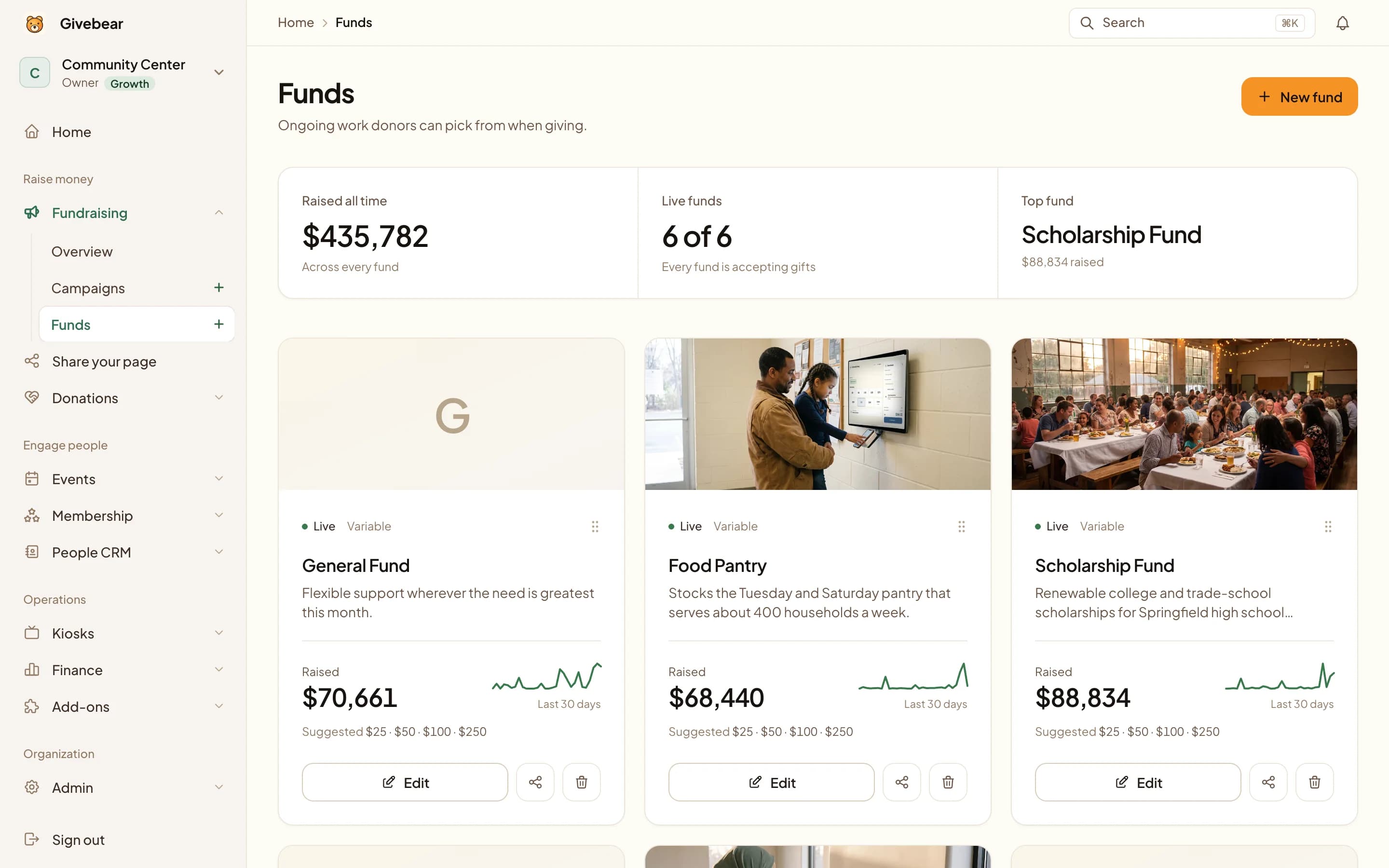
Funds donors can picture.
Give each fund a photo, a story and suggested amounts. Its total and trend sit right on the card.

Made for the volunteer who keeps the books.
Every total is already split by fund, so the board report is an export, not a weekend.
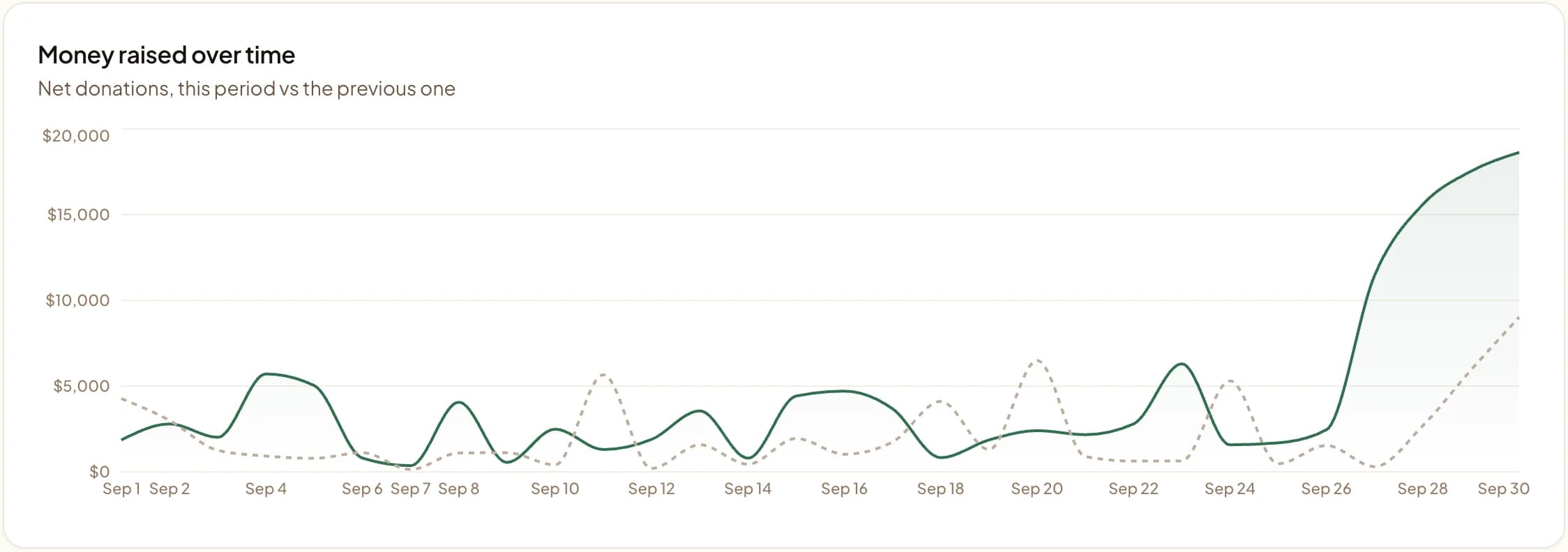
Reports, ready for the board.
A plain-language summary up top, this period against the last, and one button to export the CSV.
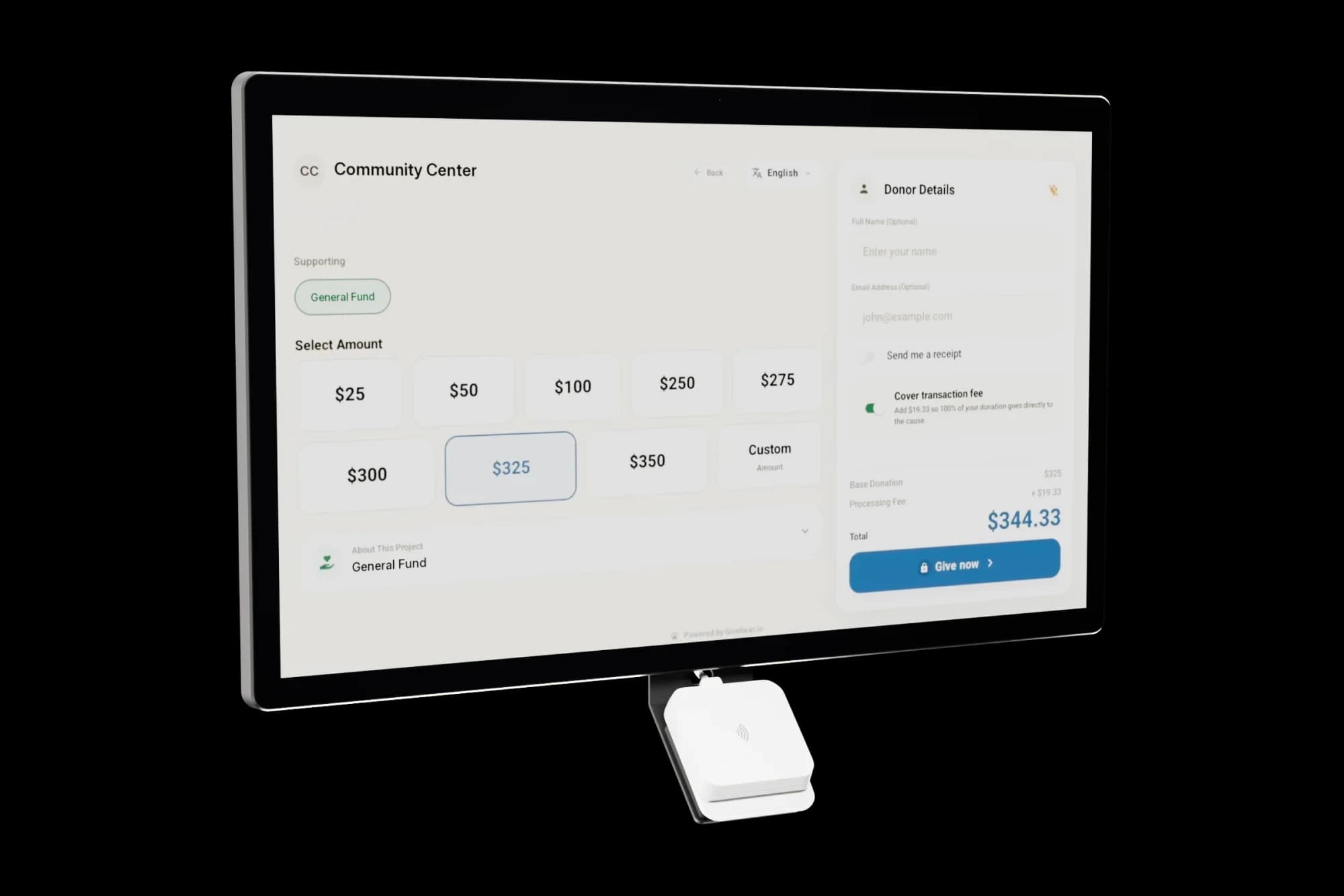
Add a kiosk. Same ledger.
Gifts tapped at the door arrive here with their fund, next to every online gift. Manage each kiosk from the same dashboard.
See it with your own funds.
Book a 30-minute walkthrough. No slides and no hard sell: we set Givebear up around how your organization already gives.
- Your funds, set up the way your treasurer reports them
- Where a kiosk would go, and what it costs
- The reports your board will actually see
Rather set it up yourself? Start free
Loading available times
Or open the booking page