Online donation forms, hosted or on your own site.
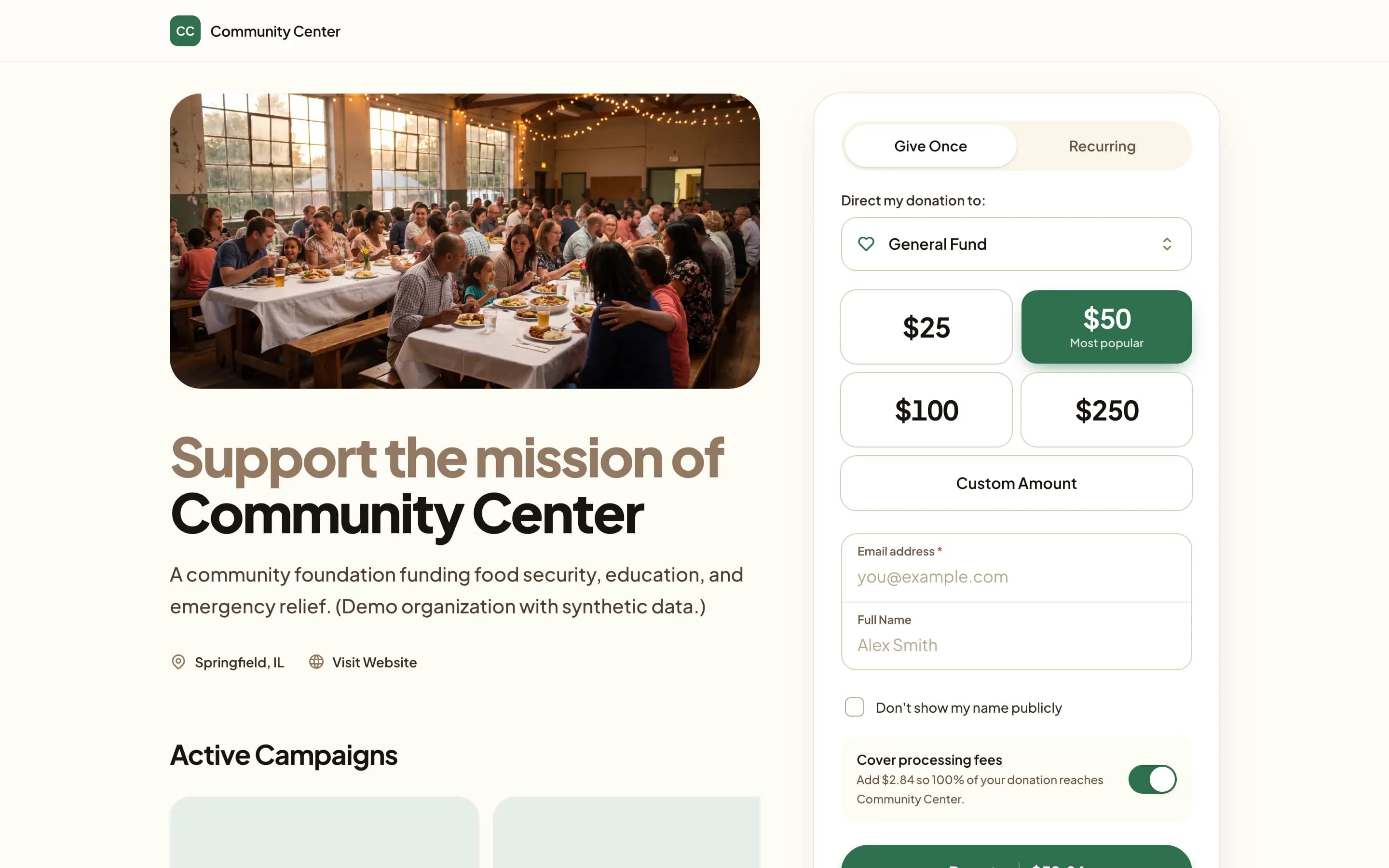
Donors pick a fund, give once or on a schedule, and get a PDF receipt by email. Every gift lands in the same ledger.
Three ways onto your website. One snippet.
An inline form, a button that opens a secure window, or a card with context. Choose where the gifts go, then paste the code.
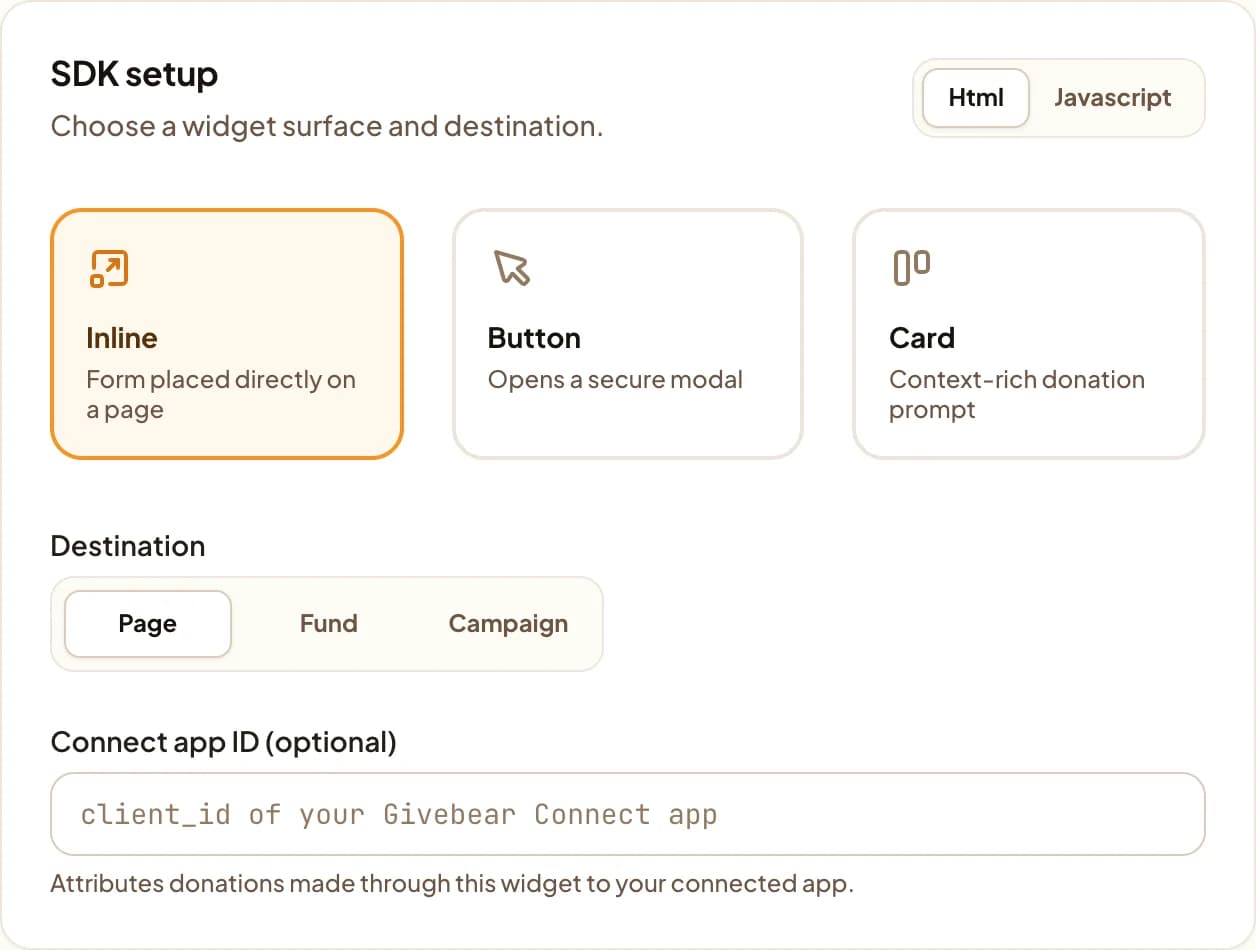
Every widget, with examples, is in the developer docs.
Point it at a fund.
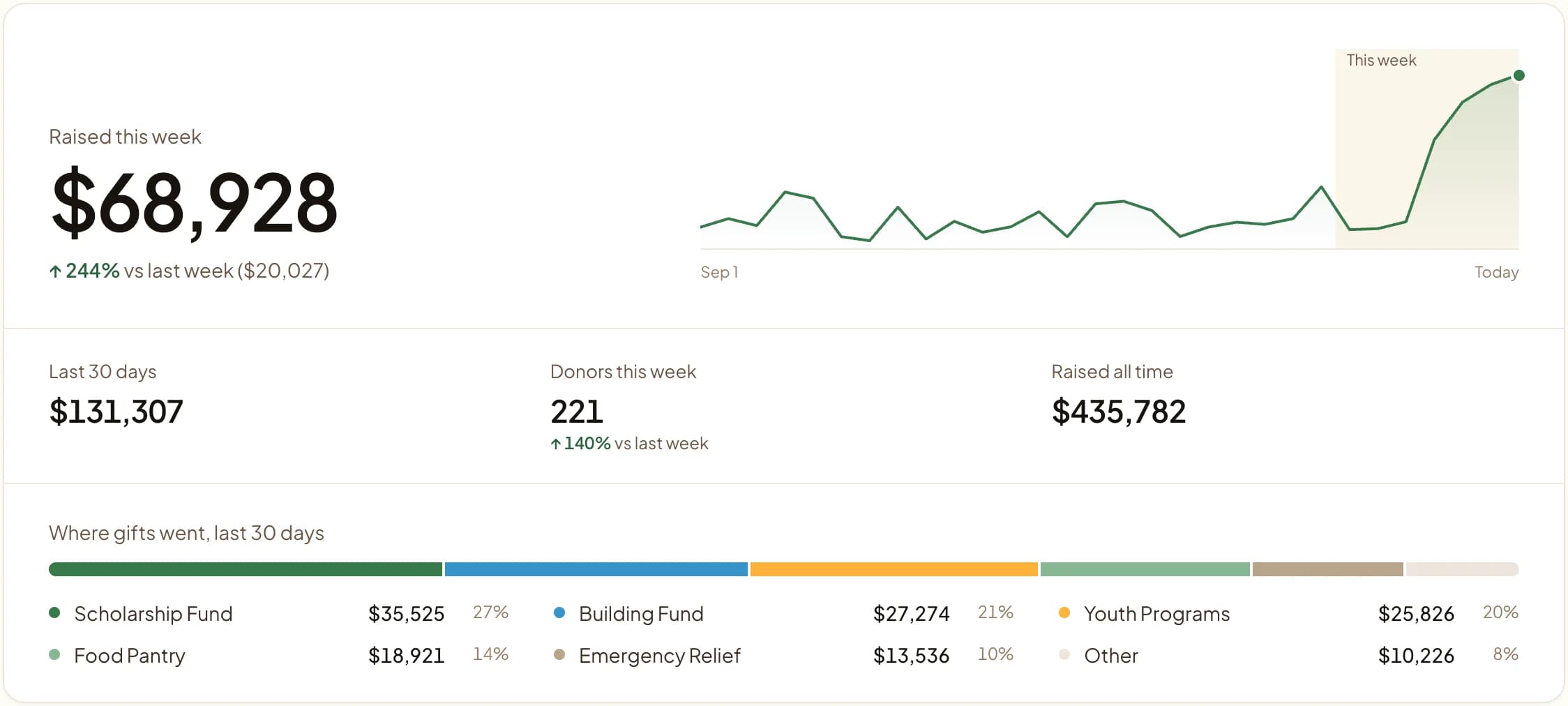
A form can collect for general giving, one fund or one campaign. The building page raises for the building fund, and the report shows it.
What every form includes.
- Hosted giving pages
- Each published fund and campaign gets its own page and link for QR codes, emails and social bios.
- One-time and recurring
- Donors can switch to daily, weekly or monthly, then manage the gift in My Givebear.
- Apple Pay and Google Pay
- On devices that support them, a wallet button sits at the top of the form.
- Donor-covered fees
- Cover-the-fees is on by default, so the full gift arrives when the donor leaves it on.
- A receipt for every gift
- A PDF with the amount, fund, date and transaction id, sent by email.
- No plugin
- Build the widget with a live preview, then paste one HTML or JavaScript snippet.
Donation form questions
Do we need a developer to put a donation form on our website?
Can a donation form point at a specific fund or campaign?
Do donors get a tax receipt automatically?
Explore more
Embed a donation form
Copy-paste walkthroughs for WordPress, Squarespace, Wix, Webflow, and hand-built sites.
Fund routing
Donor-selected designation to Zakat, tithes, building, or general funds, tracked per fund.
Donation widgets guide
Step-by-step help building and placing the button, card, and inline form.
Pricing
Every plan's monthly price and per-gift fee, side by side.
See it with your own funds.
Book a 30-minute walkthrough. No slides and no hard sell: we set Givebear up around how your organization already gives.
- Your funds, set up the way your treasurer reports them
- Where a kiosk would go, and what it costs
- The reports your board will actually see
Rather set it up yourself? Start free
Loading available times
Or open the booking page