Giving Tuesday campaign template: a timeline that starts in October
A week-by-week Giving Tuesday playbook: goal setting, matching gifts, the day-of email schedule, and the follow-up sequence that turns one-day donors into December and monthly givers.
The goal
Turn one day of attention into a funded goal, then into December and monthly donors.
Where Givebear fits
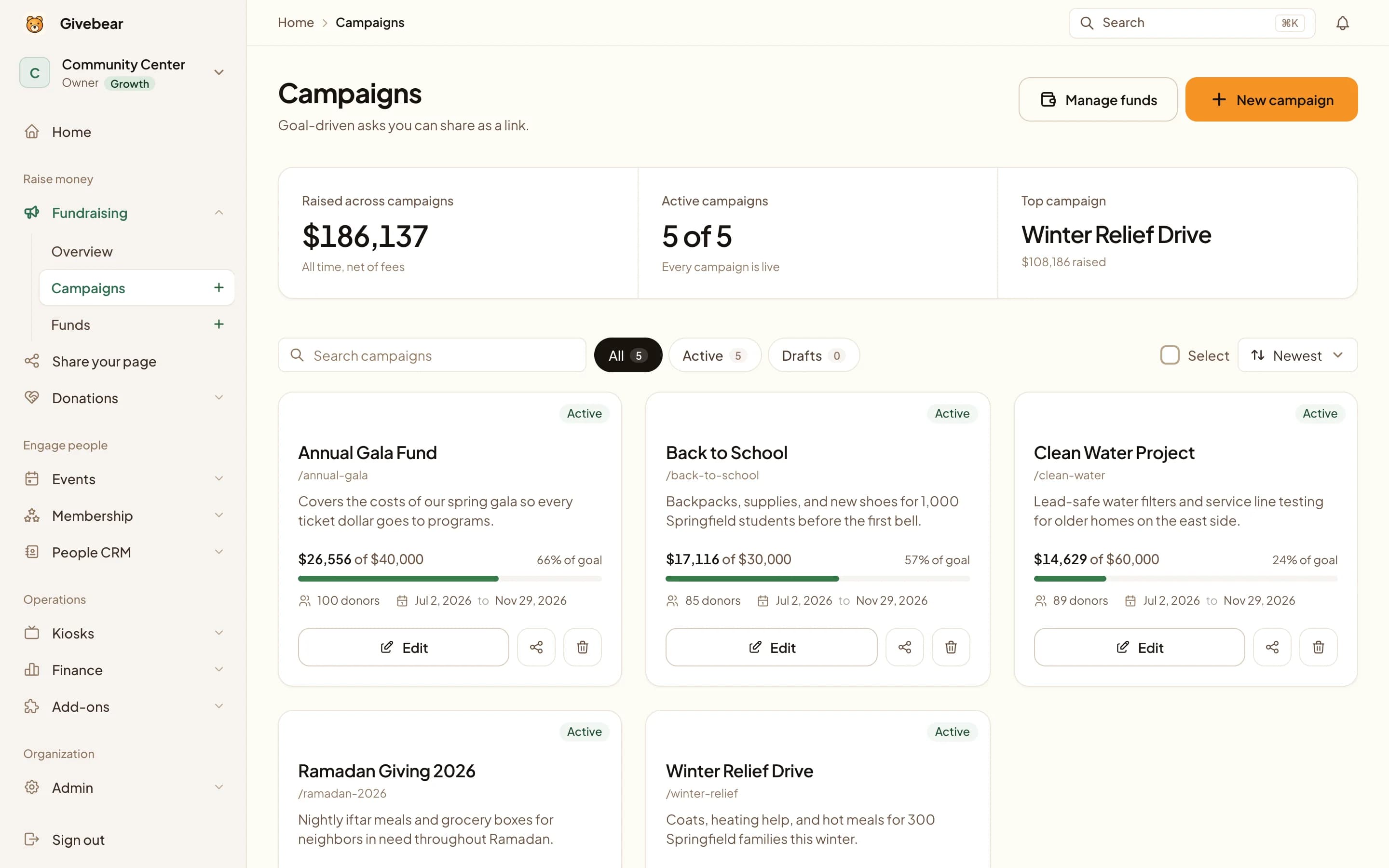
A campaign page that can show a goal bar, a countdown, and a named matching donor with a cap, with Giving Tuesday gifts carried into year-end statements.
What it leaves to you
Giving Tuesday is crowded. Software does not supply the story or the match; both have to be secured in October.
The plan, phase by phase.
Tick tasks off as you go. Your checklist is saved in this browser, and it works whichever giving platform you use.
Build the campaign
Mid to late October
Settle the goal, the match, and the page before November.
Run the day
Giving Tuesday
Three emails, each with the real number.
Keep the relationship
Within 48 hours, then December
Thank first; invite the next gift later.
Copy and adapt.
Replace the bracketed details with your own goal, fund and giving link.
Where to send it
- Social posts
- Campaign page
- QR code
- Board challenge
Launch email
Subject: Today only: [match donor] will match your gift Today is Giving Tuesday. Our goal is [goal], and [match donor] will match every gift up to [cap]. Give here: [giving link] Thank you, [name], [organization]
Thank-you message
Thank you for giving on Giving Tuesday. With the match, your gift of [amount] became [matched amount] for [specific outcome]. We will tell you how the day went once the totals are in.
Why this plan works
Giving Tuesday rewards preparation disproportionately. The organizations that raise meaningfully on the first Tuesday after Thanksgiving aren't the ones with the cleverest day-of posts: they're the ones whose campaign page, matching gift, email list segments, and day-of schedule were finished in October, leaving the day itself for momentum updates rather than scrambling.
The day's mechanics are unusual in fundraising: a 24-hour window, donors primed by every other nonprofit's appeals, and attention that evaporates at midnight. That compresses everything that matters into sequencing. A match announced at 7am performs differently than the same match announced at 7pm; a mid-day progress update ('60% by lunch') converts fence-sitters that a morning ask missed.
This template lays out the six-week runway, the day-of hour-by-hour schedule, and the two follow-up moves most organizations skip: the 48-hour thank-you that doesn't ask for anything, and the December re-engagement that treats Giving Tuesday donors as the warmest year-end prospect list you own.
Six weeks out: the October checklist
By late October the structural decisions should be made: one concrete goal (a number tied to a tangible outcome beats 'support our mission'), one campaign page where every link will point, and the match conversation started with your board or a business sponsor. A match is the strongest tool you have on the day, and it is secured in an October conversation, not a November email. On Givebear, the campaign page can name the matching sponsor and the match cap.
Test the entire flow as a donor: find the page from your homepage, give $5 on a phone, read the receipt that arrives. The week before Giving Tuesday is for scheduling content; the campaign infrastructure should already be boring by then.
The day-of schedule, hour by hour
Morning (7-9am): launch email and first social post, announcing the goal and the match if you have one. Midday (12-1pm): progress update with the real number ('We're at $4,200 of $10,000 before lunch'), which converts people who opened the morning email and didn't act. Evening (6-8pm): the deadline email, shortest of the three, with the gap to goal and hours remaining. A final social post near 10pm catches the last-minute crowd that gives precisely because the window is closing.
Each touch needs the same single link to the campaign page and a number that's changed since the last touch. The updates are the campaign: static asks compete with every other nonprofit's static asks, while visible momentum is yours alone.
How do you use a matching gift without wasting it?
Deploy the match from the first morning email: it works by changing the donor's math ('my $50 becomes $100') and adding urgency the day already amplifies, and a match announced mid-afternoon spent its best hours hidden. If the match is modest, frame it as a threshold ('the first $2,500 is doubled') so it creates an early sprint that the midday update can celebrate.
If you can't secure a match, manufacture a milestone instead: a board challenge ('our board gives $1,000 when we reach 50 donors') or a donor-count goal. The mechanism is the same: a midpoint event the day-of updates can rally around.
What follow-up do most organizations skip?
Within 48 hours, send a thank-you that asks for nothing: the final number, what it funds, and gratitude. Giving Tuesday donors are bombarded with next-step asks from every other organization they supported; the one that just says thank you is the one they remember in December.
Then, mid-December, re-engage them as your warmest year-end list, because they are: they gave to you three weeks ago by choice on the noisiest giving day of the year. A year-end appeal that references their Giving Tuesday gift ('you helped us reach $12,000 on Giving Tuesday; here's what's still unfunded going into the new year') gives them a reason to read on, and this is also the right group to invite to give monthly.
Practical use cases
- Launch a dedicated Giving Tuesday campaign page with a goal thermometer and suggested amounts in October, then test the full donation flow.
- Secure a matching gift from a board member or business sponsor and structure it as a same-day multiplier.
- Schedule the day-of email and social sequence in advance: morning launch, midday progress, evening deadline.
- Run the 48-hour gratitude follow-up and the mid-December re-engagement to convert one-day donors into year-end and monthly givers.
Common questions
When is Giving Tuesday and when should planning start?
How do small nonprofits compete on Giving Tuesday?
Should faith communities run Giving Tuesday campaigns?
What should the goal amount be?
See it with your own funds.
Book a 30-minute walkthrough. No slides and no hard sell: we set Givebear up around how your organization already gives.
- Your funds, set up the way your treasurer reports them
- Where a kiosk would go, and what it costs
- The reports your board will actually see
Rather set it up yourself? Start free
Loading available times
Or open the booking page