Donation kiosks for nonprofit fundraising galas and charity events
Capture donations at the entrance, during dinner, and at checkout without passing envelopes. Tap-to-pay kiosks let attendees choose their campaign fund, give in seconds, and receive an instant receipt. Every gala gift connects to your year-round donor record.

Last updated July 2026 by Akif
Quick answer
Use donation kiosks at a gala at three points: arrival, the program when the ask is made, and the exit. Guests tap a card or phone, choose from two to four funds, and get an emailed receipt. Each gift goes into the same donor record as that person's online giving, so the development team does not have to merge an event spreadsheet afterward.
Key takeaways
- A kiosk completes the gift at the moment of intent; pledge cards leave the office chasing unpaid pledges for a week.
- Donors can give to more than one fund during the evening.
- The battery floor stand runs about four hours, enough for most galas.
Who this is for
- Development directors and event leads running an annual gala, dinner, or benefit concert
- Finance staff who want gala gifts in the same donor records as the rest of the year
- Small and mid-sized nonprofits that have outgrown a card reader on a folding table
Why do donation kiosks outperform paddle raises and pledge cards at galas?
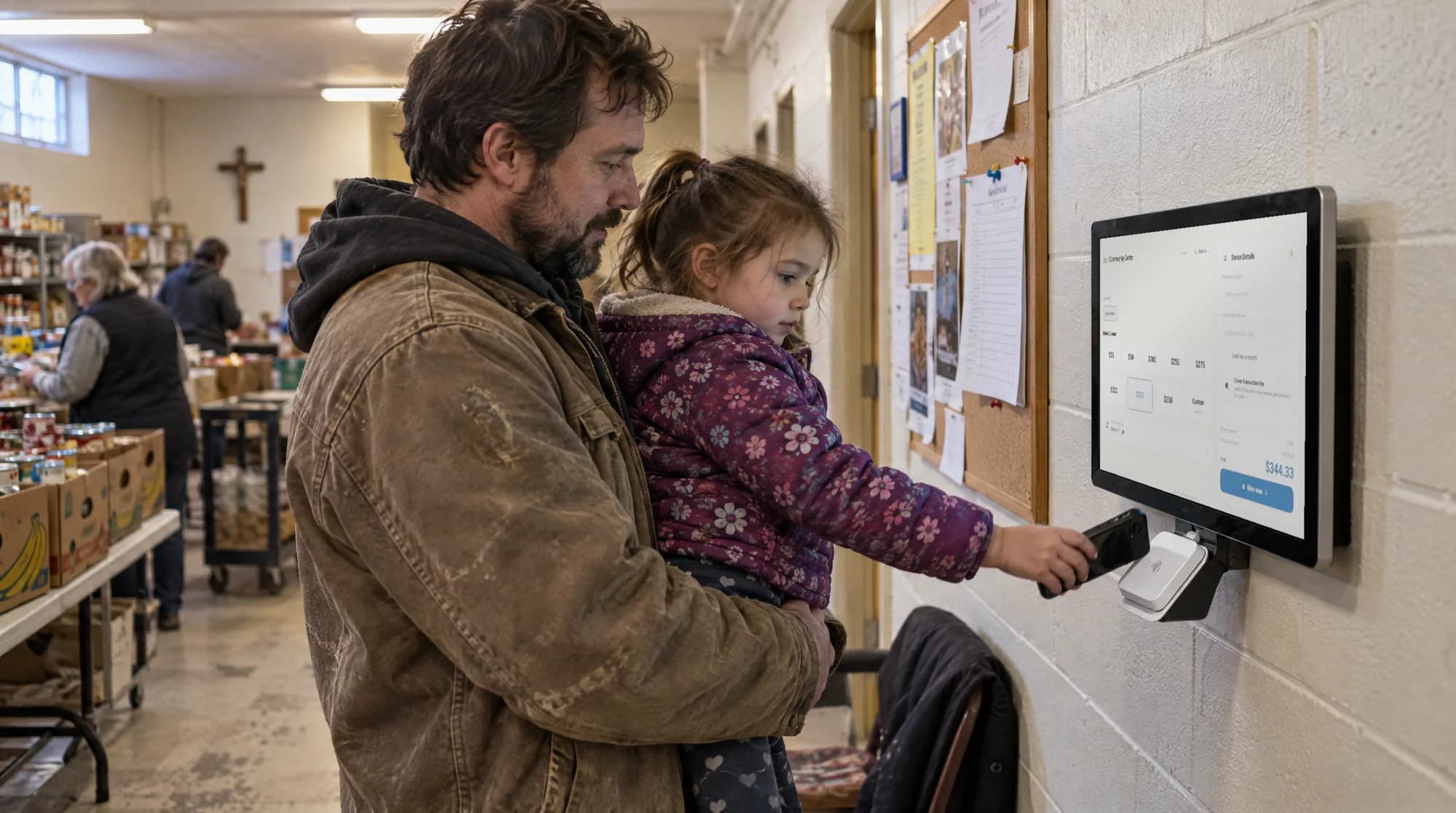
A kiosk completes the gift at the moment the guest decides. A paddle raise works well in a small room with one focused ask; at a larger event, pledge cards get collected, amounts get written down that never get paid, and the office spends the next week chasing them.
Pledge cards also have to be typed in. A guest who pledges at the table and also gives online needs someone to match the two. A kiosk gift is recorded against the donor as it happens.
A gala has three moments when guests want to give: when they arrive, right after the mission story or keynote, and on the way out. A kiosk at each of those spots takes the gift on the spot, without a volunteer chasing pledge cards the following week.
Every kiosk gift goes to the same donor record as that person's online gifts and last year's gala gift, so the development team does not merge an event export with the online giving export afterward. Guests pick a fund on the screen, such as the program featured in the video or the general fund, and the treasurer gets a total by fund at the end of the night.
Where should you place kiosks for the highest gala impact?
Follow the guests' attention, not the floor plan: check-in, near the stage for the program break, and the exit. Put a volunteer near each kiosk to say what it is for and help anyone unsure; they do not handle money, they just get people started.
The floor stand runs on a battery, so it can go where there is no outlet. Check the venue Wi-Fi at the walkthrough, not on the night.
How do you connect gala donors to your year-round donor development program?
Ask for an email at the kiosk so the receipt can be sent and the gift is tied to a person. The same night, the development team can see who gave for the first time, who gave more than last year, and which lapsed donors came back.
Send the thank-you within 48 hours and mention the fund the guest chose. A gala that brings in first-time donors but never follows up has paid a lot to meet people once.
How do tax receipts and fund reporting work after the event?
Card and wallet gifts get an email receipt when the donor gives an email address. Checks and cash handed over during the evening can be entered in the dashboard against the right donor and fund, and they appear in the same reports as kiosk gifts.
Remember the quid pro quo rule: if a ticket includes dinner, only the amount above the value of the meal is deductible, and the receipt for the ticket should say so.
Practical use cases
- Place a kiosk at check-in so early arrivals can give before dinner.
- Put a kiosk by the stage for the break after the mission video.
- Keep one at the exit for guests who decide on the way out.
- Send a thank-you within two days that names the gift and the fund.
Key features
- Two to four fund choices on the kiosk screen
- Cards, Apple Pay, and Google Pay at the kiosk
- Email receipt when the donor enters an email
- Gala gifts in the same donor records as online giving
- Live totals in the dashboard during the event
- Fund-level report at the end of the night
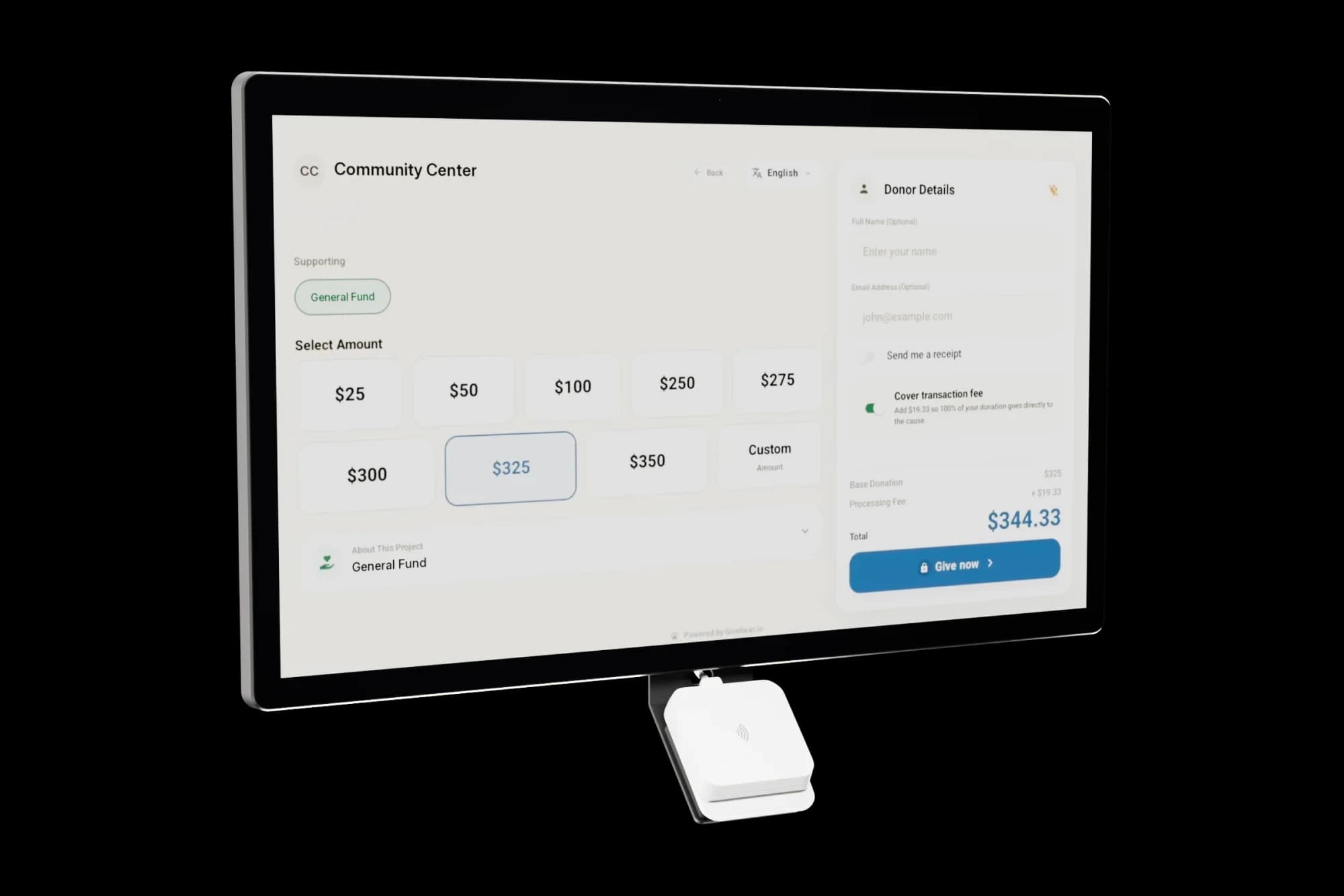
The kiosk. From $999, paid once.
A 21.5" touchscreen with a tap-to-pay reader, on a wall mount or a battery floor stand. Gifts on it carry your plan's platform fee and land in the same funds as online giving.
Common questions
When during a gala should we present kiosk giving opportunities?
Can donors give to multiple funds at a gala kiosk?
How do we handle donors who want to pay by check at the gala?
Will gala donors appear in our year-round donor database?
How many kiosks does a gala need?
See it with your own funds.
Book a 30-minute walkthrough. No slides and no hard sell: we set Givebear up around how your organization already gives.
- Your funds, set up the way your treasurer reports them
- Where a kiosk would go, and what it costs
- The reports your board will actually see
Rather set it up yourself? Start free
Loading available times
Or open the booking page