Stripe Terminal donation kiosk: how Givebear runs one in production
How Givebear runs Stripe Terminal donation kiosks: WisePOS-class readers, settlement to your own Stripe account, offline payments, and what DIY involves.
Last updated July 2026 by Akif
Quick answer
Yes. Stripe Terminal provides certified readers, SDKs, and a published in-person rate of 2.7% + $0.05, but no kiosk app, fund selection, receipts, device management, or offline handling. Givebear runs that layer in production: each kiosk pairs a 21.5-inch touchscreen with a WisePOS-class reader and creates payments directly on your organization's own Stripe Connect account, so gifts settle in your normal payouts.
Key takeaways
- Building it in-house is possible; the hard part is fleet management, device lockdown, offline handling, and receipts over several years.
- Card numbers stay inside Stripe's reader, and Givebear's servers never store them.
- In offline mode, one-time gifts are stored encrypted on the device and forwarded when the connection returns.
- The kiosk is a one-time purchase of $999 to $1,099 with no per-device subscription.
Who this is for
- Nonprofit operations leads who already process online gifts through Stripe and want in-person giving to settle into the same Stripe account they reconcile today
- Technical founders, volunteer engineers, and developer board members who have read the Stripe Terminal docs and are weighing whether to build the kiosk layer in-house
- Finance teams that refuse to add a second processor for in-person giving: one payout stream, one dispute dashboard, one statement descriptor on donor card statements
- Organizations running a web donation form on a looping tablet who have hit its limits: online card-not-present rates on every gift, no contactless taps, and no way to know the device froze on Saturday night
What does Stripe Terminal ship, and what does it leave to you?
Stripe Terminal is the payment rail, not the kiosk. It ships PCI-certified readers, SDKs for Android, iOS, and the web, and server APIs for creating card-present PaymentIntents, all at a published US in-person rate of 2.7% plus 5 cents per transaction. What it deliberately does not ship is the application: a WisePOS-class reader out of the box shows a payment prompt only when software tells it to. There is no fund screen, no suggested amounts, no receipt email, and no donor record.
For a retailer that gap is fine, because the point-of-sale vendor supplies the software. For a nonprofit, the software is the entire donation experience: fund selection so a gift to the building campaign never lands in general operations, preset and custom amounts, optional donor contact capture, automated receipts, and the unglamorous work of keeping an unattended public device alive for years. The reader is the commodity; the layer around it is what a nonprofit actually needs.
A nonprofit operations lead who already runs online giving through Stripe eventually asks the obvious question: if Stripe Terminal handles in-person payments for every retailer at the mall, why not put a reader in the lobby? The search for a Stripe Terminal donation kiosk usually starts in Stripe's own documentation, where the gap becomes clear. Stripe ships certified readers, SDKs, and a published in-person rate of 2.7% plus 5 cents, but no donor-facing kiosk app, no fund selection screen, no receipts, and no fleet monitoring. Someone has to build and operate that layer.
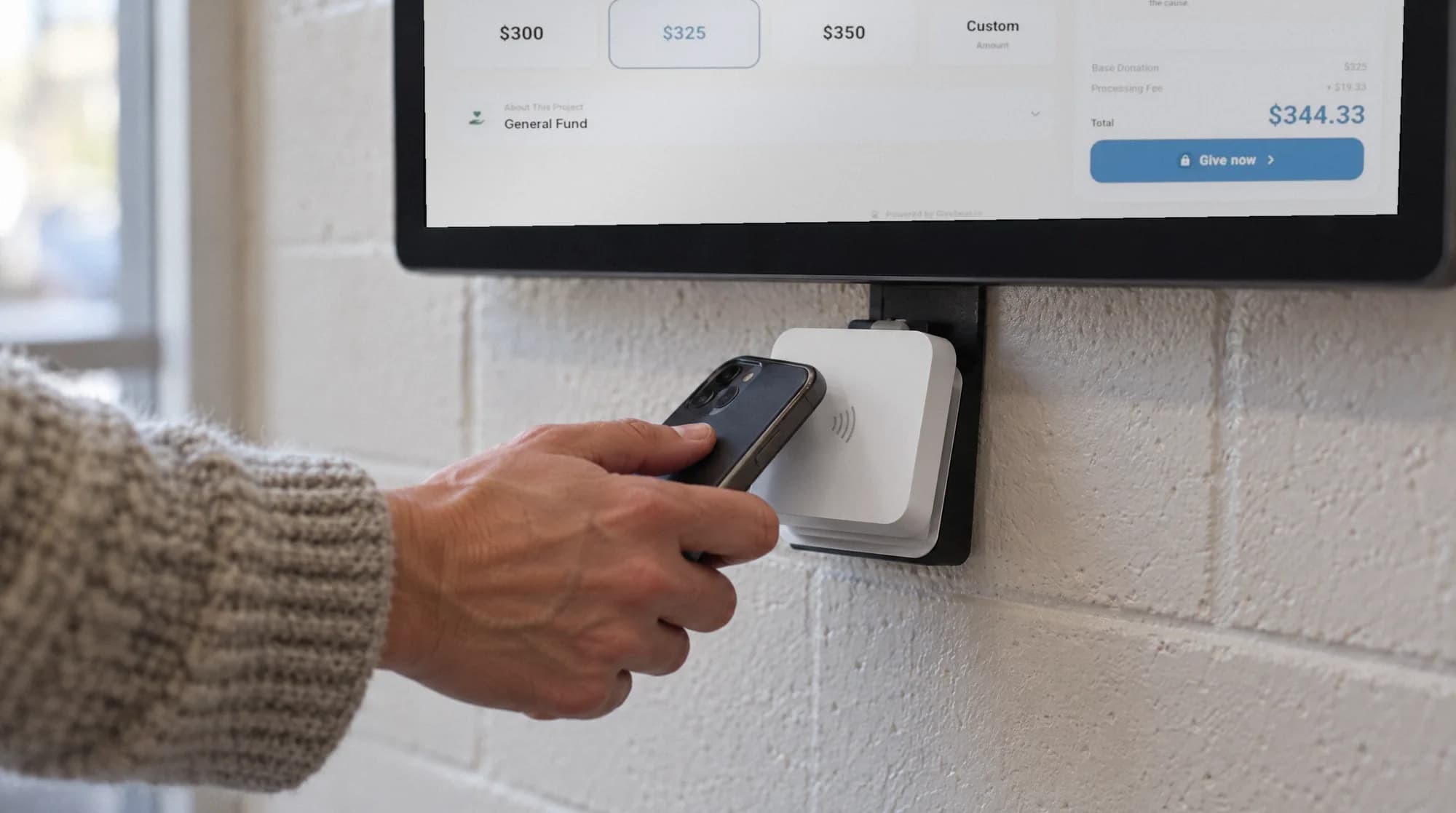
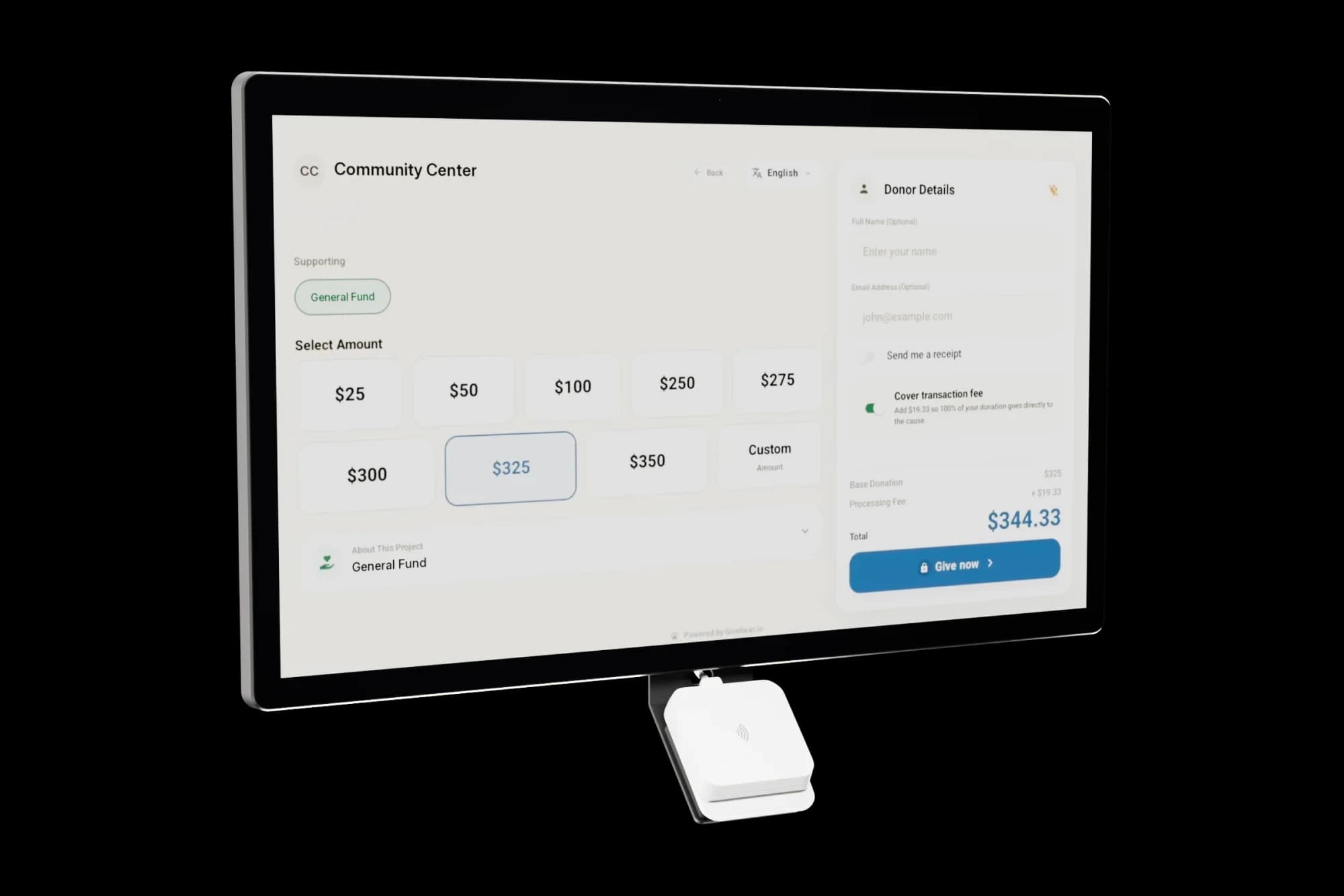
Givebear runs that layer in production so the organization does not have to. Each kiosk pairs a 21.5-inch touchscreen with a WisePOS-class Stripe reader, ships pre-provisioned for the organization, and creates every payment directly on the organization's own Stripe Connect account, so gifts settle into the same balance and payout schedule the finance team already reconciles. The hardware is a one-time purchase of $999 to $1,099 with no per-kiosk software subscription, and Givebear charges a flat platform fee from 1.9% to 5.9% depending on plan (one rate online, at kiosks, and on memberships), plus Stripe card processing at cost, with no setup fee and no monthly minimum.
Building the same stack in-house is a real option for teams with engineering capacity: Stripe's Terminal documentation is good, and a working demo comes together in a weekend. The gap between that demo and an unattended appliance that takes gifts in a lobby for three years is where the build-versus-buy decision actually lives: reader fleet management, device lockdown, offline handling, receipt delivery, monitoring, and a maintenance commitment that outlives whoever wrote the first version.
Connect scoping: gifts settle to your Stripe account, not a platform's
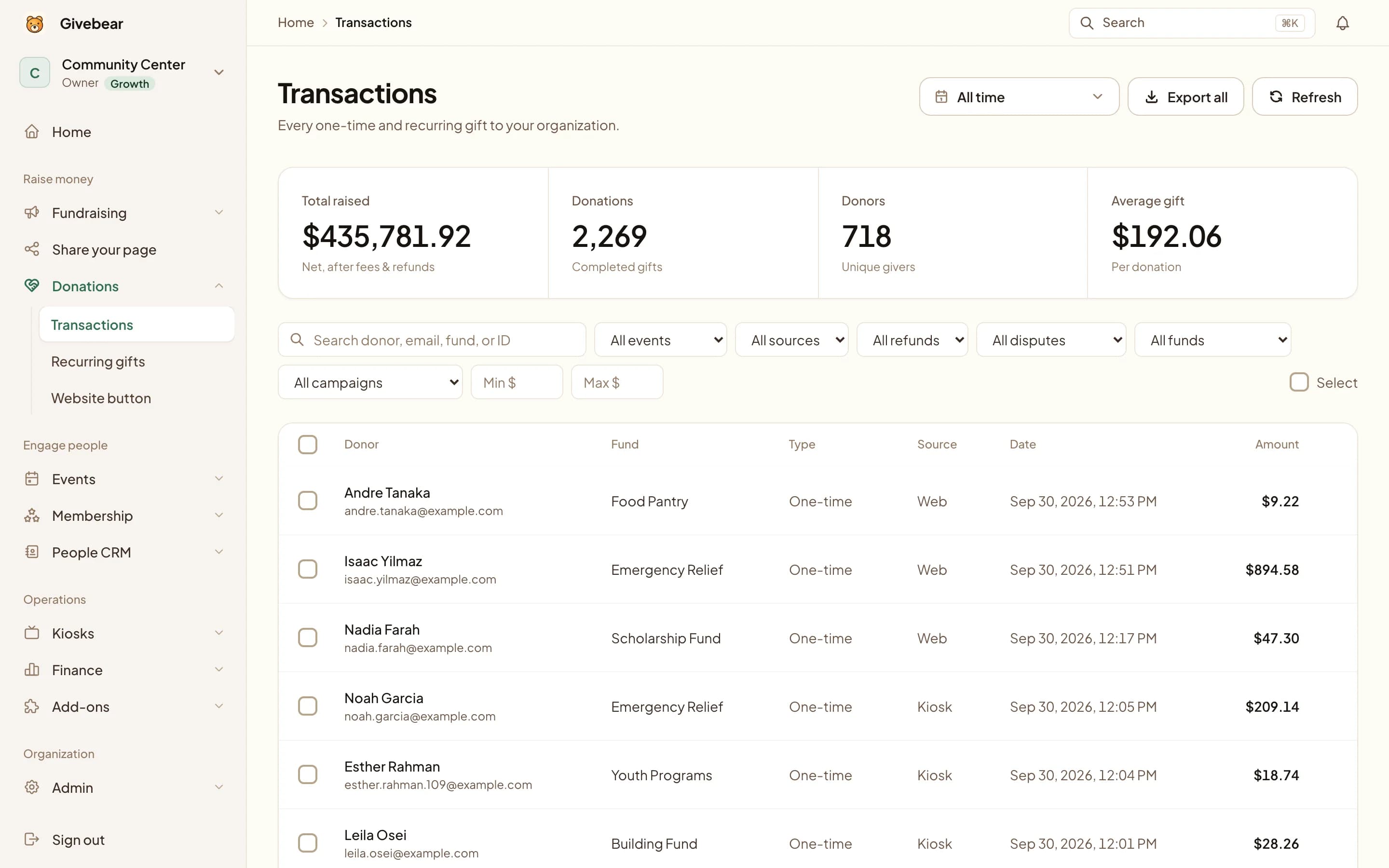
Every payment a Givebear kiosk takes is created directly on the organization's own Stripe Connect account, the same account that handles its online giving. Settlements land in the organization's Stripe balance, payouts follow the organization's existing schedule, and refunds and disputes are worked from the organization's own Stripe dashboard. Givebear orchestrates the payment; it never pools donor funds in a platform account.
This is the detail platform-literate buyers should press every vendor on, because the alternative model (processing on the vendor's master account and remitting later) means the vendor holds your money and owns your processing history. With Connect scoping, the statement descriptor is the organization's, the donor and payment records belong to the organization's Stripe account, and processing is passed through at Stripe's published in-person rate with no markup. If you ever leave, your Stripe account and its history come with you.
What happens when the lobby Wi-Fi drops?
A Givebear kiosk keeps taking gifts through a Wi-Fi drop in two layers of offline tolerance. First, the kiosk caches its full configuration payload (funds, amounts, screens) on the device, so a network drop does not blank the display: donors still see the right funds and the right campaign. Second, on supported readers Stripe Terminal offline mode captures the payment locally with a reconciliation ID and forwards it to Stripe once connectivity returns, so a tap during an outage is not a lost gift.
The honest caveat: an offline payment is not authorized until it is forwarded, so a small fraction can decline after the donor has walked away. Offline mode is a risk-managed fallback with limits, not a default operating posture. The operational details matter just as much: a Givebear kiosk holds its nightly maintenance reboot while offline payments are still queued, and if a reader stays unreachable for 15 minutes the organization receives an email alert, instead of discovering a dead kiosk after the weekend's busiest service.
PCI scope: the card number stays inside Stripe's certified reader
WisePOS-class readers are PCI PTS certified devices. The card number is read and encrypted inside the reader itself and travels directly to Stripe; the kiosk app drives the flow through PaymentIntents and tokens, so neither the kiosk screen, nor Givebear's servers, nor the organization's network ever handles usable card data. That architecture is the whole point of using Terminal hardware rather than improvising.
Practically, this keeps raw card numbers out of the organization's systems. Your team still needs to follow the payment-security responsibilities that apply to its Stripe integration, including physical custody of the device and any applicable self-assessment. It is also the strongest argument against the common workaround of keying card numbers into a tablet form at an event table, which processes at the higher card-not-present rate and pulls card data handling onto volunteers. A certified reader makes the secure path the convenient one.
Building it yourself on Terminal: the unvarnished checklist
Here is what a production DIY build actually involves: a backend that issues connection tokens and creates PaymentIntents on the right account; reader lifecycle code covering discovery, pairing, reconnection after sleep, and firmware update windows; a kiosk app locked down in device-owner mode so the donation screen survives reboots and curious fingers; fund selection UI; receipt delivery; donor records; offline handling; monitoring and alerting; and someone on call when a reader misbehaves at 8 a.m. before your busiest morning. A competent developer gets a demo working in a weekend. The distance from demo to unattended lobby appliance is measured in months, then in years of maintenance.
DIY makes sense for organizations with standing engineering teams and genuinely custom flows. Everyone else is choosing between managed options, and the pricing models differ sharply. Donorbox's managed Live Kiosk runs $80/mo for the first kiosk ($50/mo on Premium) and $15/mo each additional, plus a 1.75% platform fee on kiosk gifts, with hardware bundle prices available only through sales (Donorbox Live Kiosk and pricing pages, verified June 2026). Givebear prices the kiosk as hardware: a one-time $999 to $1,099 purchase with no per-device subscription. Givebear charges a flat platform fee from 1.9% to 5.9% depending on plan (one rate online, at kiosks, and on memberships), plus Stripe card processing at cost, with no setup fee and no monthly minimum. Run the three-year math for your device count before deciding.
Practical use cases
- Replace a tablet looping a web form with true card-present processing: contactless taps and mobile wallets at Stripe's 2.7% plus 5 cents in-person rate instead of the 2.9% plus 30 cents online rate.
- Add lobby giving to an existing Stripe-based stack without a second merchant account: kiosk and online gifts land in one Stripe balance, one payout schedule, one export.
- Deploy kiosks in buildings with unreliable Wi-Fi, using locally cached kiosk configuration and Stripe Terminal offline payments as a risk-managed fallback.
- Scope an in-house Terminal integration honestly, with a concrete checklist of what production requires, before committing engineering time to building one.
Key features
- WisePOS-class Stripe reader paired with a 21.5-inch touchscreen, shipped pre-provisioned for your organization
- Every payment created on your organization's own Stripe Connect account, so funds settle to your balance and payout schedule
- Stripe's in-person rate of 2.7% plus 5 cents passed through at cost, with no processing markup
- Offline payment queueing with reconciliation IDs, and nightly maintenance held while gifts are still queued
- Reader health monitoring with an email alert when a reader has been unreachable for 15 minutes
- Raw card numbers are encrypted inside Stripe's certified reader and never touch Givebear's servers; your organization still follows the responsibilities that apply to its Stripe integration

The kiosk. From $999, paid once.
A 21.5" touchscreen with a tap-to-pay reader, on a wall mount or a battery floor stand. Gifts on it carry your plan's platform fee and land in the same funds as online giving.
Common questions
Can I use Stripe Terminal as a donation kiosk?
Does a Stripe Terminal donation kiosk work offline?
What does Stripe charge for in-person donations?
Is a Stripe Terminal donation kiosk PCI compliant?
See it with your own funds.
Book a 30-minute walkthrough. No slides and no hard sell: we set Givebear up around how your organization already gives.
- Your funds, set up the way your treasurer reports them
- Where a kiosk would go, and what it costs
- The reports your board will actually see
Rather set it up yourself? Start free
Loading available times
Or open the booking page