What is fund routing? How nonprofits manage restricted and unrestricted donations
Fund routing is the process of designating a donation to a specific purpose at the time of giving. Learn how restricted and unrestricted funds work, why designation matters for compliance, and how to configure fund routing on a kiosk.
Last updated July 2026 by Fatih
Quick answer
Fund routing means assigning each gift to a specific fund at the moment it is given, such as the building fund, a youth program, or general operations, instead of sorting it out later. It keeps restricted gifts, which must be spent as the donor directed, apart from unrestricted money. On a kiosk or donation page the donor picks the fund before paying, so every transaction is already tagged when it reaches your reports.
Key takeaways
- Restricted funds must go to the donor's stated purpose; unrestricted funds can cover any operating need.
- Spending restricted gifts on operations, even temporarily, is a compliance problem.
- Offer two to four funds on a kiosk screen; a longer list slows the line.
- On Givebear a mosque can list Zakat and Sadaqah as separate funds and change the list from the dashboard without touching the kiosk.
Who this is for: Treasurers who must keep restricted and unrestricted money apart; Mosques separating zakat, sadaqah, and general funds; Church finance committees with tithes, building, missions, and benevolence funds; Board members and auditors who need a record of how restricted gifts were used
Fund routing means assigning each gift to a specific fund at the moment it is given. When a donor at a mosque kiosk taps Zakat instead of General, the gift is recorded against the zakat fund there and then, instead of someone sorting it out from a memo line later.
Most organizations run several funds at once: general operations, one or more restricted programs, a building fund, and sometimes relief or endowment funds. Restricted gifts may only be spent on the purpose the donor chose. Recording the fund with every gift is what lets the treasurer prove that.
What is the difference between restricted and unrestricted funds?
An unrestricted gift is given to the organization in general and can be used for any legitimate purpose: salaries, utilities, programs, or repairs.
A restricted gift comes with a condition set by the donor: a program, a project, or a time period. It may only be spent on that purpose. Spending a building fund gift on salaries breaks the donor's terms and can create legal and reputational trouble.
Why is fund mixing a compliance risk?
If gifts are not tagged with a fund when they arrive, restricted money ends up in the general account and can be spent before anyone notices. This happens most with cash boxes and plain card readers that have no fund step.
It is rarely deliberate. A treasurer facing 200 gala transactions with no fund data simply cannot tell which were restricted, and if a donor later asks about their zakat gift, there is no record to show.
How do you configure fund routing on a donation kiosk?
In Givebear, create each fund in the dashboard with a name and a short description, then choose which funds the kiosk shows. The donor picks one, then an amount, then pays, and the receipt names the fund.
Changes are made from the dashboard and reach every kiosk without a visit. Add a fund for a special appeal on Friday and remove it the week after.
How does fund routing work for mosque Zakat and Sadaqah collections?
Zakat may only go to the categories of recipients set out in the Quran (9:60), while sadaqah can be used more widely, including for the mosque's own costs. Mixing them in one general fund leaves the mosque unable to show that zakat went where it must.
With separate zakat and sadaqah buttons, the committee sees after each collection exactly how much is available for zakat distribution and how much for general use.
Practical use cases
- Show Zakat, Sadaqah, Building, and General as four buttons on the mosque kiosk.
- Point a disaster relief page at the relief fund only, so no gift lands in general by mistake.
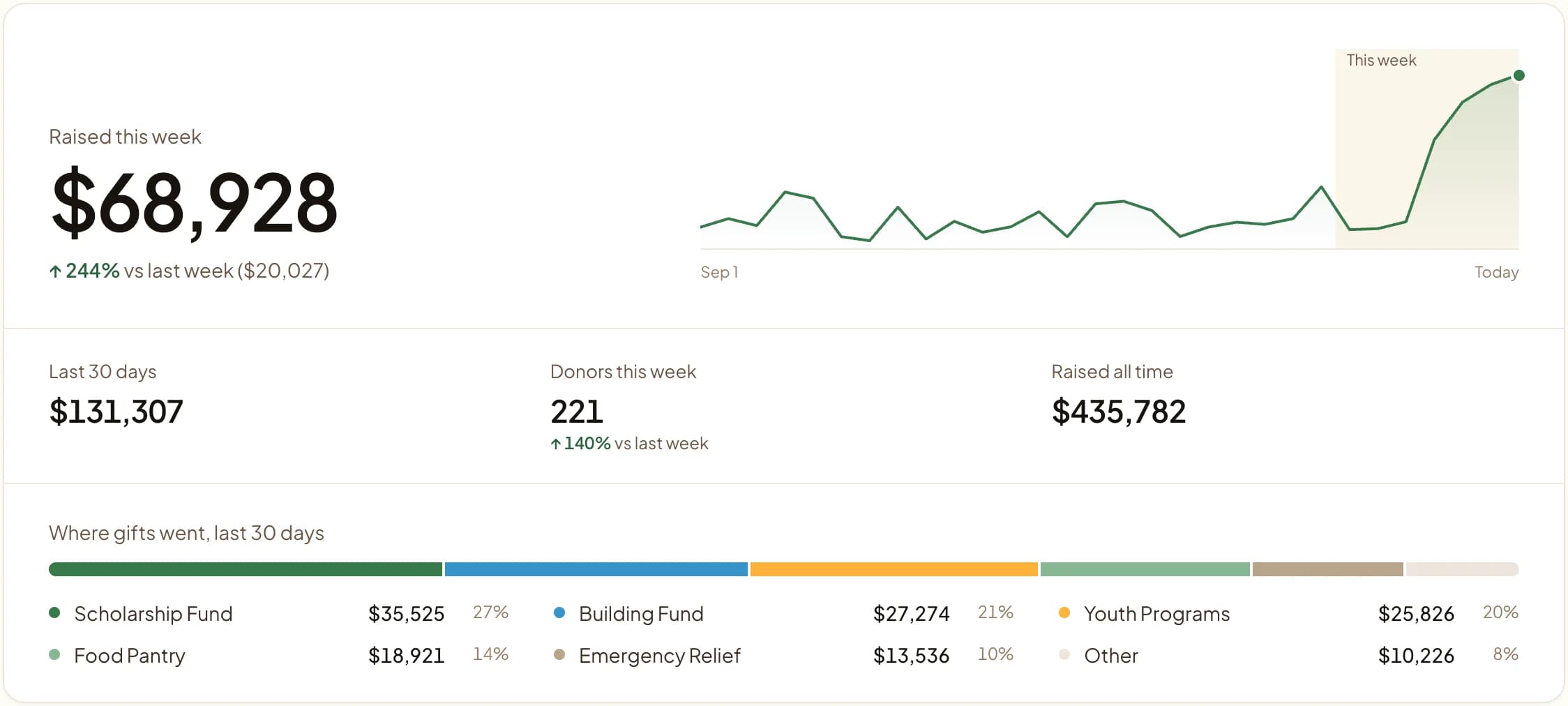
- Report after a gala how much went to each fund.
- Hand the auditor a fund-level export for the year.
Key features
- Fund choice on the kiosk and on giving pages
- Embeds and links tied to one fund
- Reports and exports by fund
- Receipts that name the fund
- Fund changes from the dashboard, synced to every kiosk
Common questions
Can a single kiosk accept donations to multiple funds?
How do I prevent restricted funds from being mixed with general operating funds?
Does Givebear produce fund-level reports for audits?
Can we change which funds appear on the kiosk without visiting the device?
More in Glossary
See it with your own funds.
Book a 30-minute walkthrough. No slides and no hard sell: we set Givebear up around how your organization already gives.
- Your funds, set up the way your treasurer reports them
- Where a kiosk would go, and what it costs
- The reports your board will actually see
Rather set it up yourself? Start free
Loading available times
Or open the booking page