Run a Christmas giving campaign from Advent to Christmas Eve
Plan a church Christmas giving campaign across the four Advent weeks, a high-attendance Christmas Eve service, and a missions appeal, with tap-to-pay kiosks and QR giving.
The goal
Build giving across the four Advent Sundays toward the Christmas Eve offering, with a separate missions or benevolence fund.
Where Givebear fits
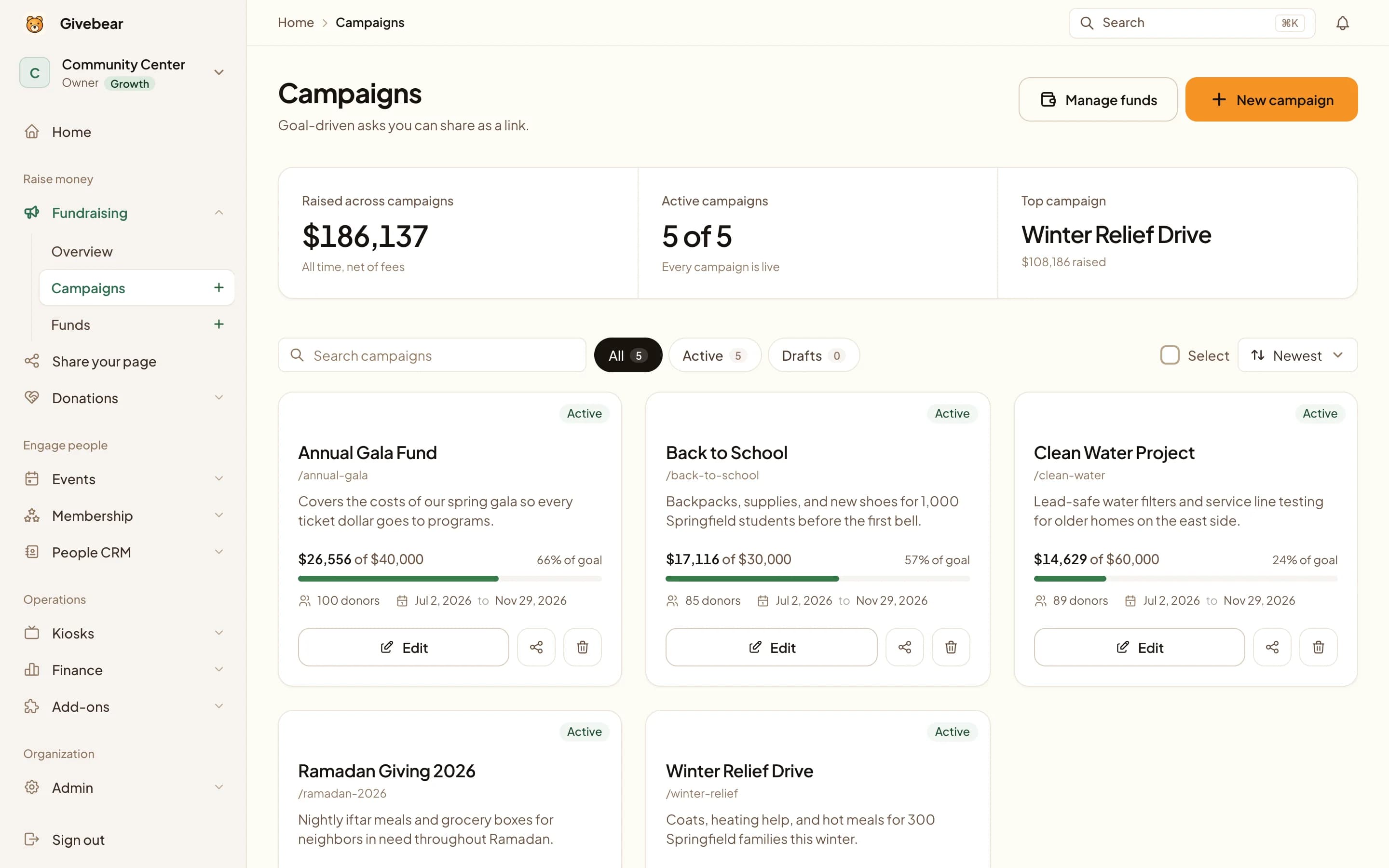
One Christmas fund behind the bulletin QR code, the lobby kiosk, and the website, so visitors can give without your app or an envelope.
What it leaves to you
Christmas Eve gifts from visitors are usually one-time. Turning them into regular giving takes a January follow-up from a person, not a form.
The plan, phase by phase.
Tick tasks off as you go. Your checklist is saved in this browser, and it works whichever giving platform you use.
Before Advent
Mid November
Set up the funds and the Advent plan.
Advent and Christmas Eve
Four Sundays and Christmas Eve
Show the total moving each week, then make Christmas Eve easy for guests.
January
First two weeks of January
Report the result and welcome new givers.
Copy and adapt.
Replace the bracketed details with your own goal, fund and giving link.
Where to send it
- Advent email
- Christmas Eve appeal
- Campaign page
- QR code
- Visitor follow-up
Launch email
Subject: Advent giving begins Sunday This Advent we are giving toward [goal]. Each Sunday we will share where things stand, and on Christmas Eve we will receive the offering for [missions or benevolence partner]. Give anytime here: [giving link] [name], [church]
Thank-you message
Thank you for giving this Christmas. Your gift to [fund] will [specific outcome]. We would love to see you again; here is what is coming up in January: [event].
Why this plan works
A Christmas giving campaign is its own season, distinct from the year-end tax push that follows it. Advent gives you a four-week narrative arc, Christmas Eve fills the room with first-time and once-a-year visitors, and a benevolence or missions appeal lets generosity land where your congregation already feels the call. This playbook times each of those and makes giving simple for people who have never used your giving page or your envelopes.
The hardest part of Christmas giving is not the message, it is the moment. Visitors arrive without checks, without your giving link, and often without a free hand during a candlelight service. A kiosk in the narthex and a QR code on the bulletin or screen turn a one-time guest into a one-tap gift, and fund routing keeps a Christmas missions offering tracked separately from the general fund so you can report exactly what was raised.
With Givebear, set up one Christmas fund, put a kiosk where people gather after the service, add the same fund to the giving form on your campaign page, and offer a monthly option so a gift started on Christmas Eve can continue into the new year.
Build the Advent weeks into a giving arc
The four Sundays of Advent give you a natural countdown, so assign each week a theme that ties back to your campaign goal: hope, peace, joy, and love map cleanly onto a benevolence story, a missions partner, a local need, and the Christmas Eve offering itself. Refresh the QR code and kiosk screen messaging each week so regular attenders see the goal climbing rather than the same static ask.
Put the same campaign fund behind your bulletin QR code, the lobby kiosk, and the giving widget on your website. One fund, three surfaces, so a family that gives on their phone Sunday morning and a visitor who taps a kiosk on Christmas Eve both roll into the same total you report from the platform.
Make Christmas Eve giving easy for visitors
Station a kiosk near every entrance and exit and print a short QR code on the candlelight bulletin so a gift needs no app, login, or check, because Christmas Eve is the service with the most people in the room who do not know how your church takes gifts. Cash and envelopes still work, but the kiosk catches the giver who only carries a phone and a card.
A visitor who enters an email at the kiosk gets the receipt straight away, and the donor record behind it gives your connection team a reason to follow up in January.
Carry generosity past Christmas into the new year
A Christmas giving campaign and a year-end tax-deadline push overlap on the calendar but ask for different things, so keep them on separate funds and separate messaging. The Christmas appeal is about the season and the people it serves, and the recurring giving option is what lets that one-time warmth become a monthly habit once the decorations come down.
Offer recurring giving right on the kiosk and the widget so a Christmas Eve gift can be set to repeat monthly. Donors who first gave because of a candlelight service may be open to a monthly option, and offering it in the moment is easier than reconstructing the appeal months later.
Practical use cases
- A four-week Advent appeal that builds toward a single Christmas Eve offering goal
- A Christmas Eve service where lobby kiosks and bulletin QR codes capture visitor gifts
- A designated Christmas missions or benevolence fund tracked apart from general giving
- Converting once-a-year Christmas givers into monthly recurring supporters for the new year
Common questions
How is a Christmas giving campaign different from a year-end giving push?
How do we collect gifts from Christmas Eve visitors who do not have our giving app?
Can we track a Christmas missions offering separately from general giving?
What does Givebear cost for a seasonal Christmas campaign?
Will Christmas Eve gifts turn into ongoing support?
See it with your own funds.
Book a 30-minute walkthrough. No slides and no hard sell: we set Givebear up around how your organization already gives.
- Your funds, set up the way your treasurer reports them
- Where a kiosk would go, and what it costs
- The reports your board will actually see
Rather set it up yourself? Start free
Loading available times
Or open the booking page