Tap to donate: how contactless giving works
Tap to donate lets supporters give by holding a contactless card or phone near a reader. Learn how NFC giving works, what it costs, and how to deploy it.
Last updated July 2026 by Fatih
Quick answer
Tap to donate means giving by holding a contactless card, phone, or watch near a card reader, the same way people pay in a shop. The reader uses NFC and the payment clears like any card charge, so the donor never swipes or types a card number. It runs on a donation kiosk, a handheld reader, or a phone set up to accept taps, and the donor usually picks an amount first and can get an emailed receipt.
Key takeaways
- Apple Pay and Google Pay both work on standard tap readers.
- A Mastercard survey found about 51% of Americans use some form of contactless payment.
- An unattended kiosk takes taps without a volunteer holding the reader.
- Givebear kiosks keep taking one-time taps offline and forward them when the connection returns.
Who this is for: Nonprofit directors who watch foot traffic pass a donation box that collects less every year as cash disappears from wallets; Masjid and church administrators who want post-service giving to take seconds per person instead of forming a queue; Event and development staff who need volunteers to take donations anywhere in a venue during galas, walkathons, and community drives; Treasurers and finance leads who want in-person gifts to arrive classified by fund instead of as anonymous cash to count
Tap to donate is in-person giving through a contactless payment: the supporter holds a card, phone, or watch near an NFC reader, the payment authorizes in a second or two, and the gift is recorded. Donors already tap for coffee and transit, so giving this way needs no new habit, no app, and no cash.
For organizations, the significance is the gifts that cash never captured. A visitor moved by an exhibit, a congregant after a service, a guest at a gala reception: each had seconds of giving intent and, increasingly, no cash to act on it. A tap point in that spot catches the gift, and unlike a coin in a box, the gift arrives with a fund, a time, and, when the donor chooses, an email for the receipt.
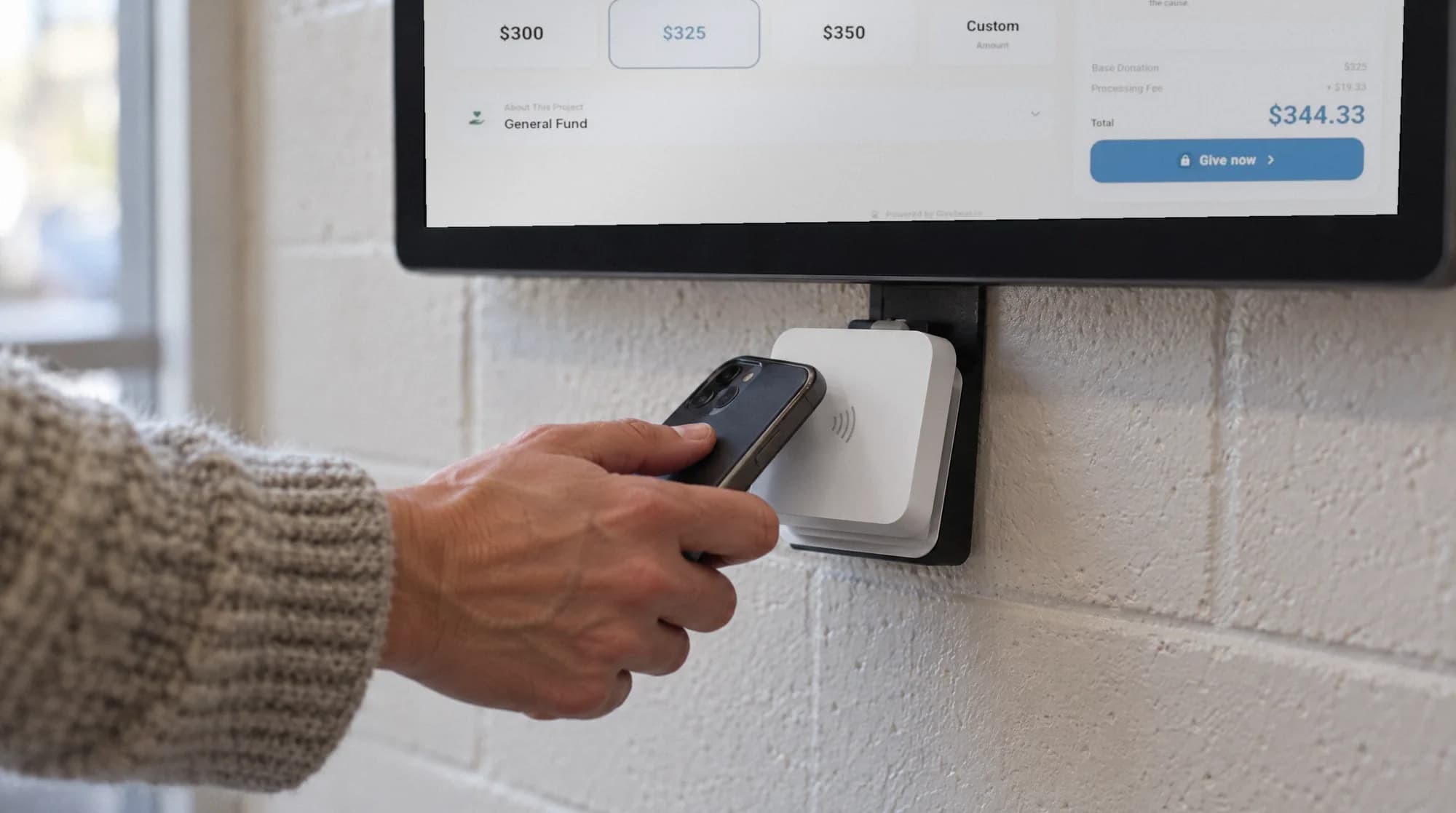
Tap to donate is a capability, not a single product. It can run on a dedicated donation kiosk, a tablet with a paired card reader, a handheld terminal, or a phone that accepts taps. What separates a good setup from a card machine on a table is the software around the tap: a fund choice before payment, a receipt after it, and one donor database underneath. Givebear provides it as a kiosk with the reader built in.
How does tap to donate work under the hood?
The tap itself is NFC (near-field communication): the donor's card or phone exchanges an encrypted, single-use token with the reader, the payment network authorizes the charge, and the terminal confirms, normally in one to two seconds. No card number is stored by the organization, and a phone tap (Apple Pay or Google Pay) adds the device's own biometric approval. From a security standpoint the organization handles less sensitive data with tap to donate than it ever did with cash or checks.
What happens around the tap is the fundraising layer. Donation software presents fund choices and amounts before the payment step, attaches the donor's selections to the transaction, and triggers the receipt after authorization. On Givebear this runs through Stripe Terminal: the reader handles the payment, the kiosk app handles the donor experience, and the gift lands in the same records as online donations.
What hardware can run tap to donate?
A dedicated kiosk (a large touchscreen in a secured enclosure) suits permanent high-traffic placements: lobbies, foyers, and entrances where it doubles as signage for the campaign. Givebear's units are a one-time purchase of $999 to $1,099, ship pre-configured with the organization already set up, and have the payment terminal built in, so there is no separate tablet or reader to source.
Handheld terminals and phones that accept taps trade screen size for mobility: a volunteer can take a gift at a gala table during the appeal. They suit events where the giving moment moves around the room. Whatever the hardware, check that it records the fund and sends the receipt, or the office will be rebuilding both by hand.
What does tap to donate cost?
Three cost layers apply. Hardware ranges from nothing (a phone that accepts taps) through roughly $50 to $300 for card readers, up to $999 to $1,099 for a dedicated kiosk, all one-time. Card processing for in-person taps runs at Stripe's terminal rate of 2.7% plus 5 cents per transaction, passed through at cost on Givebear with no markup. Donors can opt to cover it so the organization receives the full gift.
The platform fee is the layer worth scrutinizing across vendors, because it ranges from zero to several percent of every gift. On Givebear, kiosk donations carry the plan's flat platform fee (5.9% on Free, 2.9% on Plus, 1.9% on Growth, the same rate as online donations and memberships), the software itself is included in every plan, and there is no per-device subscription. The cost question to ask any vendor is the same: what does a $100 tap actually deliver to the organization, all fees included?
Receipts, donor records, and what the tap captures
A common worry is that tap giving is anonymous by nature. It is anonymous only if the organization wants it to be. The kiosk can ask for an email before the tap so a receipt is sent, and on Givebear gifts of $500 or more require one. Each gift carries its fund, amount, time, and kiosk, so even anonymous taps produce fund-level reporting a cash box cannot.
When the donor does identify themselves, the tap joins their record alongside online gifts, event tickets, and recurring giving. The person who tapped $20 at three Friday services shows up as a good candidate for a monthly gift, instead of three unmarked bills on a count sheet.
Practical use cases
- Run a lobby kiosk where supporters tap a fund, an amount, and their card in under ten seconds on the way out.
- Move a battery-powered kiosk stand from the gala entrance to the stage for the appeal, then to the exit.
- Replace the static donation box at a museum, shelter, or community center with a tap point showing live campaign progress.
Key features
- NFC support for contactless cards, Apple Pay, and Google Pay
- Fund selection before payment so gifts arrive classified
- Preset and custom amounts with a configurable default
- Automatic email receipts when the donor provides contact details
- Runs on dedicated Givebear kiosk hardware that ships pre-configured
- All taps recorded into the same donor database as online giving
Common questions
Does tap to donate work with Apple Pay and Google Pay?
What fees apply to a tap to donate gift?
Can donors choose the amount when they tap?
Do donors get a receipt for a tap donation?
Is tap to donate safe for the organization to operate?
More in Glossary
See it with your own funds.
Book a 30-minute walkthrough. No slides and no hard sell: we set Givebear up around how your organization already gives.
- Your funds, set up the way your treasurer reports them
- Where a kiosk would go, and what it costs
- The reports your board will actually see
Rather set it up yourself? Start free
Loading available times
Or open the booking page