How to accept Apple Pay donations for your nonprofit
A practical walkthrough on how to accept Apple Pay donations: enable it in your Givebear donation widget and on Stripe Terminal kiosks, then watch mobile giving convert.
Last updated July 2026 by Fatih
Quick answer
To accept Apple Pay donations, use a donation form and in-person reader on a processor that supports Apple Pay, such as Stripe. On Givebear, the online donation form shows an Apple Pay button to donors on supported Apple devices, and the kiosk takes Apple Pay taps from an iPhone or Apple Watch. Each Apple Pay gift is receipted and reported like any other card gift.
Key takeaways
- Donors confirm with Face ID or Touch ID, so there is no card number to type.
- Apple Pay works for one-time and recurring gifts and for designated funds.
- An Apple Pay gift is deductible like any card gift.
Who this is for: Nonprofits and ministries whose donors give primarily from iPhones and want fewer abandoned mobile checkouts; Churches and faith communities collecting contactless gifts in person via a kiosk; Development teams embedding a donation widget who want Apple Pay enabled without custom payment plumbing; Event and campaign organizers who need fast one-tap giving at tables, lobbies, and registration desks
Apple Pay turns a donation into a single confirming tap. Your supporter never types a 16-digit card number, billing zip, or email login: they double-click the side button, glance at Face ID or Touch ID, and the gift clears. For a nonprofit that matters because the phone form is where mobile donors give up, and a wallet button skips it. Givebear runs Apple Pay through Stripe on the embedded giving form, the hosted donation page, and the kiosk.
Online, Apple Pay appears automatically as an express button at the top of the Givebear donation widget whenever a supporter is on a compatible Apple device in Safari (or a supported browser) with a card in their Wallet. There is nothing to paste into your code beyond the standard Givebear embed snippet, and no separate Apple Pay merchant account to broker, because Stripe handles the domain registration and certificate exchange under your connected account. The same one-tap flow carries fund routing, recurring giving, and cover-the-fees, so a restricted gift or a monthly pledge made by Apple Pay is tracked exactly like any card donation.
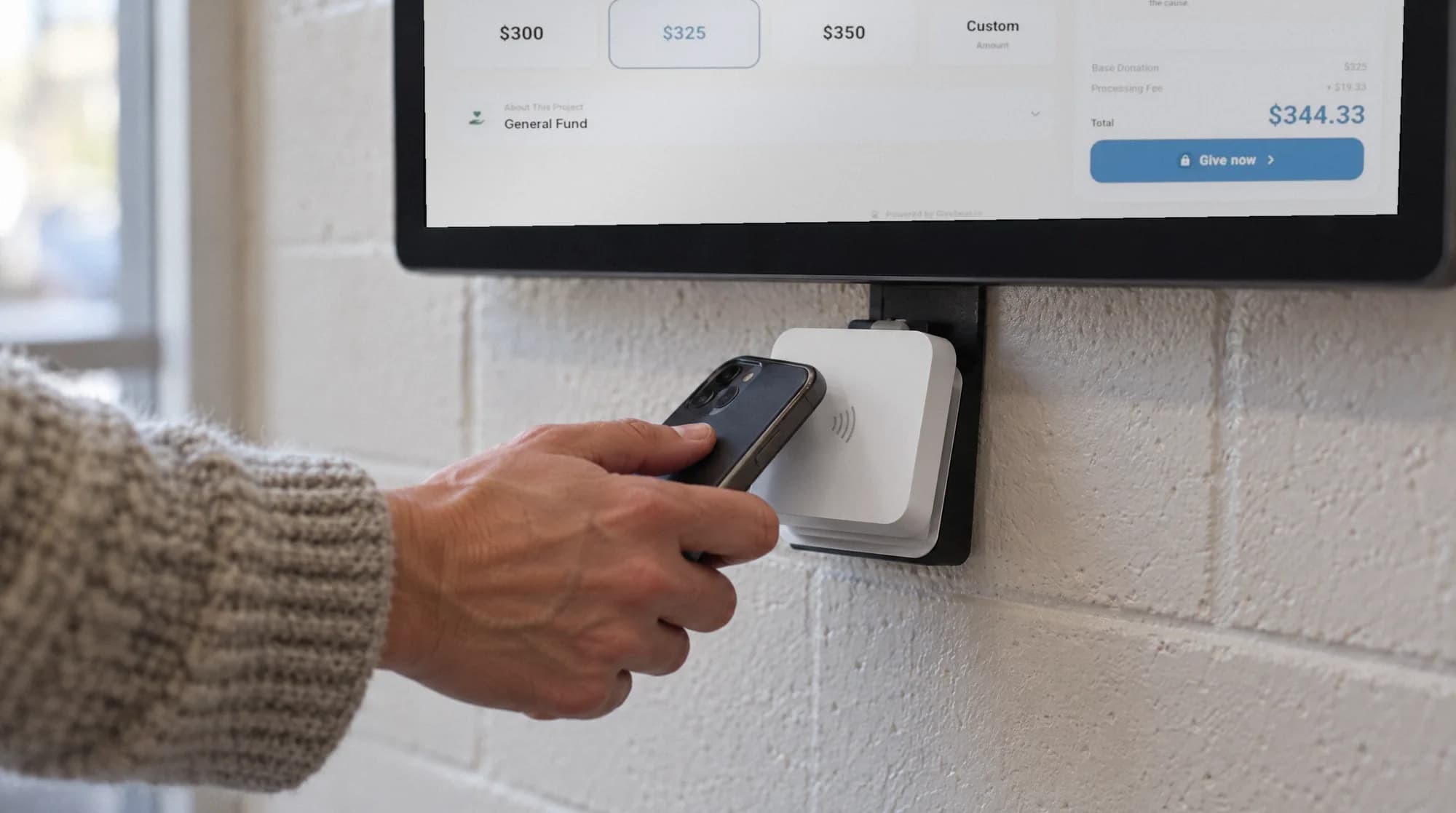
In person, a donor holds an iPhone or Apple Watch to the kiosk's reader, with no app and no account. Whether the gift comes from a phone in a pew, the lobby kiosk, or your website at midnight, it lands in the same dashboard and donor record.
Why does Apple Pay lift mobile donation conversion?
Apple Pay collapses card entry into one authenticated tap with Face ID or Touch ID, which is why an express wallet button at the top of the form routinely recovers gifts a form would have lost. Most charity traffic now arrives on a phone, and a manual card form is where mobile donors quit: small fields, fumbled numbers, and a zip-code prompt all bleed completions.
Because the card and contact details already live in the donor's Wallet, there is no retyping and no account creation. The supporter confirms and the gift clears, so the moment of intent (right after a sermon, an appeal, or a story) is captured before second thoughts set in.
How do you enable Apple Pay across the widget and the kiosk?
Online, Apple Pay is handled by Stripe under your Givebear connected account, so once your donation widget or hosted page is live the express button surfaces automatically for eligible Apple devices. There is no Apple merchant ID to broker and no certificate to upload by hand: Stripe registers your domain and manages the exchange.
In person, the Givebear kiosk's Stripe reader takes Apple Pay and Apple Watch taps without any setup. Givebear charges a flat platform fee from 1.9% to 5.9% depending on plan (one rate online, at kiosks, and on memberships), plus Stripe card processing at cost, with no setup fee and no monthly minimum; the kiosk is a one-time purchase of $999 to $1,099.
Receipts and substantiation for Apple Pay gifts
An Apple Pay donation is substantiated like any other charitable gift. Givebear issues an automatic receipt for each contribution, and you keep one record across online and in-person giving. The payment method does not change what the IRS expects on the acknowledgment.
Per IRS Publication 1771, a donor needs a contemporaneous written acknowledgment from the charity to claim a deduction for any single contribution of $250 or more, including a statement of whether goods or services were provided in return. This is general information, not tax advice; consult a qualified professional and the IRS source for your situation.
Practical use cases
- A visitor taps their iPhone to a lobby kiosk after a Sunday service and gives to the building fund in one motion
- A supporter on their phone opens your donation page, taps Apple Pay, and completes a monthly recurring gift without typing a card
- A fundraising gala routes Apple Pay gifts at the door straight to the right restricted fund and issues instant receipts
Key features
- Apple Pay express checkout in the embeddable SDK widget and hosted donation page, powered by Stripe
- iPhone and Apple Watch taps on the kiosk's built-in reader
- No card entry, no donor account, and no separate Apple Pay merchant setup to manage
- Recurring giving, fund routing, and cover-the-fees all supported on Apple Pay donations
- Email receipts and one donor record across online and kiosk gifts
- Apple Pay, Google Pay, cards, and (for recurring gifts, where enabled) ACH through your own Stripe account
Common questions
Do donors need an Apple account or app to give with Apple Pay?
How does Givebear support Apple Pay technically?
Can Apple Pay be used for recurring gifts and restricted funds?
Is Apple Pay available on the in-person kiosk?
Are Apple Pay donations tax-deductible and how are receipts handled?
More in Guides
Keep reading
See it with your own funds.
Book a 30-minute walkthrough. No slides and no hard sell: we set Givebear up around how your organization already gives.
- Your funds, set up the way your treasurer reports them
- Where a kiosk would go, and what it costs
- The reports your board will actually see
Rather set it up yourself? Start free
Loading available times
Or open the booking page