How to accept contactless donations in person
Learn how to accept contactless donations in person: Stripe Terminal tap-to-pay kiosks, card, phone, and watch taps with no donor app, plus QR sign pairing and receipts.
Last updated July 2026 by Fatih
Quick answer
To accept contactless donations in person, you need a reader that takes tap payments and a way for donors to pick an amount: a donation kiosk, a handheld reader run by a volunteer, or a phone set up to accept taps. Put the device where people pass, set your funds and preset amounts, and add a QR sign for anyone who prefers their own phone. Ask for an email so the receipt goes out automatically.
Key takeaways
- Donors can tap a card, phone, or watch, with no app or account needed.
- Pick a device with an offline mode if the venue's Wi-Fi is unreliable.
- On a Givebear kiosk, a donor can switch on monthly giving before tapping.
- The IRS requires a written acknowledgment for any single gift of $250 or more, another reason to collect an email.
Who this is for: Churches, mosques, and synagogues replacing or supplementing the basket; Nonprofits with a lobby, front desk, or welcome area; Event teams taking gifts at tables and entrances
A contactless donation is an in-person gift made by holding a card, phone, or watch near a reader. The payment goes through Stripe and the donor walks away without a form, an app, or an account. For the organization it means no basket to count and fewer gifts lost to "I'll give later."
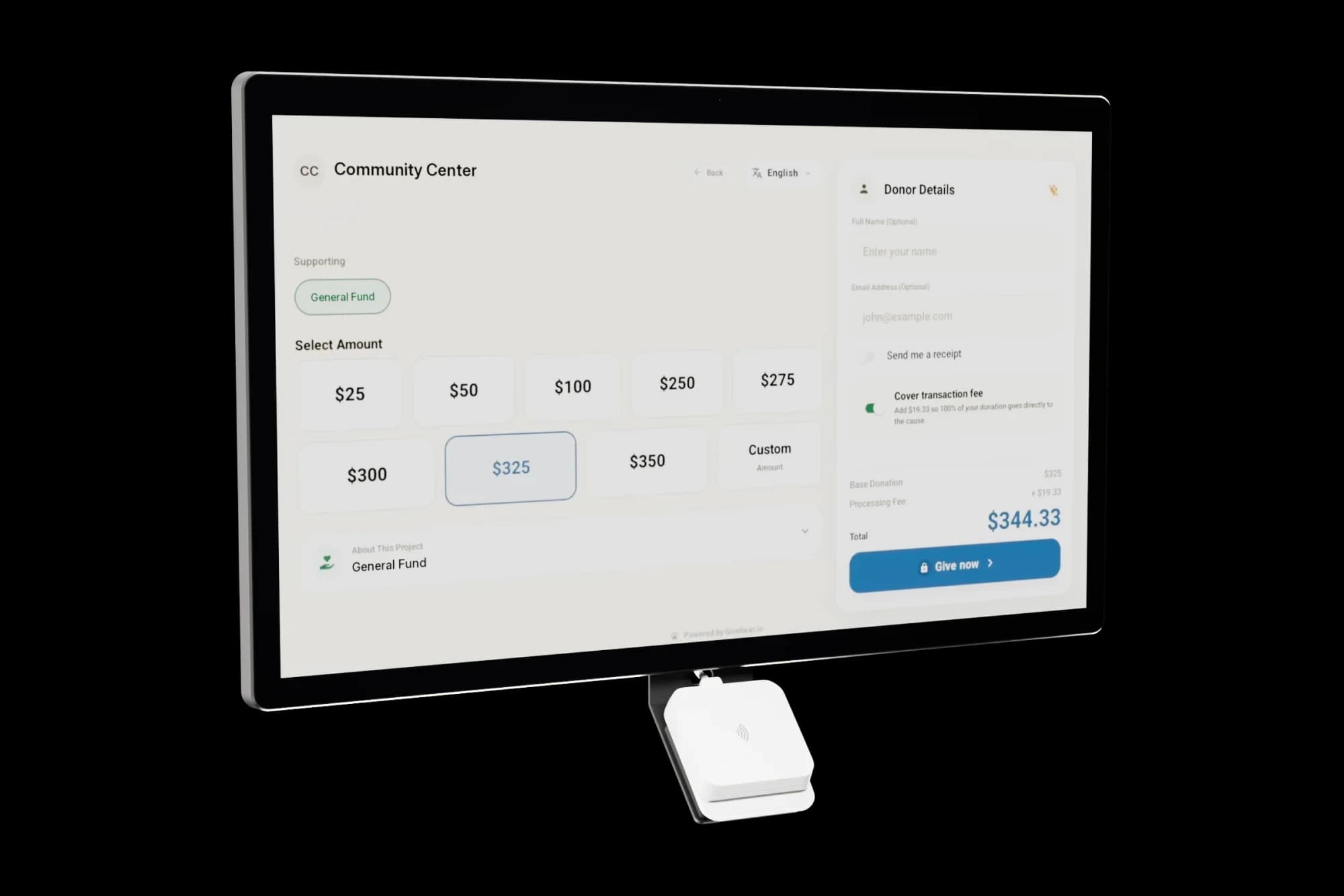
On Givebear the reader is built into a kiosk that stands in your lobby, narthex, prayer hall, or at an event table. The screen shows your funds and preset amounts; the donor picks, taps a card, Apple Pay, or Google Pay, and can add an email for a receipt. The gift is recorded with its fund in the same dashboard as online giving, and it pays out with your normal Stripe payouts.
Pair the kiosk with a QR sign so people sitting across the room can give from their own phones. The QR code opens your giving page, and both routes land in the same records.
How does a contactless donation actually work?
The donor walks up to the kiosk, picks a fund and an amount, and taps a card, phone, or watch on the reader. Stripe authorizes the payment on your organization's own account, the screen confirms, and the gift appears in your Givebear dashboard with its fund, amount, and time. Nothing is installed and nobody logs in.
Because the kiosk and the online giving page share the same records, contactless gifts sit next to online and recurring gifts in each donor's history, restricted funds stay separate, and payouts follow your normal Stripe schedule. The kiosk is a one-time purchase of $999 to $1,099, and Givebear charges a flat platform fee from 1.9% to 5.9% depending on plan (one rate online, at kiosks, and on memberships), plus Stripe card processing at cost, with no setup fee and no monthly minimum.
Placement and pairing with QR signs
Put the reader where people pause with a free hand: the exit of the main hall, a welcome desk, or an event entrance. Clear suggested amounts on the screen remove the hesitation of deciding what to give, and the kiosk works without a volunteer standing beside it.
Add QR signs where people sit, such as tables, pews, or a slide on the screen. The code opens your giving page on the donor's phone, where they can give once or start a monthly gift, and those gifts land in the same funds as the kiosk taps.
What does the IRS expect for contactless donation receipts?
A donor needs a written acknowledgment from your organization for any single gift of $250 or more before they can claim it, and it must say whether any goods or services were provided in return (or that only intangible religious benefits were). Contactless does not mean paperless: on Givebear the donor gets an email receipt when they enter an email at the kiosk, and Givebear kiosks ask for one on gifts of $500 or more.
IRS Publication 1771 accepts letters, postcards, and electronic receipts, as long as the donor has the acknowledgment by the time they file. This is general information, not tax advice; check Publications 1771 and 526 or a tax professional for your situation.
Practical use cases
- A kiosk in the narthex so members can give on the way in or out without cash.
- A kiosk at an event registration table while guests wait to check in.
- A food bank lobby kiosk where walk-in visitors give to one specific fund.
- A community center that adds QR signs on tables so seated guests can give by phone.
Key features
- Kiosk with a built-in Stripe reader
- Contactless cards, Apple Pay, and Google Pay, no donor app
- Preset amounts and several funds on screen
- Email receipts when the donor adds an email
- QR signs that open the same funds on the donor's phone
- Monthly giving option at the kiosk
Common questions
Do donors need an app or account to tap and give?
What payment methods work for contactless donations?
Where should we place a donation kiosk?
How do contactless gifts get a tax receipt?
Can one kiosk handle multiple funds or recurring gifts?
More in Guides
Keep reading
See it with your own funds.
Book a 30-minute walkthrough. No slides and no hard sell: we set Givebear up around how your organization already gives.
- Your funds, set up the way your treasurer reports them
- Where a kiosk would go, and what it costs
- The reports your board will actually see
Rather set it up yourself? Start free
Loading available times
Or open the booking page