Food bank fundraising software built for meal-based giving
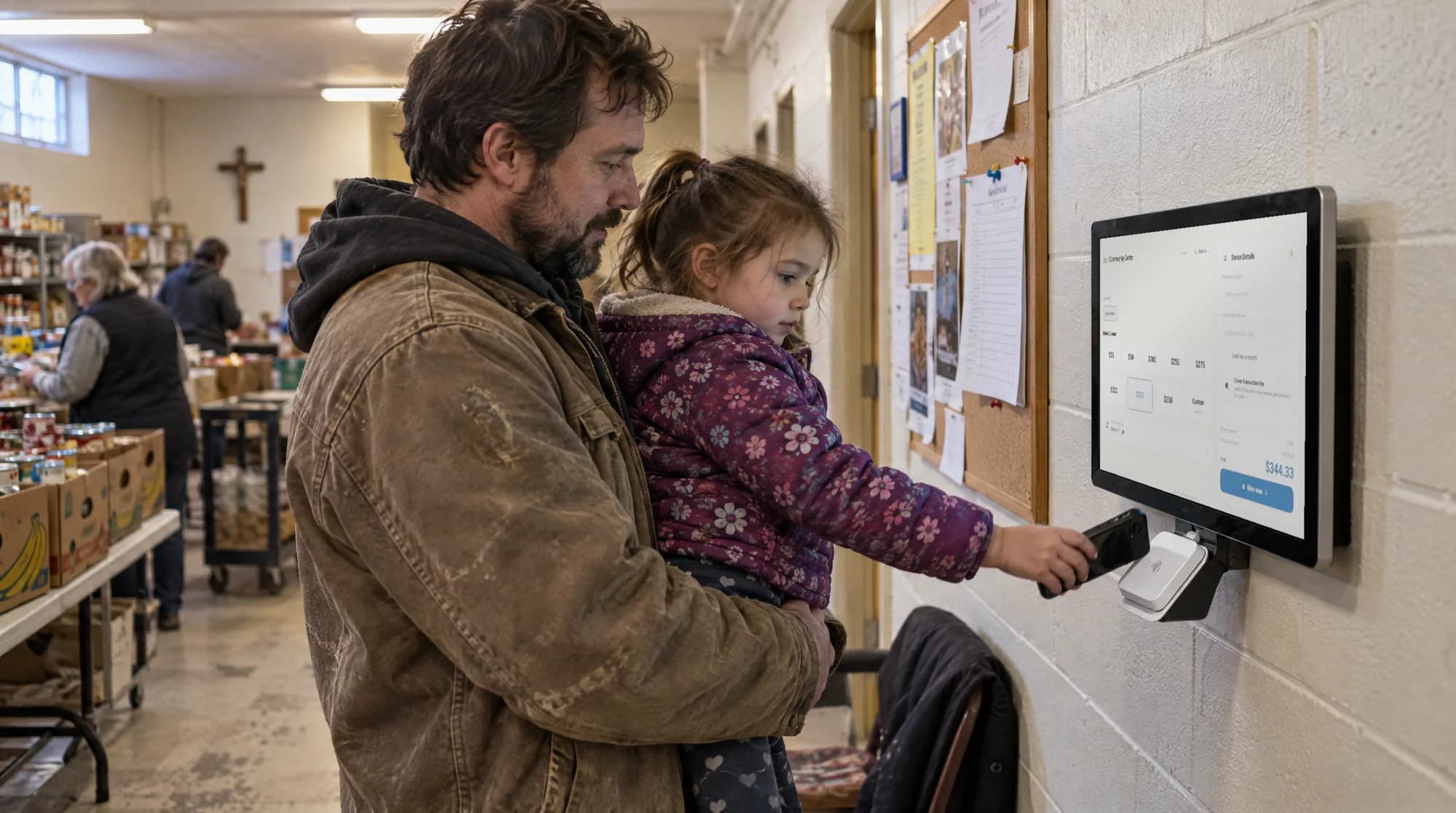
Givebear is food bank fundraising software with tap-to-pay donation kiosks for distribution sites, meal-based recurring giving, and per-program fund routing. Run pantry, mobile, and holiday campaigns from one dashboard.
Last updated July 2026 by Fatih
Quick answer
Food bank fundraising software should let donors think in meals and fund specific programs. With Givebear you set suggested amounts that match your meal math, route gifts to programs such as the mobile pantry, weekend backpacks, or senior boxes, and take gifts on a kiosk in the warehouse lobby or at a distribution site. Online, kiosk, and food-drive gifts then report by program.
Key takeaways
- Volunteers and visitors at a distribution site are rarely asked to give; a kiosk there asks for you.
- Hunger and poverty groups raised 46% of their 2025 online revenue in December (M+R), so have year-end pages ready by Thanksgiving.
- Program-restricted gifts stay tracked separately for the board and for funders.
Who this is for
- Regional food banks with a warehouse, volunteer shifts, and partner agencies
- Local pantries and soup kitchens that want card giving without a staffed terminal
- Hunger-relief groups running holiday food-box and turkey drives
A kiosk at the distribution site
Volunteers, corporate groups, and food-drive donors walk through your building every week, and most are never asked for money. A kiosk at the drop-off door or volunteer check-in asks for them.
Each tap is recorded with its fund in the same dashboard as online gifts, and donors who enter an email get a receipt. A kiosk costs $999 to $1,099, paid once.
A food bank meets most of its supporters in person: volunteers at the warehouse, groups at a food drive, neighbors dropping off cans. Givebear puts a kiosk at those donor-facing spots, so someone who came to sort food or drop off a bag can also give money, by card, Apple Pay, or Google Pay.
Food bank donors think in meals. Set your kiosk and giving page amounts to match your real cost per meal, offer a monthly gift framed the same way, and route each gift to the program the donor picks: mobile pantry, weekend backpacks, senior boxes, or the general fund. Restricted gifts are reported separately for your board and your auditors.
Meal math and program funds, not just a donation box
Use your own cost per meal to set the suggested amounts, so the screen can say what a gift does. A donor who picks the kids' backpack program or senior boxes sees that choice on their receipt.
Restricted gifts stay separate, so reports to your board, your auditors, or a network affiliate are straightforward. Givebear charges a flat platform fee from 1.9% to 5.9% depending on plan (one rate online, at kiosks, and on memberships), plus Stripe card processing at cost, with no setup fee and no monthly minimum.
One dashboard for every giving moment
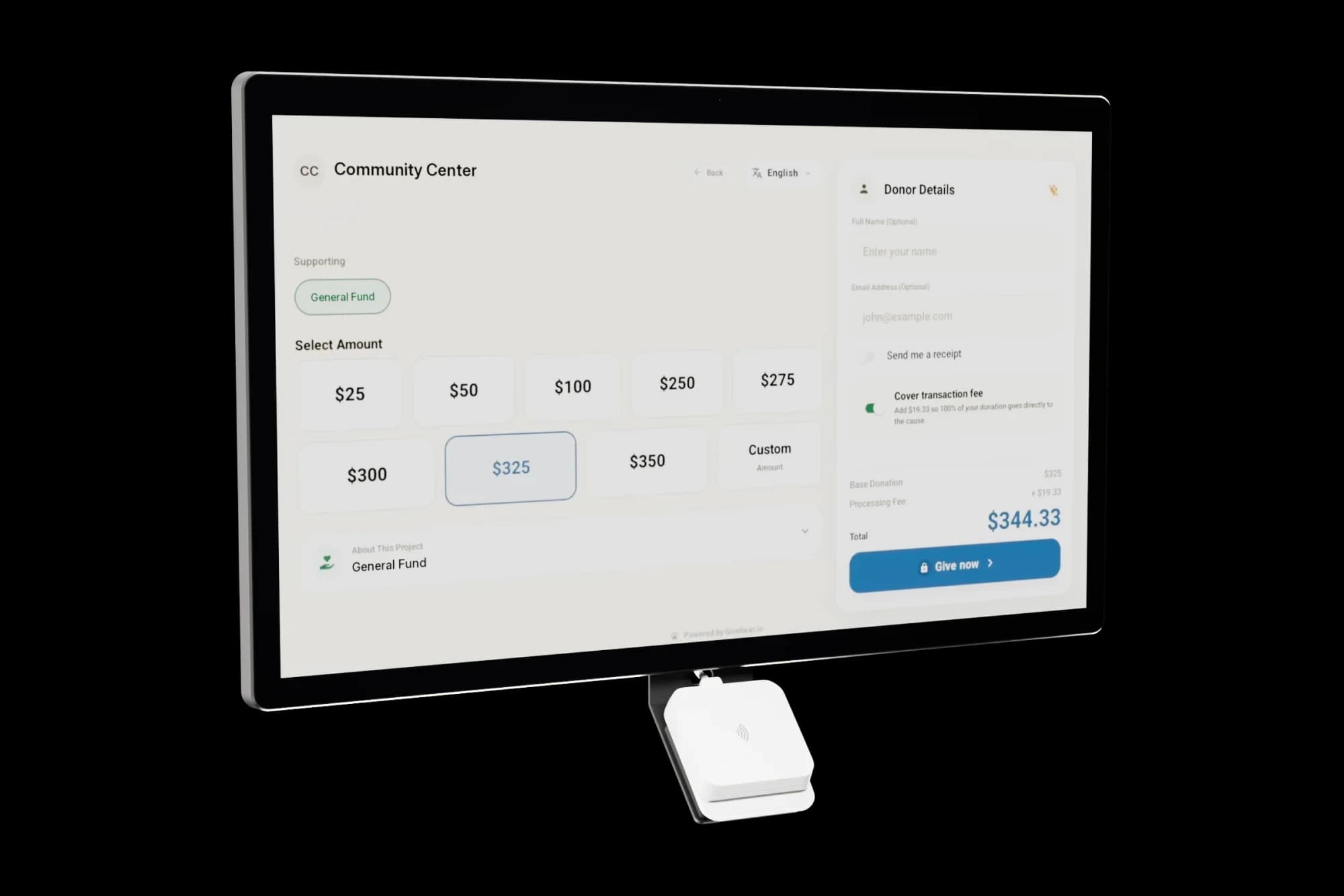
The holiday drive, monthly donors, the lobby kiosk, and the website form all feed the same donor records and the same fund reports, so there is nothing to merge before a board meeting.
A donor who gives online, taps at the warehouse, and buys a ticket to the harvest dinner is one record with one annual statement.
Where to place a food bank kiosk, and where not to
Put kiosks where donors are: the drop-off entrance, volunteer check-in, fundraising breakfasts, and partner store counters during a register campaign. Do not put one in the client distribution line; asking for money where people come to receive food undermines their dignity.
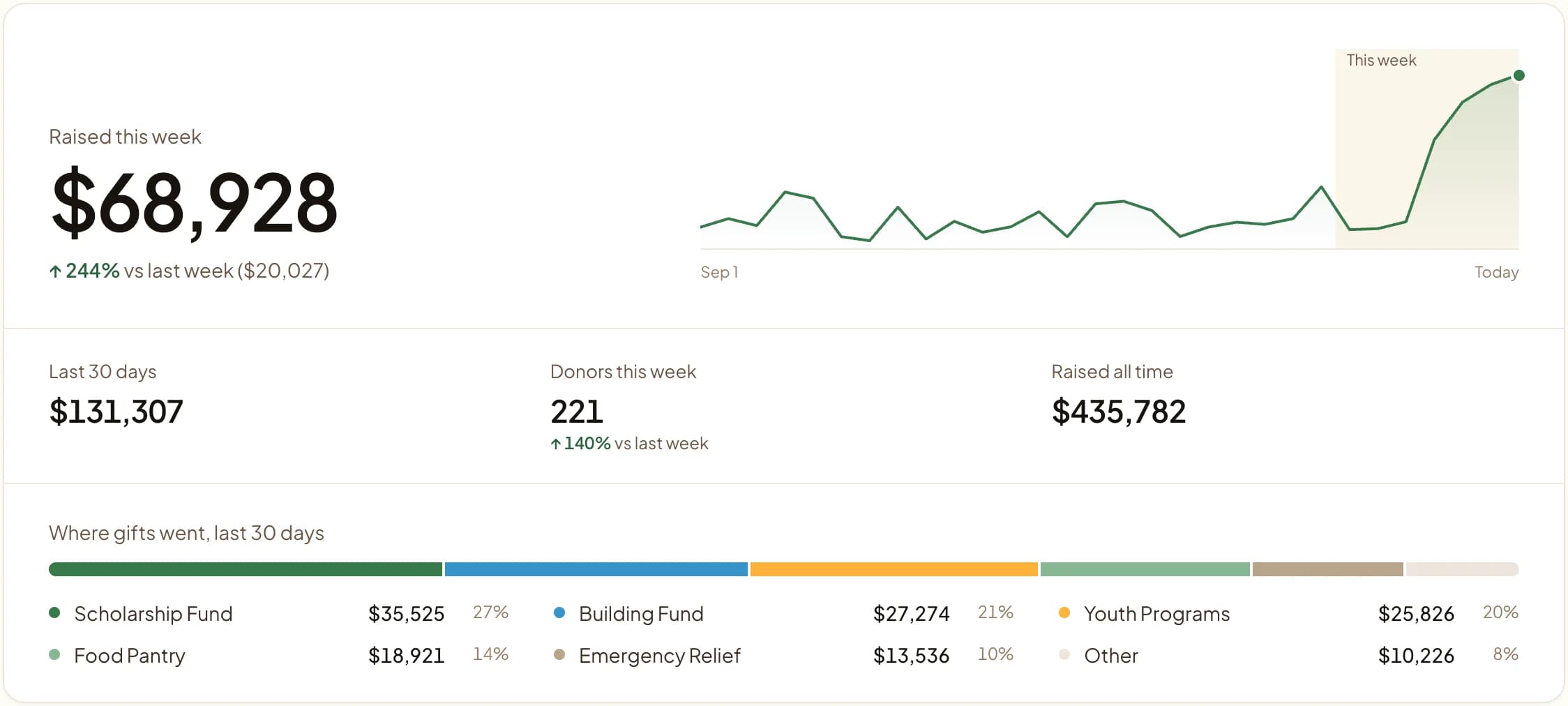
Add a sign that frames a cash gift as an addition, for example noting that a tap goes further alongside the cans a donor already brought. Printed QR codes on food-drive barrels route to the same funds as the kiosk and website.
Food bank fundraising ideas beyond the kiosk
The steadiest income is a monthly gift tied to something a donor can picture, such as a week of groceries for a family or a child's weekend backpack for a month. Use the same amounts on the giving page, the kiosk, and a QR code printed on food-drive materials.
For events, sell tickets to an empty-bowls dinner or harvest gala through Givebear and send the night's gifts to a dedicated fund, so ticket income and restricted gifts stay apart. A goal bar with a meal target gives the campaign a shared number to aim for.
Practical use cases
- A kiosk at the food drop-off door and at volunteer check-in.
- A monthly gift framed as a number of meals.
- Separate funds for mobile pantry, backpacks, senior boxes, and produce rescue.
- A QR code on food-drive barrels that opens the same giving page.
Key features
- Kiosk for the warehouse lobby or a battery floor stand for events
- Suggested amounts set to your cost per meal
- Monthly giving
- Per-program funds reported separately
- Giving form for your website and campaign pages
- Email receipts and donor records
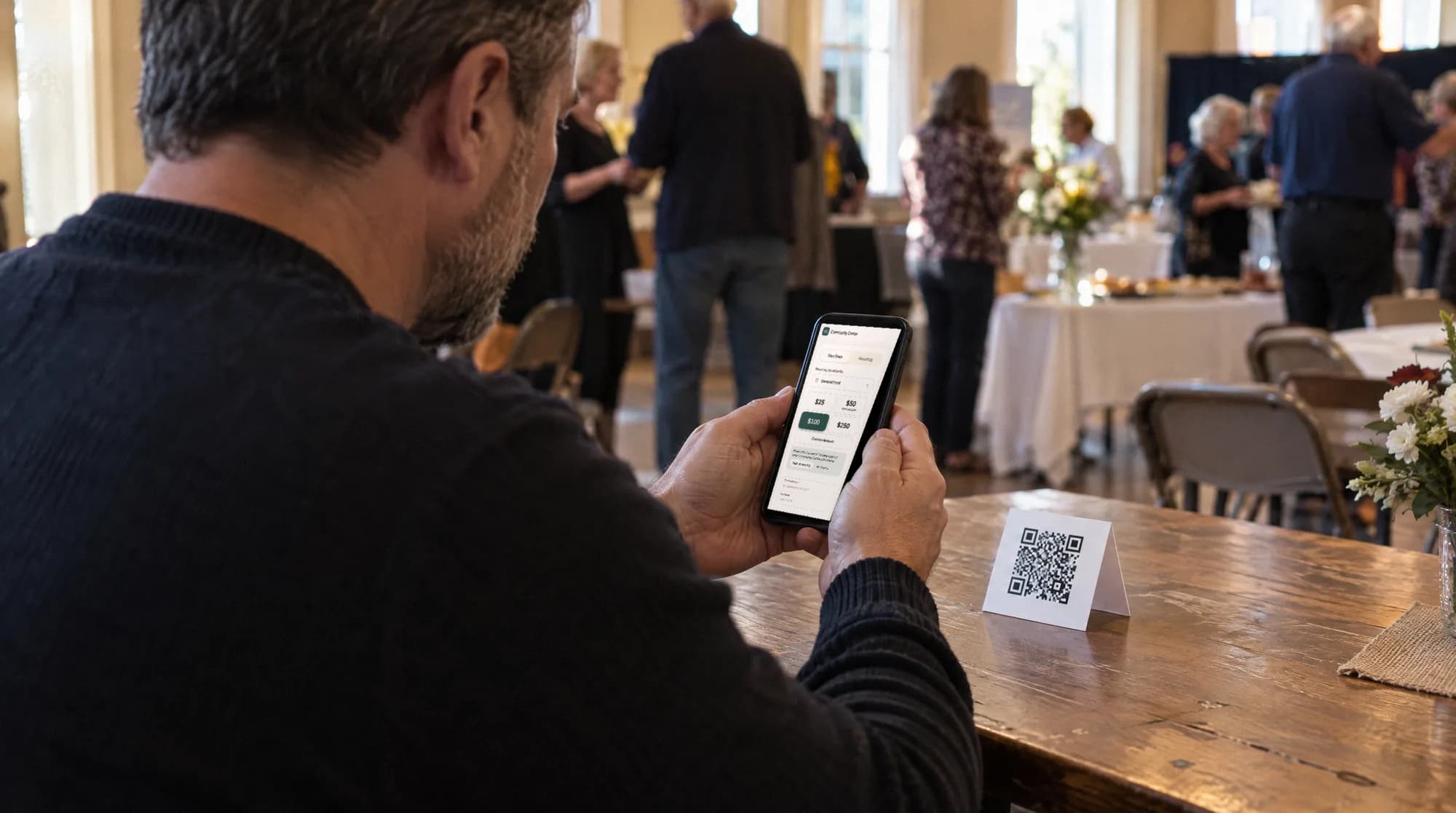
The kiosk. From $999, paid once.
A 21.5" touchscreen with a tap-to-pay reader, on a wall mount or a battery floor stand. Gifts on it carry your plan's platform fee and land in the same funds as online giving.
Common questions
What makes Givebear different from a standard food bank CRM?
Can donors fund a specific number of meals or a specific program?
Where can we place the donation kiosks?
Can we run a holiday food drive and a cash appeal together?
Related reading
See it with your own funds.
Book a 30-minute walkthrough. No slides and no hard sell: we set Givebear up around how your organization already gives.
- Your funds, set up the way your treasurer reports them
- Where a kiosk would go, and what it costs
- The reports your board will actually see
Rather set it up yourself? Start free
Loading available times
Or open the booking page