Hindu temple donation software for seva, hundi, and festival giving
Givebear is donation software for Hindu temples and mandirs: route gifts per deity and fund, sponsor recurring seva, replace the cash hundi with a lobby tap-to-pay kiosk, and send automatic tax receipts. Book a demo.
Last updated July 2026 by Fatih
Quick answer
Hindu temple donation software should let devotees give to a specific deity, seva, or project instead of one general pool. With Givebear, devotees choose the fund on a lobby kiosk or the temple website, can sponsor a monthly seva, and receive tax receipts automatically. The kiosk stands in for the hundi, so festival and darshan gifts are recorded as they happen instead of counted later.
Key takeaways
- Create a fund for each shrine, seva, and capital project so trustees can see restricted balances.
- Families living far away can sponsor annadanam or abhishekam online.
- Donor history shows who sponsored last year's Diwali annadanam before you plan this year's.
Who this is for
- Temple trustees and committees managing funds for several deities, sevas, and projects
- Mandirs that count hundi cash by hand and want a digital record alongside it
- Diaspora temples whose devotees give from out of state and expect online and monthly options
Retire the hundi reconciliation headache
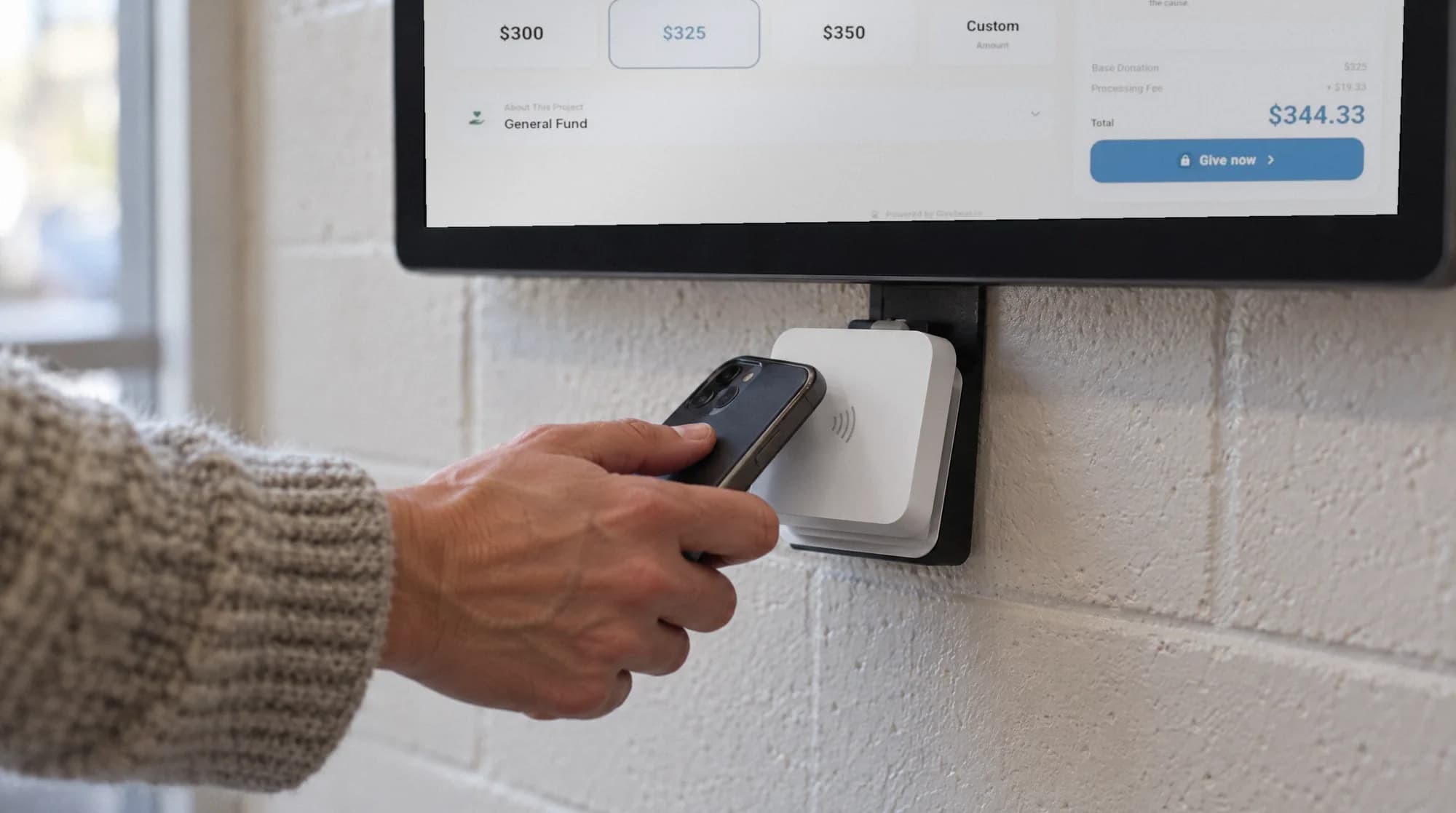
Counting and depositing hundi cash is slow, hard to audit, and leaves no record of who gave. A kiosk near the hundi lets devotees tap a card or phone during darshan and festivals, and each gift is recorded against its fund.
Wall-mount it by the shoe rack or prasadam counter, or use the battery floor stand for festivals. The kiosk is a one-time purchase of $999 to $1,099, and its gifts appear in the same dashboard as online and monthly giving.
A mandir receives gifts in many forms: a folded bill in the hundi during morning aarti, an annadanam sponsorship for a parent's punya tithi, a monthly abhishekam seva from a family in another state, and a wave of gifts during Navaratri or Ganesh Chaturthi. Givebear brings these into one place, with fund names in the words your devotees use.
Each deity, seva, and building project can be its own fund, so a gift for a murti pratishtha stays apart from general operations and trustees can see each balance. Devotees can give on the temple website, at a kiosk near the hundi, or as a monthly sponsor, and every gift lands on the same donor record.
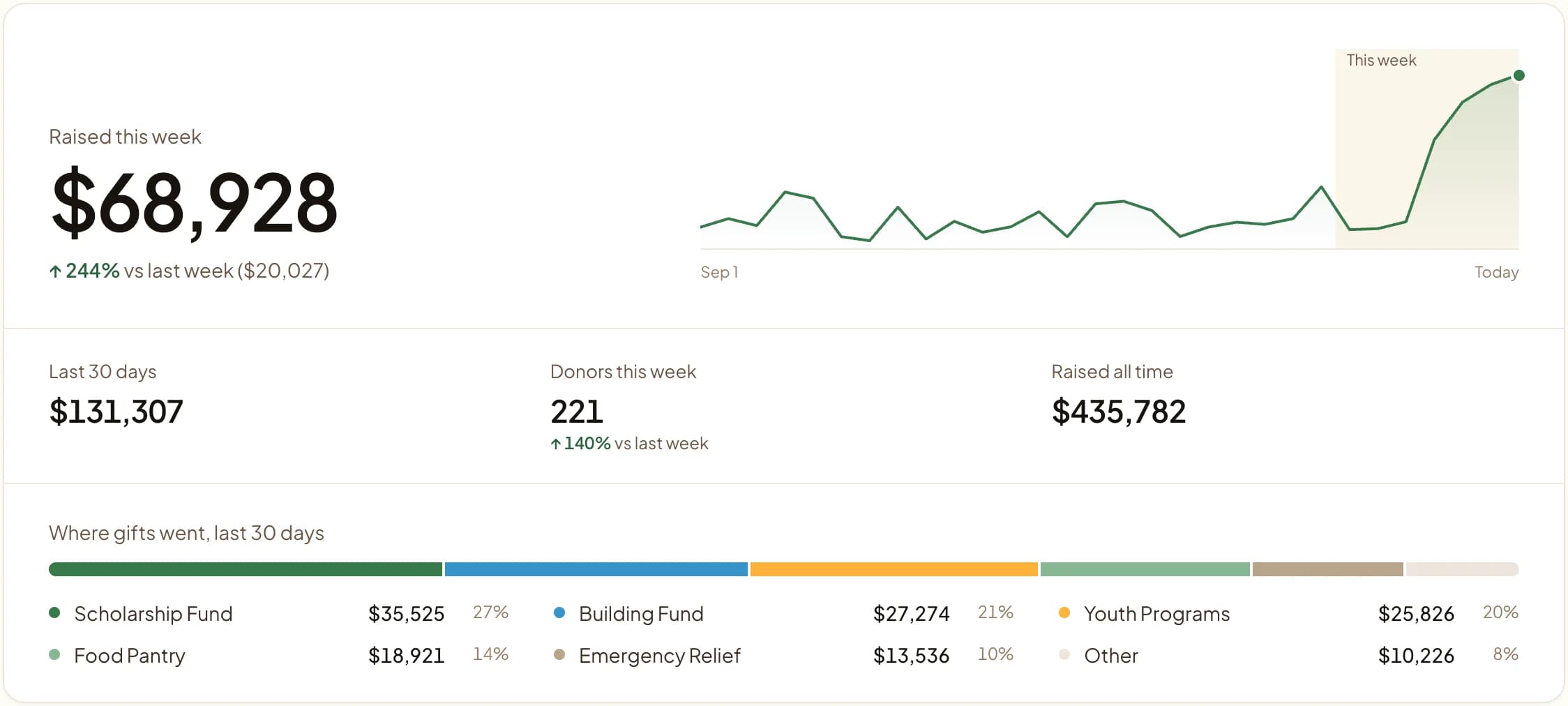
One donor record from kiosk to diaspora
A family that taps at Janmashtami, sponsors monthly abhishekam online, and buys utsav tickets is one record with one giving history.
That gives a 501(c)(3) temple complete year-end statements and lets the committee see who sponsored last year's annadanam before planning this year's.
Practical use cases
- A kiosk beside the hundi for darshan and festival crowds.
- Separate funds for murti pratishtha, annadanam, and temple expansion.
- Monthly seva sponsorships such as abhishekam or archana.
- A festival fund for Navaratri, Diwali, or Janmashtami, added to the kiosk for the season.
Key features
- Funds per deity, seva, and project
- Lobby kiosk with cards, Apple Pay, and Google Pay
- Monthly seva sponsorships
- Giving form for the temple website
- Event tickets for utsav programs and cultural nights

The kiosk. From $999, paid once.
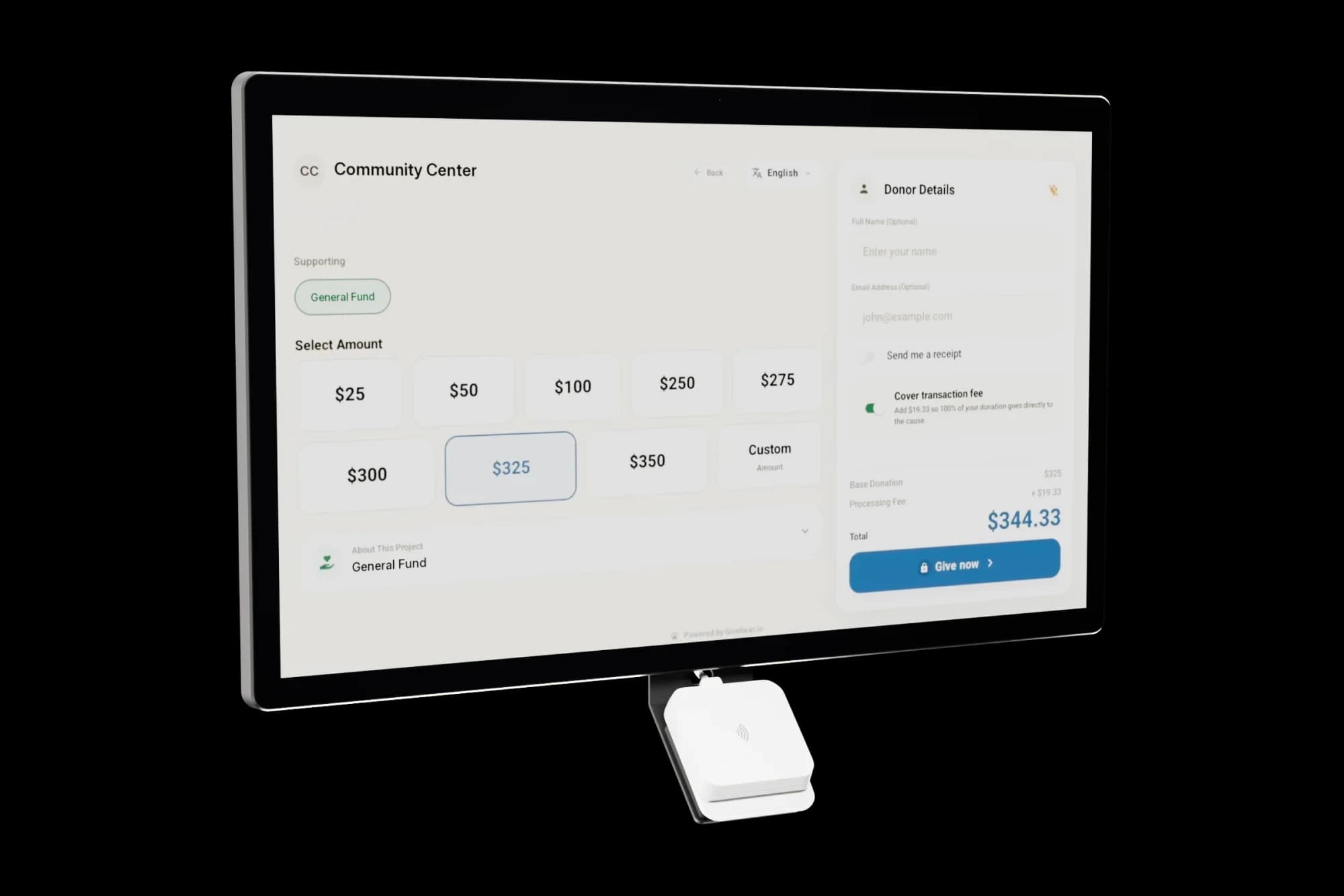
A 21.5" touchscreen with a tap-to-pay reader, on a wall mount or a battery floor stand. Gifts on it carry your plan's platform fee and land in the same funds as online giving.
Common questions
Can devotees give to a specific deity or seva instead of a general fund?
How does the kiosk replace our hundi box?
Can the kiosk display Hindi, Tamil, or Gujarati?
Can we set up recurring monthly seva sponsorships?
What does Givebear cost a temple?
Related reading
See it with your own funds.
Book a 30-minute walkthrough. No slides and no hard sell: we set Givebear up around how your organization already gives.
- Your funds, set up the way your treasurer reports them
- Where a kiosk would go, and what it costs
- The reports your board will actually see
Rather set it up yourself? Start free
Loading available times
Or open the booking page