Rescue mission and homeless shelter fundraising software
Homeless shelter fundraising software for rescue missions: lobby and thrift store tap-to-pay kiosks, recurring meal and bed sponsors, and fund routing for chapel and recovery programs. Built for faith-based ministries on Stripe.

Last updated July 2026 by Fatih
Quick answer
Givebear works for faith-based rescue missions and homeless shelters. Donors can give by the meal, the bed night, or the recovery month; gifts route to programs such as the meal line, the women and children's shelter, or recovery; and monthly sponsors manage their own gift. Kiosks fit the intake lobby, the chapel, or the thrift store checkout.
Key takeaways
- Thrift store shoppers and tour groups are walk-in donors most missions never ask.
- Report designated gifts by program to show partners their money went where they directed.
- QR codes, the website form, and the kiosk all use the same funds.
Who this is for
- Faith-based rescue missions running shelter, meal service, and recovery programs
- Gospel missions that depend on monthly partners
- Missions with thrift stores or donation centers
A donation kiosk for the lobby, the chapel, and the thrift store
Walk-in moments are the ones missions most often lose: a donor drops off coats, a church group tours the shelter, a shopper pays at the thrift store, and there is no easy way to turn that goodwill into a gift. A kiosk offers one: pick a meal, a night, or the recovery program, and tap.
Put one at intake, one in the chapel for Sunday visitors, and one at the thrift store register. Every gift is recorded against its fund in the same place as online sponsors. A kiosk is a one-time purchase of $999 to $1,099.
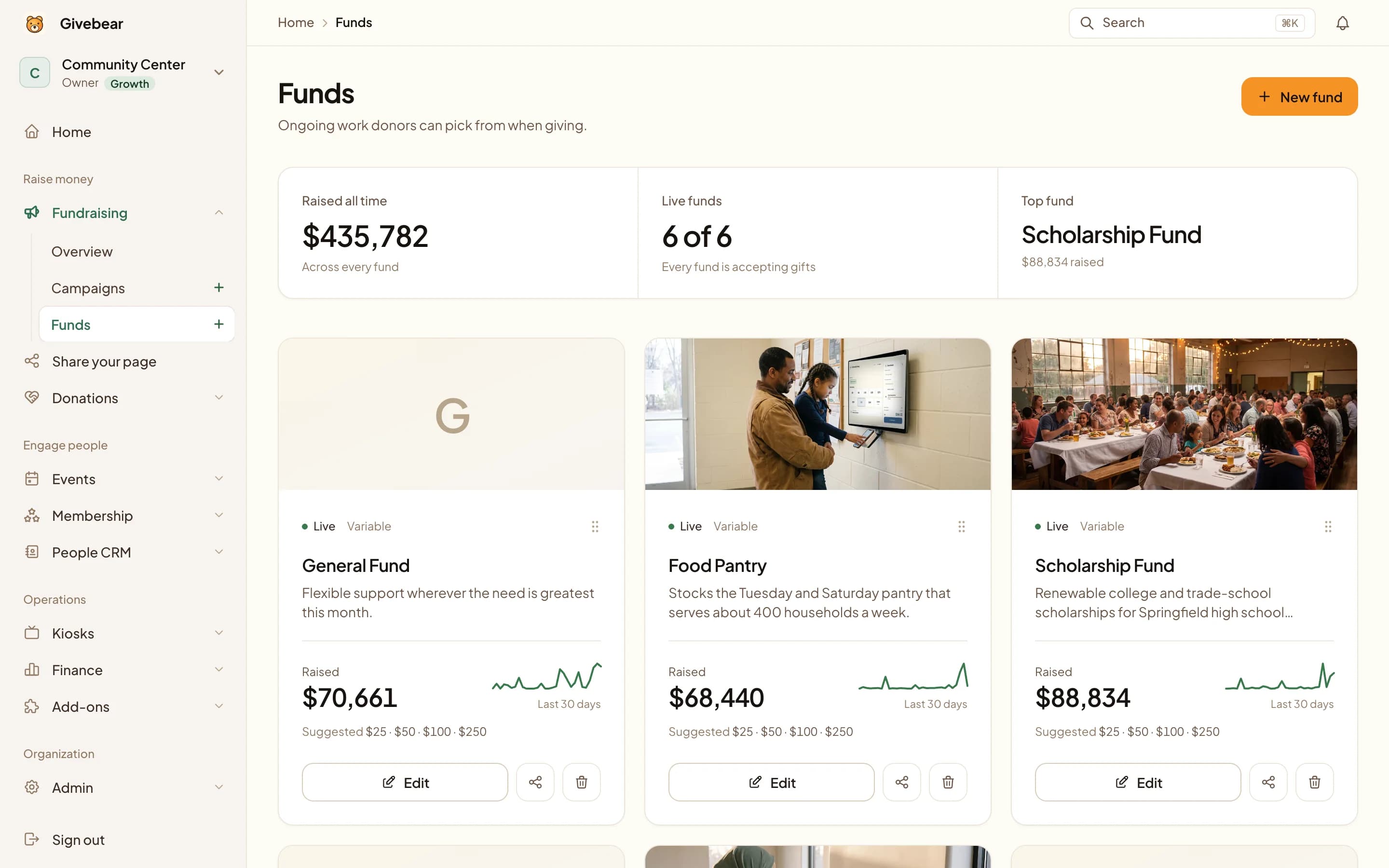
A rescue mission's donors give for something specific: a meal, a night's bed, a month in the recovery program. Givebear lets them choose that when they give, and reports each fund separately, so the mission can show partners how designated gifts were used.
A kiosk in the intake lobby, the chapel, or at the thrift store counter catches the gift from the volunteer, the church group on a tour, or the shopper at checkout. The same funds sit behind a QR code, the giving form on your website, and your email appeals, so a monthly bed sponsor and a walk-in gift land in the same donor record.
Designated giving and the monthly partner
When a partner gives to the women and children's shelter, that is where the money should go and be seen to go. Each fund is reported on its own, so the board and partners can see how designated gifts were used.
Monthly partners are what keep a mission's budget steady. They can set up a gift in a minute, change or pause it in the donor portal, and receive a receipt each month.
Payments and receipts on your own Stripe account
Payments run on Stripe and settle to the mission's own account. Cards, Apple Pay, and Google Pay work everywhere, and monthly partners can pay by bank account where ACH is enabled.
Receipts go out by email with the fund named, and annual statements combine kiosk, online, and monthly gifts for each partner.
Practical use cases
- A kiosk in the intake lobby and the chapel offering meal, bed, and recovery funds.
- Monthly partner giving for the men's, women's, and family programs.
- A kiosk at each thrift store register.
- Separate funds for the recovery program, meal line, and building fund.
Key features
- Kiosk for the lobby, chapel, or thrift store counter
- Funds for meals, beds, chapel, recovery, and capital needs
- Monthly partner giving that donors manage themselves
- Email receipts and annual statements
- QR codes and a website giving form using the same funds

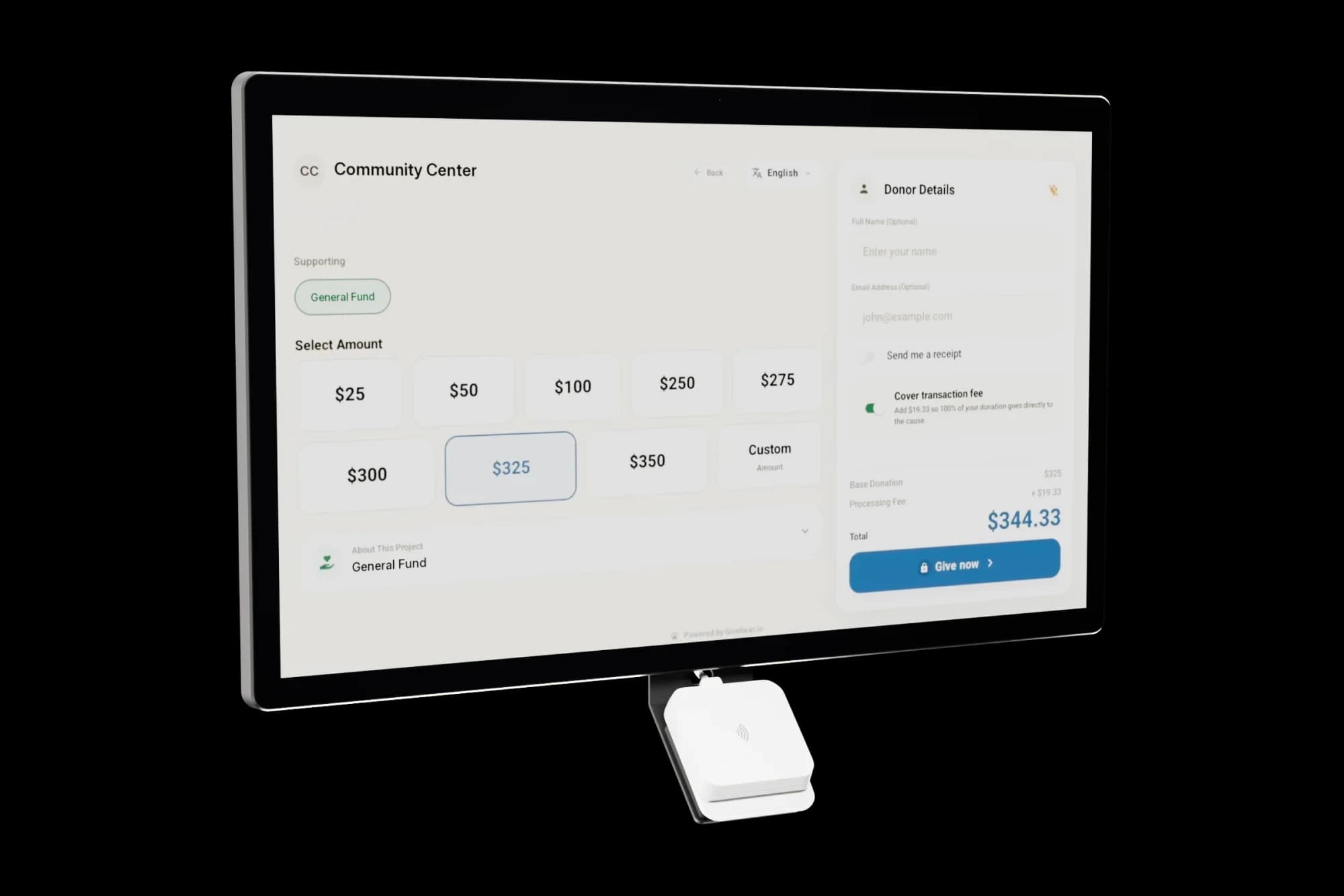
The kiosk. From $999, paid once.
A 21.5" touchscreen with a tap-to-pay reader, on a wall mount or a battery floor stand. Gifts on it carry your plan's platform fee and land in the same funds as online giving.
Common questions
Is Givebear a good fit for a faith-based rescue mission?
How does the donation kiosk work in our lobby or thrift store?
Can donors give to a specific program like recovery or the meal line?
Can we sell thrift store items through the kiosk?
What does Givebear cost?
Related reading
See it with your own funds.
Book a 30-minute walkthrough. No slides and no hard sell: we set Givebear up around how your organization already gives.
- Your funds, set up the way your treasurer reports them
- Where a kiosk would go, and what it costs
- The reports your board will actually see
Rather set it up yourself? Start free
Loading available times
Or open the booking page