Donation kiosk rental: the rent-or-buy math for nonprofit events
Donation kiosk rentals run $149 to $299 per device per event. One gala favors renting; by the third event the rental invoices pass a one-time kiosk purchase.
Last updated July 2026 by Akif
Quick answer
Rent for a single event; buy if you will use a kiosk three or more times. Kind Kiosk, which leads the rental market, charges $149 to $299 per device per event (verified June 2026), so three top-tier rentals total $897. A Givebear kiosk is a one-time purchase of $999 to $1,099 with no per-device subscription, so owning catches up with renting at around the third event.
Key takeaways
- Renting does not lower per-gift costs: Kind Kiosk's 3% platform fee plus Stripe's 2.7% applies to rentals too.
- DipJar, the other common source of event devices, shut down on February 11, 2025.
- An owned kiosk can stay in the lobby between events.
Who this is for
- Development directors pricing a single gala who want to know whether this year's rental quote should become next year's hardware line item instead
- Event committees at schools, churches, masjids, and community nonprofits that run two to four fundraising events a year (fall auction, spring gala, community dinner, holiday market) and keep re-booking the same rental
- Operations leads who want one rented evening of real data (taps per hour, average gift) before committing budget to owned hardware
- Treasurers comparing total cost across rental fees, per-gift platform fees, and monthly software subscriptions rather than sticker prices alone
What does donation kiosk rental cost in 2026?
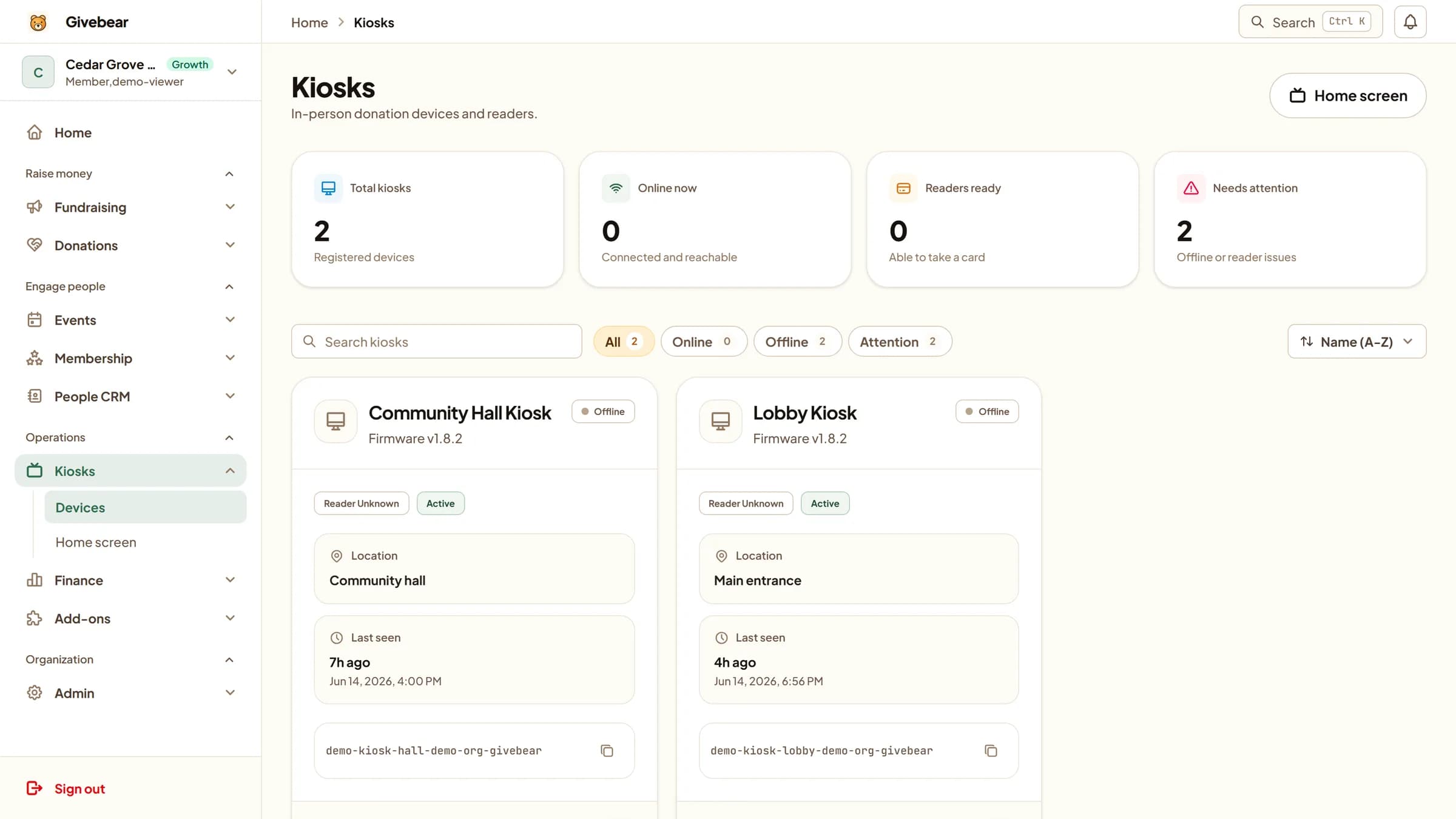
Kind Kiosk lists event rentals at $149 to $299 per device per event on its pricing page (verified June 2026), and it is effectively the rental market: DipJar shut down at 8:00am ET on February 11, 2025 per its own notice, its dashboards went dark on February 27, and Kind Kiosk is the designated successor. Kind Kiosk also sells devices outright at $299 to $599 each, but ownership there still carries a software subscription of $49/mo on Community ($19/mo for each additional device) or $149/mo on Growth, from the same page. So the rent-or-buy decision inside that one vendor is really rent-or-rent: the monthly software fee keeps running either way.
The rental fee is also not the whole cost of the evening. Kind Kiosk's published per-gift rates are a 3% platform fee plus Stripe processing at 2.7%, which the pricing page totals at 5.7% combined on cards. A gala that collects $10,000 through the rented device gives up about $570 of it in combined card fees before the rental invoice is counted; at the top rental tier, the evening costs roughly $869 against $10,000 collected. None of that is hidden, but quotes are usually compared by the rental line alone, and the per-gift fees are where the larger number lives.
The first donation kiosk rental quote usually lands on a development director's desk about eight weeks before the spring gala: $149 to $299 per device per event from Kind Kiosk, the vendor that leads the rental market (Kind Kiosk pricing, verified June 2026). For one evening with 300 guests, that number looks reasonable. The harder question is the one the quote does not answer: this is the second rental this fiscal year, the fall auction will need a device too, and nobody has compared three rental invoices against simply owning the hardware.
The rental market itself is thinner than it looks from the search results. DipJar, the longtime standby for event giving devices, ceased all operations on February 11, 2025 per its own shutdown notice, stranding more than 3,500 organizations and naming Kind Kiosk as its successor. Most rental searches now end at Kind Kiosk's per-event pricing. Renting also does not pause transaction costs: Kind Kiosk's published rates are a 3% platform fee plus Stripe processing at 2.7%, or 5.7% combined on cards (same pricing page), so a rented device takes the same bite out of every gift that an owned one would.
Givebear approaches the same problem from the ownership side. A kiosk is a one-time purchase of $999 to $1,099 (wall mount at the low end, battery-powered floor stand at the high end) with no per-kiosk software subscription, and Givebear charges a flat platform fee from 1.9% to 5.9% depending on plan (one rate online, at kiosks, and on memberships), plus Stripe card processing at cost, with no setup fee and no monthly minimum. That changes the arithmetic: renting wins for a genuinely one-off event, and ownership wins as soon as the events repeat, because three top-tier rentals total $897 per device, more than the low end of the one-time range and within a few dollars of the high end.
The break-even math: three rentals against one purchase
A purchased kiosk finishes paying for itself in the first or second season and then costs nothing further in hardware, while a rental never does. Take a nonprofit that runs a fall auction, a spring gala, and a holiday market: three events, one device each. At the bottom rental tier that is $447 a year; at the top tier it is $897 a year, and the same amount again every year after. A Givebear kiosk is a one-time $999 to $1,099 depending on mount, so the top-tier renter's $897 first season nearly covers the entire one-time range, and the bottom-tier renter crosses the $999 wall-mount price during year two.
The software side widens the gap. An owned Givebear kiosk carries no per-device software subscription; Givebear charges a flat platform fee from 1.9% to 5.9% depending on plan (one rate online, at kiosks, and on memberships), plus Stripe card processing at cost, with no setup fee and no monthly minimum. Buying a device from a vendor that charges $49/mo for its software adds $588 a year before a single gift is processed. Ownership also pays a dividend rentals cannot: the device works the other 51 weeks of the year in a lobby, foyer, or reception area, collecting gifts between events instead of sitting in someone else's warehouse.
When is renting a donation kiosk the right call?
Renting genuinely wins in two situations. The first is the single annual event with nowhere to put hardware afterward: an organization with no lobby, no office foot traffic, and one gala a year would store an owned kiosk in a closet for 364 days. At the bottom rental tier it takes about five annual events for the accumulated invoices to pass the one-time price of a wall unit; at the top tier it takes three. If the event calendar is truly that thin and stays that way, rent and bank the difference.
The second is the pilot. One rented evening produces real numbers from your actual crowd: how many guests tapped, what the average gift was, whether the device drew a line or got ignored next to the silent-auction sheets. That is worth a rental fee before committing budget. One caveat applies to both cases: gifts processed through a rental vendor's platform live in that vendor's reporting, so export every donor name and email immediately after the event. A one-night account that lapses takes those relationships with it.
How does a battery floor stand remove the reason to rent?
The strongest practical argument for renting was never price; it was logistics. A permanent kiosk is imagined as a unit bolted to a wall, useless in a hotel ballroom. Givebear's floor stand answers that directly: a freestanding 21.5 inch touchscreen with contactless card and wallet payments and a built-in battery rated for about four hours, which covers a gala from doors to last call without an extension cord taped across the floor. It stands mid-room where the giving moment happens (the entrance at arrival, beside the stage during the appeal) and moves back to the lobby the next morning.
Ownership also fixes the data problem that rentals create. A guest who taps $100 at the entrance of an owned kiosk lands in the same donor record as their online gifts and last year's event contribution, so the development team can segment next year's invitations on real giving history. A rented device's one-night data rarely survives the export-and-import shuffle. For the event-day workflow itself (placement at arrival, during the program, and at exit), the gala kiosk guide covers the floor plan in detail.
There are two models: the $999 wall mount for a fixed lobby or entrance, and the battery floor stand for organizations whose giving spot travels between events.
Practical use cases
- Price one rental invoice against a one-time purchase before signing: if the event repeats annually, the purchase usually wins by the third booking.
- Run a battery floor stand at the gala entrance and the check-in table for the evening, then put it back to work in the lobby on Monday morning.
- Rent once deliberately as a pilot: measure how many guests tap, what they give, and whether the crowd uses the device at all before buying.
- Cover a multi-event season (auction in October, gala in April, fun run in June) with one owned device instead of three separate rental bookings and shipping windows.
Key features
- One-time hardware purchase with no per-device software subscription
- Battery-powered floor stand that runs about four hours unplugged, long enough to cover a gala program without taping cords across a ballroom floor
- Fund routing per event campaign, so paddle-raise gifts, auction proceeds, and general donations land in separate ledger lines
- Automated email receipts sent under your organization's name, not a rental vendor's
- Event gifts written to the same donor records as online giving, so gala attendees show up in next year's appeal segments
- Remote screen and fund changes from the dashboard between events, with no reconfiguration on event day
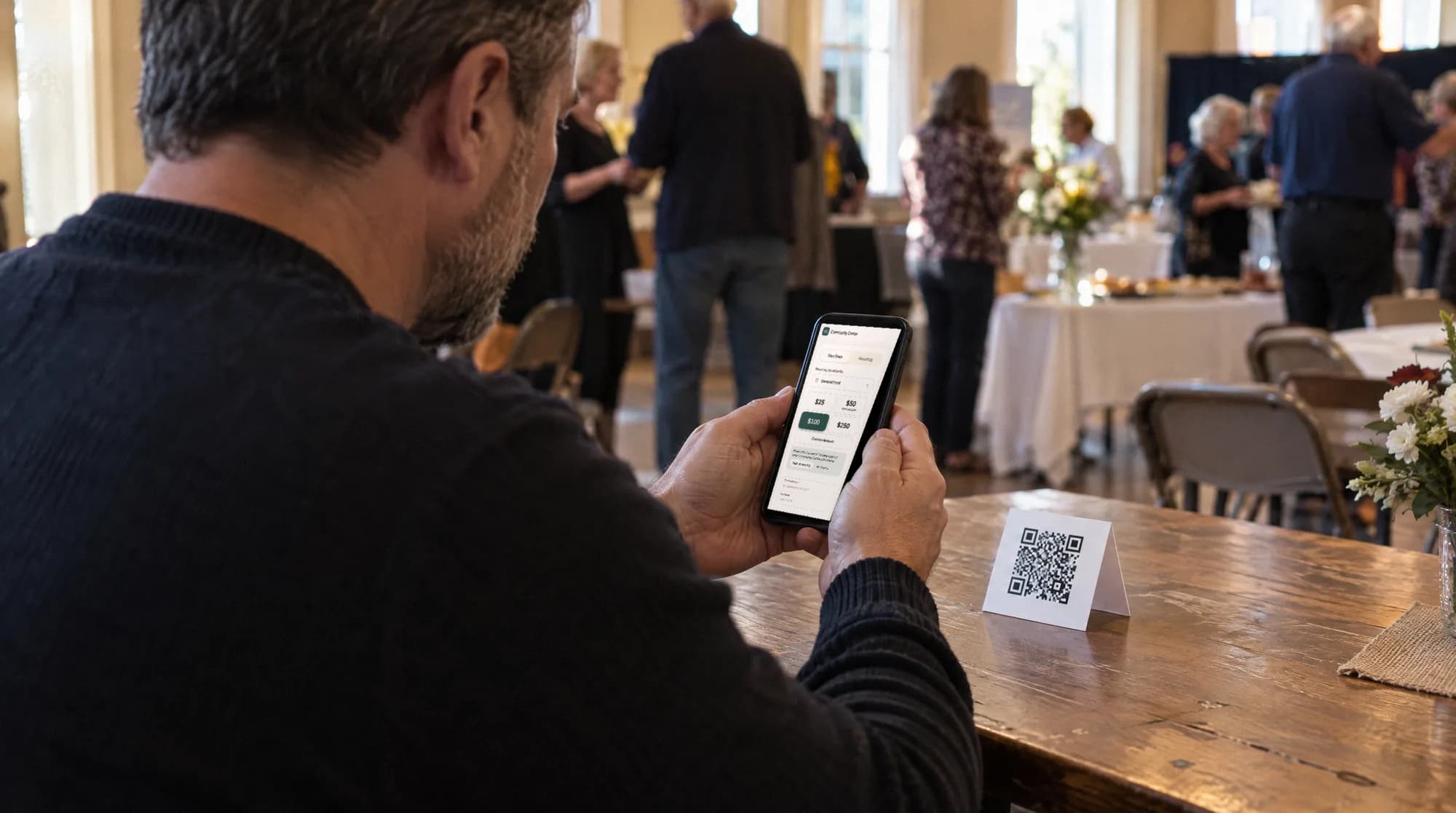
The kiosk. From $999, paid once.
A 21.5" touchscreen with a tap-to-pay reader, on a wall mount or a battery floor stand. Gifts on it carry your plan's platform fee and land in the same funds as online giving.
Common questions
How much does it cost to rent a donation kiosk?
Is it cheaper to rent or buy a donation kiosk?
Can you rent a donation kiosk for one day?
Does Givebear rent donation kiosks?
See it with your own funds.
Book a 30-minute walkthrough. No slides and no hard sell: we set Givebear up around how your organization already gives.
- Your funds, set up the way your treasurer reports them
- Where a kiosk would go, and what it costs
- The reports your board will actually see
Rather set it up yourself? Start free
Loading available times
Or open the booking page